
JTIP Manual
1. Log into the system
2. Apply grant as usual. Fill in all the information in each section
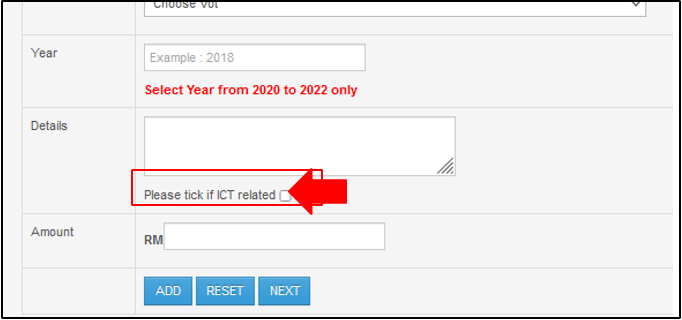
3. Make sure to tick ‘Please tick if ICT related’ checkbox in Fund Info
4. Submit application
5. Waiting for HOD Approval
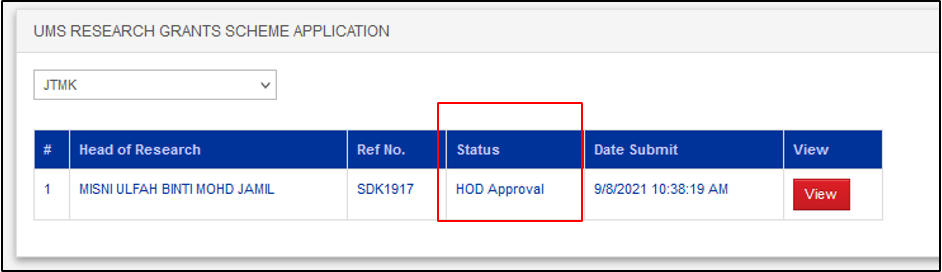
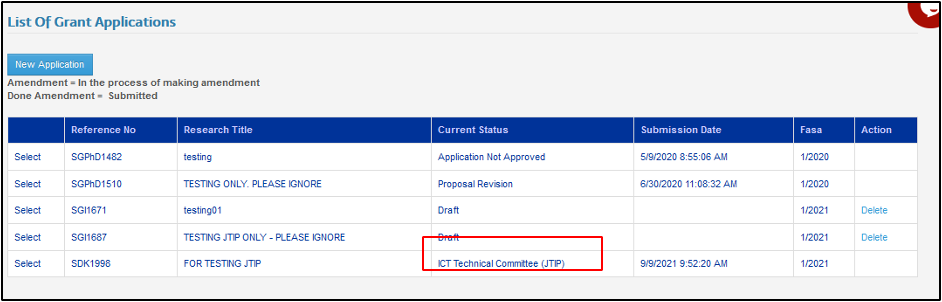
6. After the project has been approved, current status will change from HOD Approval to ICT Technical Committee (JTIP)
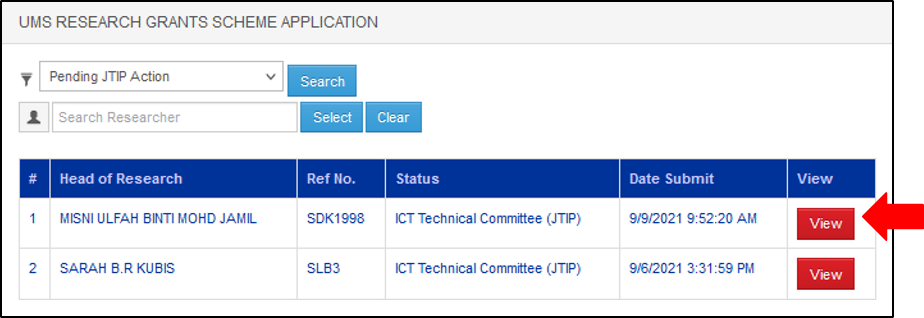
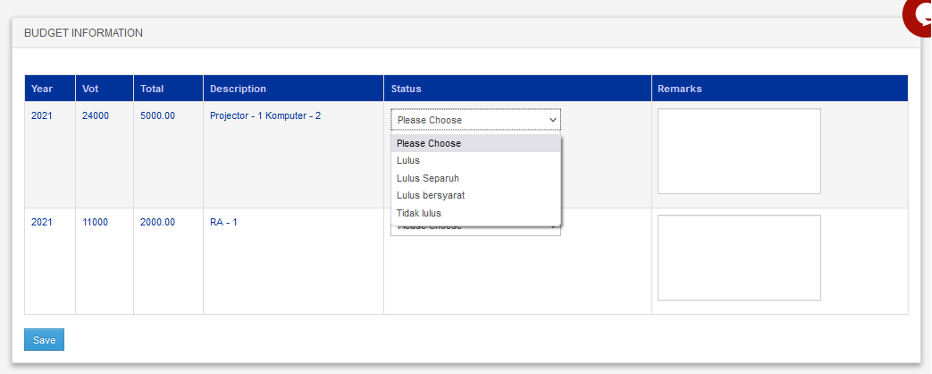
8. In Budget Information, select the Status of the project details, enter Remarks and click Save button.
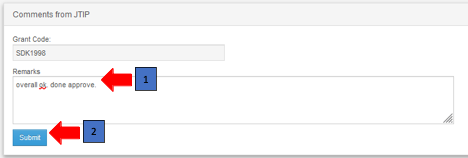
9. At Comments from JTIP section, enter Remarks and click Submit
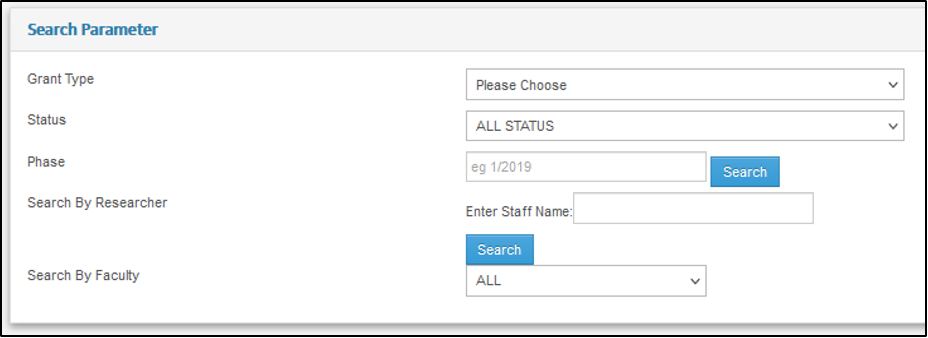
11. After that, all the project information will appear in the list as picture below. Click View button to view the information

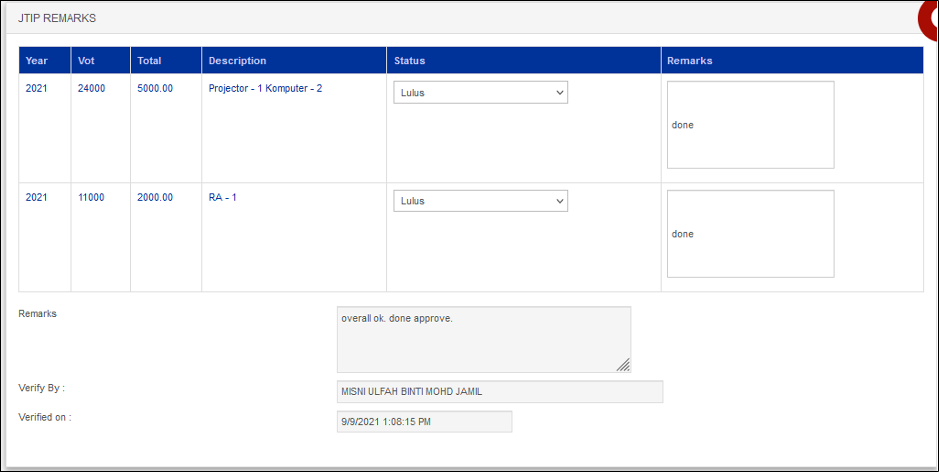
12. After click the View button, scroll down until the JTIP Remarks. You can see the remarks in this page.
No comments to display
No comments to display