
Checking Payment List and Generating Payment Receipt
Checking Payment List and Generating Payment Receipt
This section explains the steps to check the Payment List Report and generate a payment receipt through the UMS Press Conference (UPC) System.
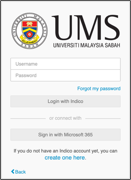 Step 1: Login to the UPC
- Open a web browser and access the UPC System.
- Enter your registered Username and Password.
- Click the Login button to access the system dashboard.
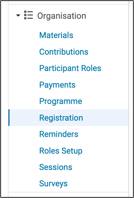 Step 2: Access the Registration Module
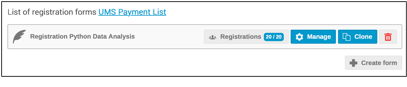
Step 3: Manage the Registration Form
- Identify the registration form that you want to manage.
- Click the Manage button to access the registration settings.
Step 4: Open UMS Payment List
- Click the UMS Payment List link to display the payment records retrieved from the payment system.
Step 5: View Payment List Report
The UMS Payment List from API page displays the payment records made by participants. The information displayed includes:
- Ref No – Transaction reference number
- Payer Name – Name of the payer
- Amount – Payment amount
- Payment Detail – Description of the payment
- Akaun Amanah – Related trust account code
- Txn Status – Transaction status
- Payment Method – Payment method (e.g., FPX)
- Payment Date – Date and time of payment
Users may also:
- Use the Search function to locate specific payment records.
- Click Export to Excel to download the payment report.
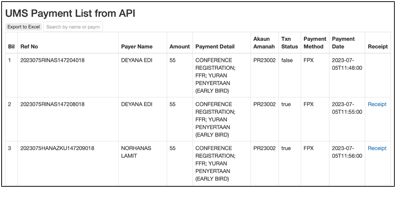
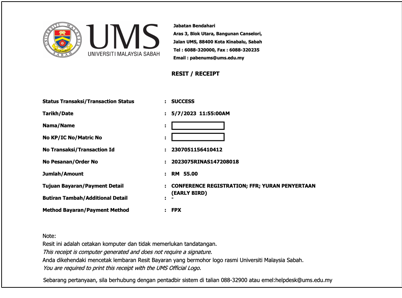
Step 6: Generate Payment Receipt
- Locate the payment record with Txn Status: true (successful transaction).
- Click the Receipt link on the right side of the payment record.
- The system will generate the payment receipt, which can be viewed, downloaded, or printed for record purposes.
No comments to display
No comments to display