
How to get the summary report in pdf?
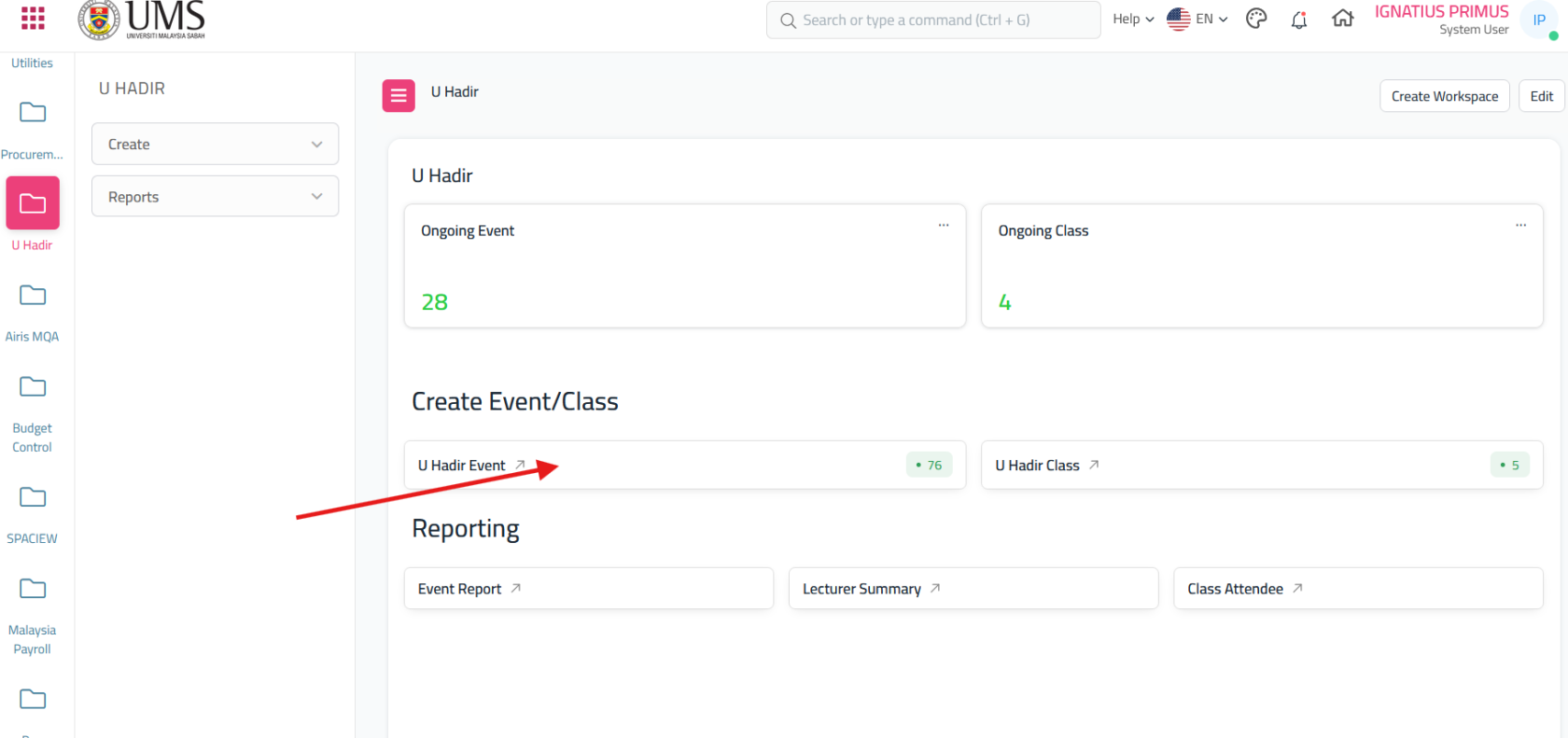
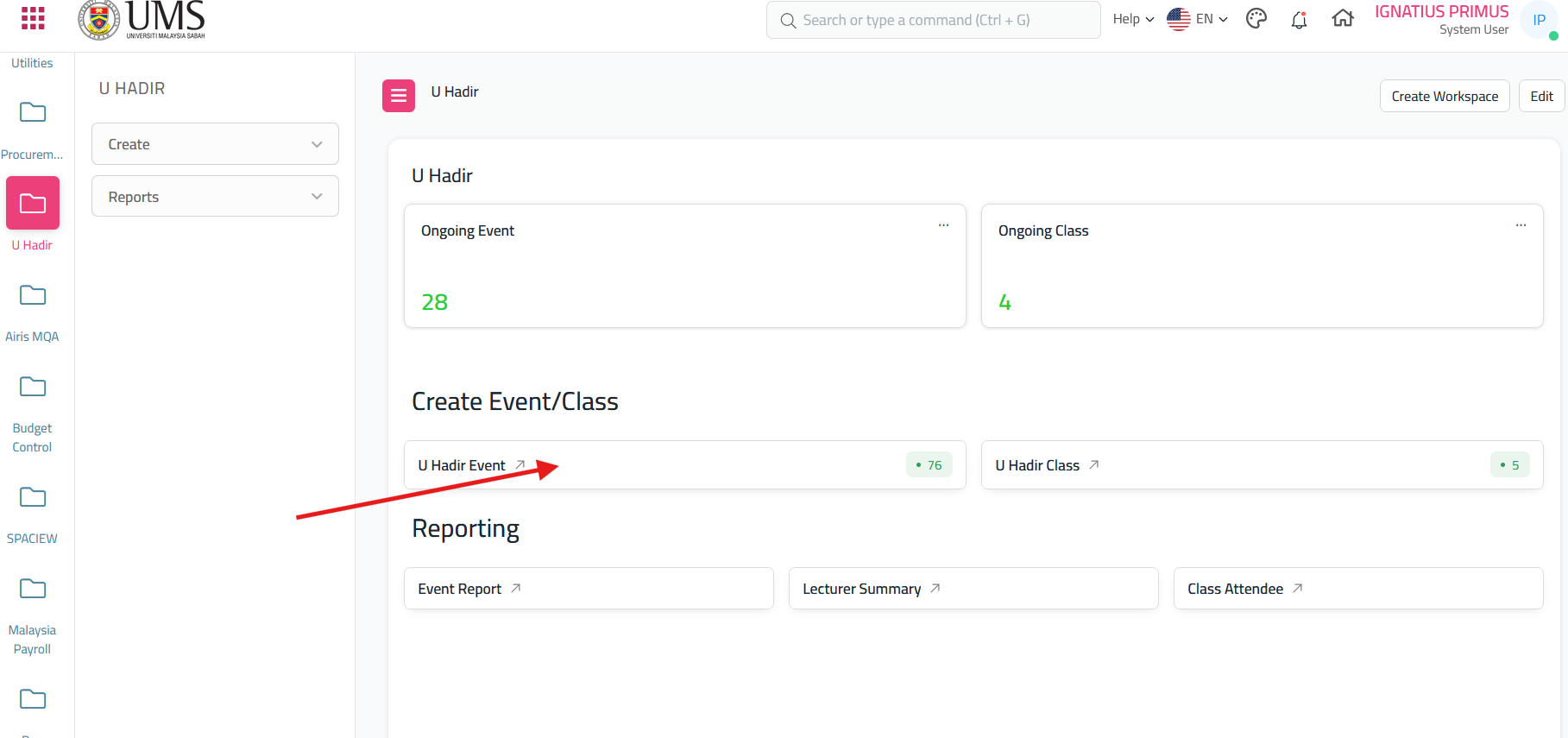
- Go to Dashboard U hadir, click 'U Hadir Event'
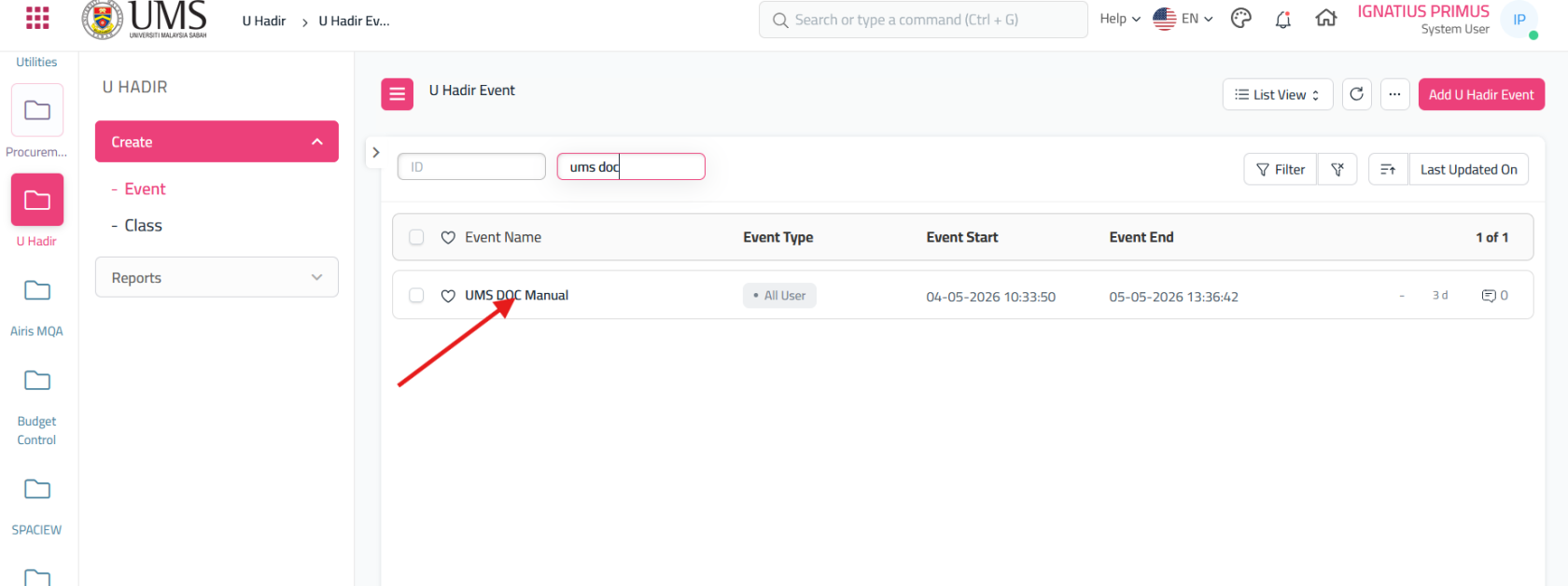
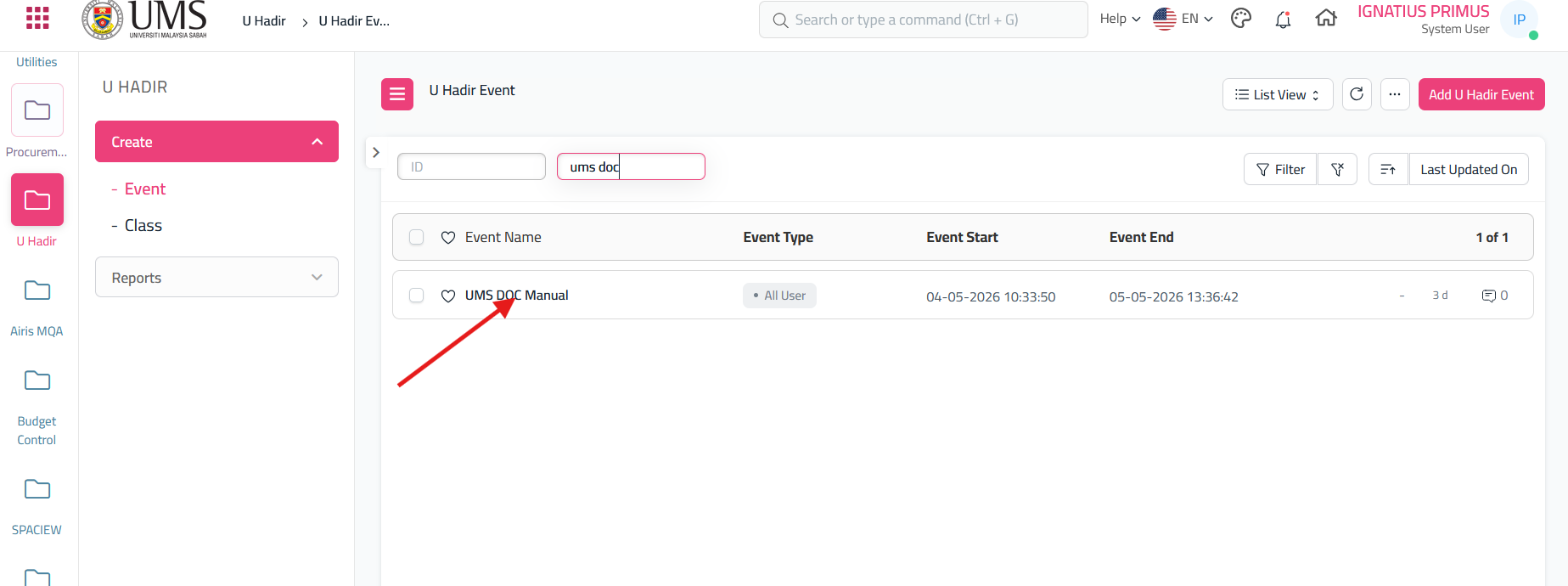
- On the u hadir event click the event that you create
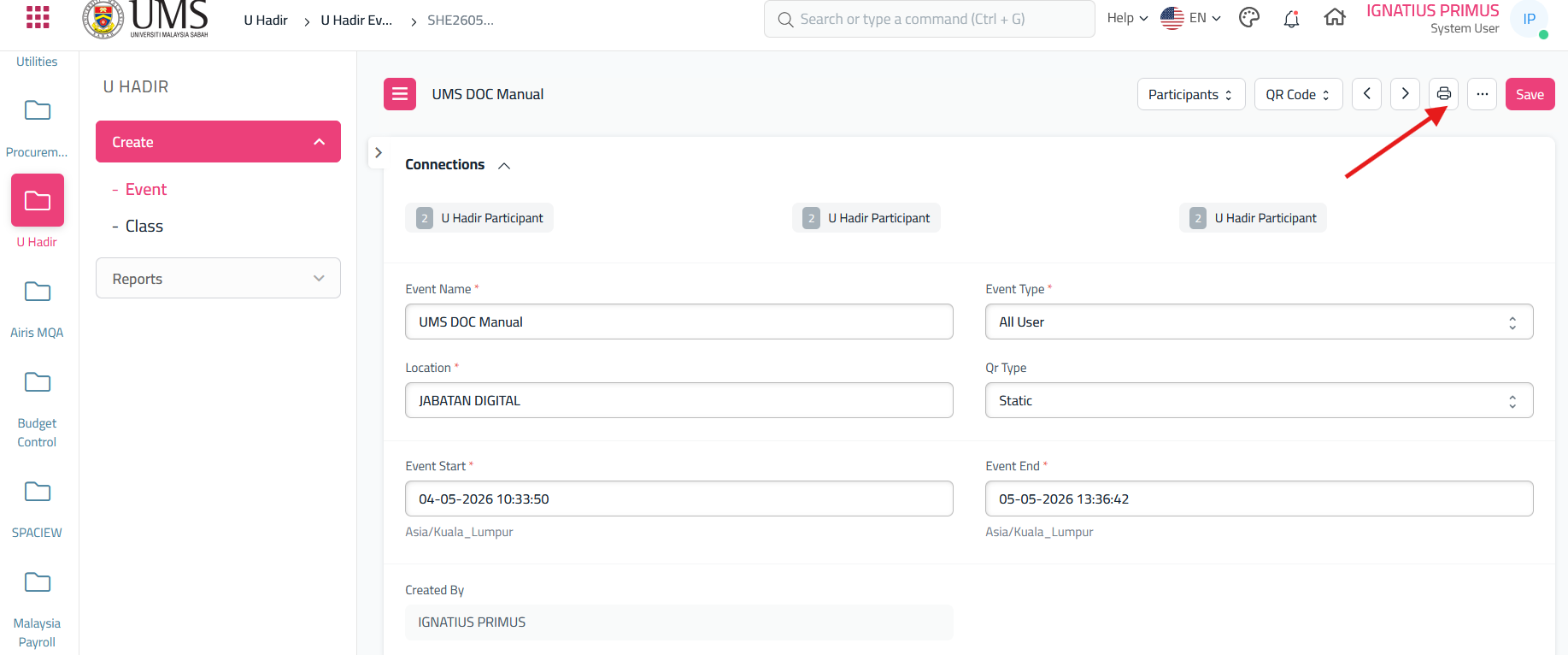
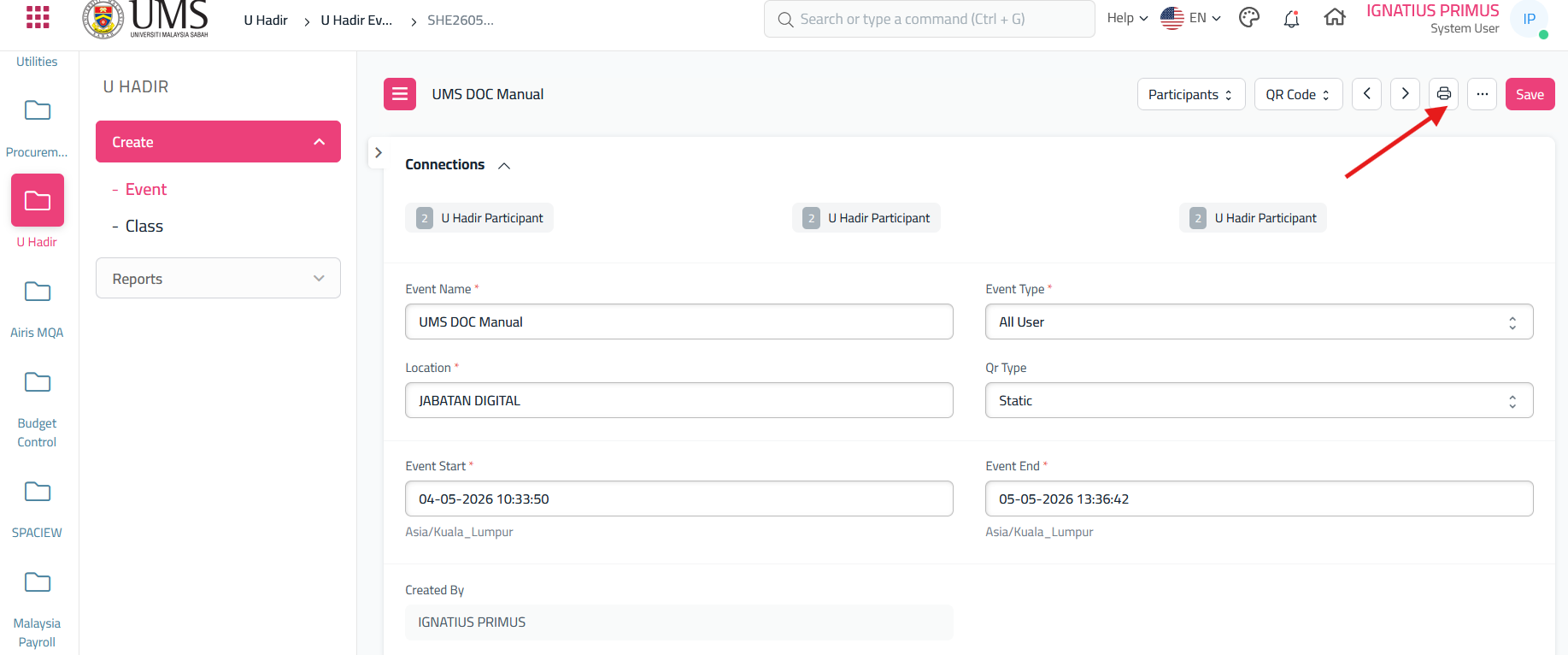
- On the event, click the icon 'printer'
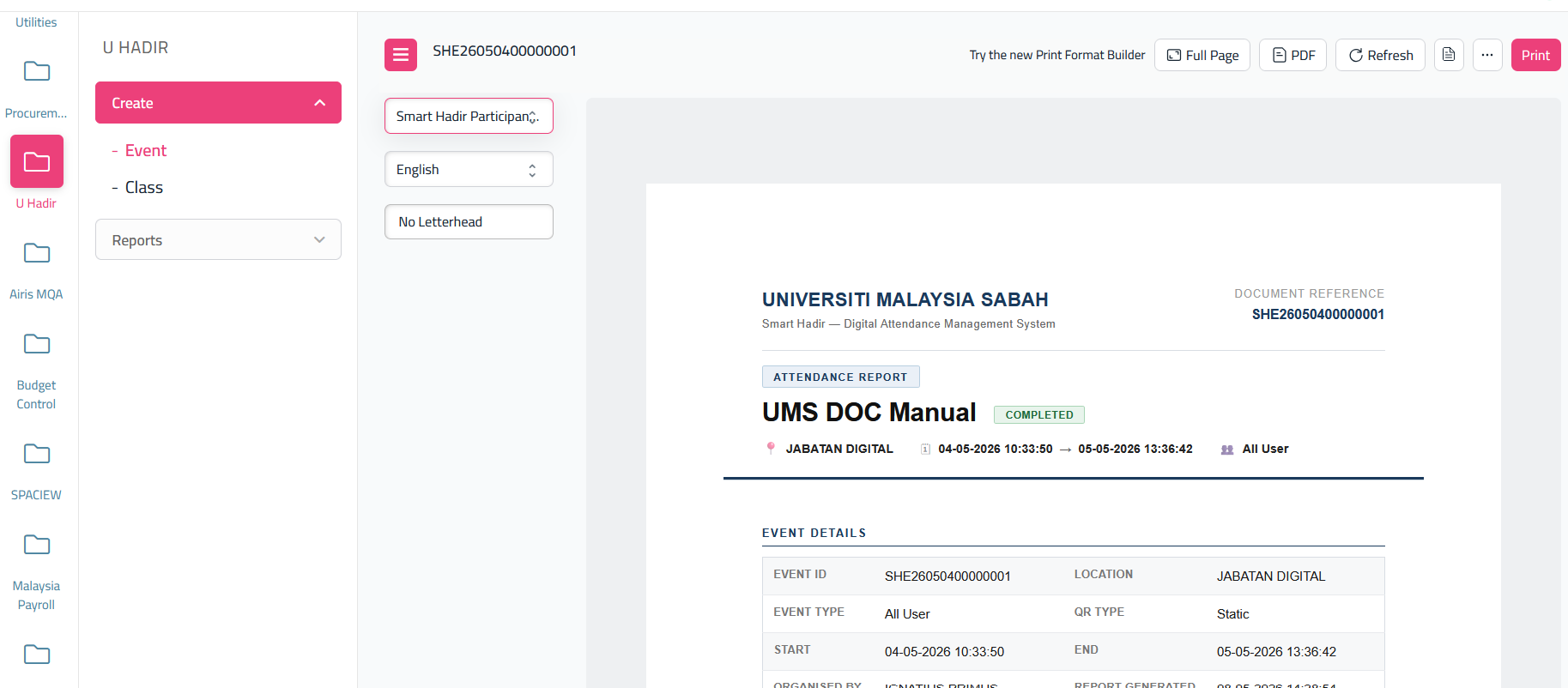
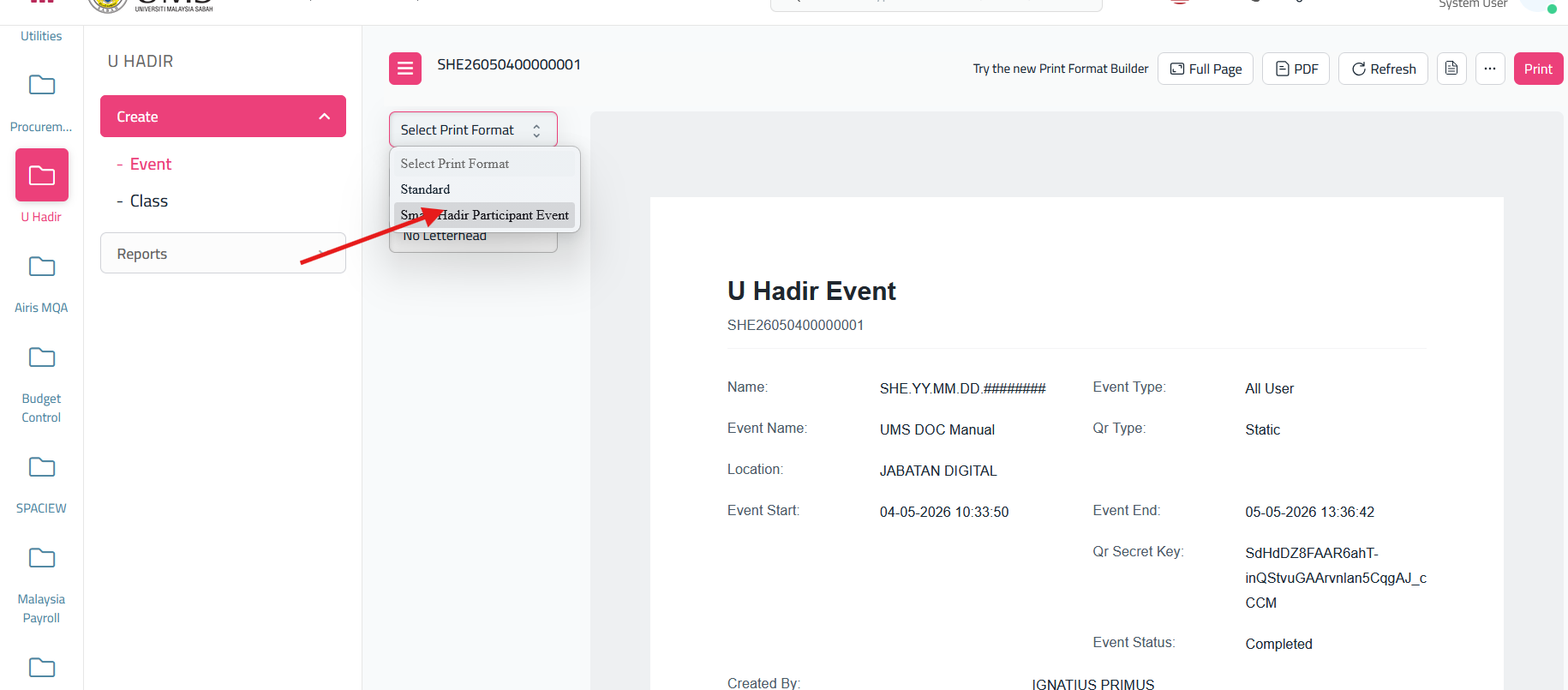
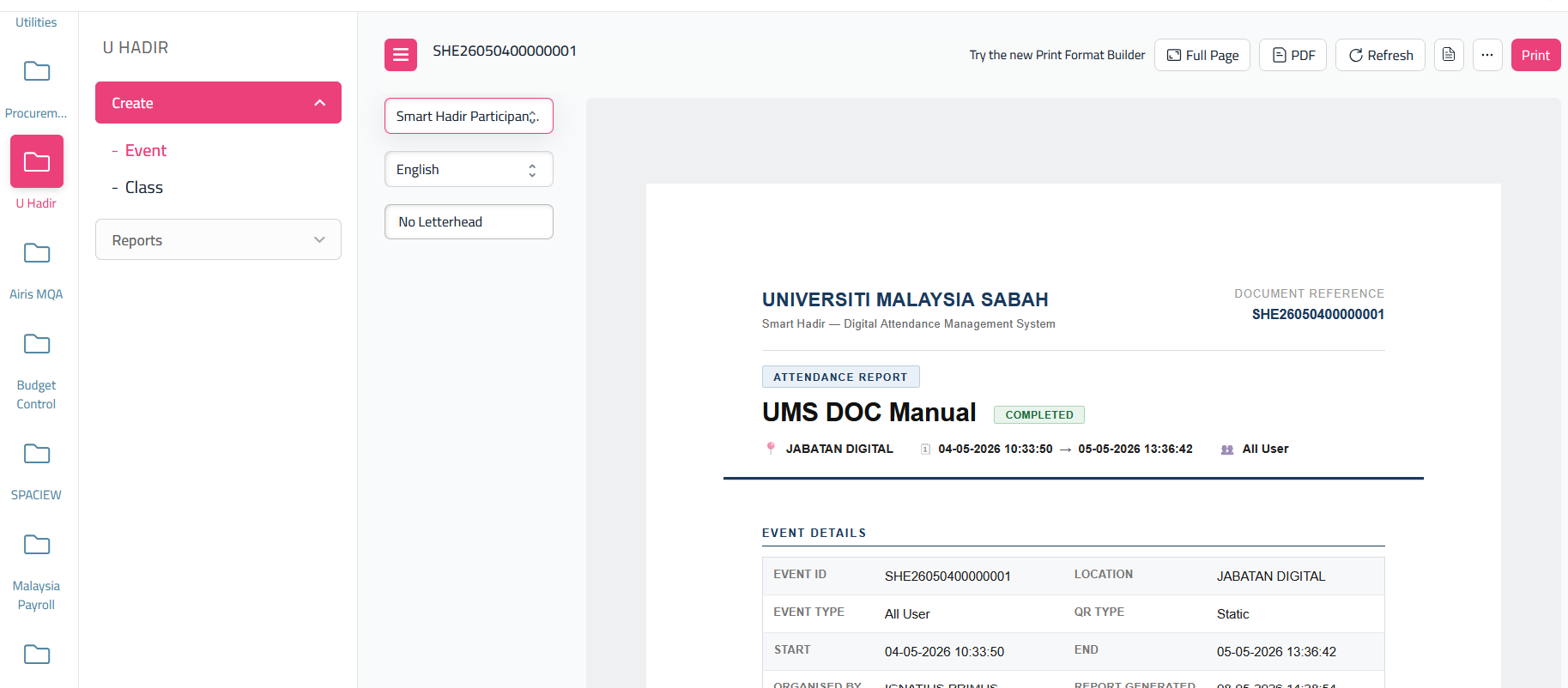
- Select print format and choose 'Smart Hadir Participant Event'
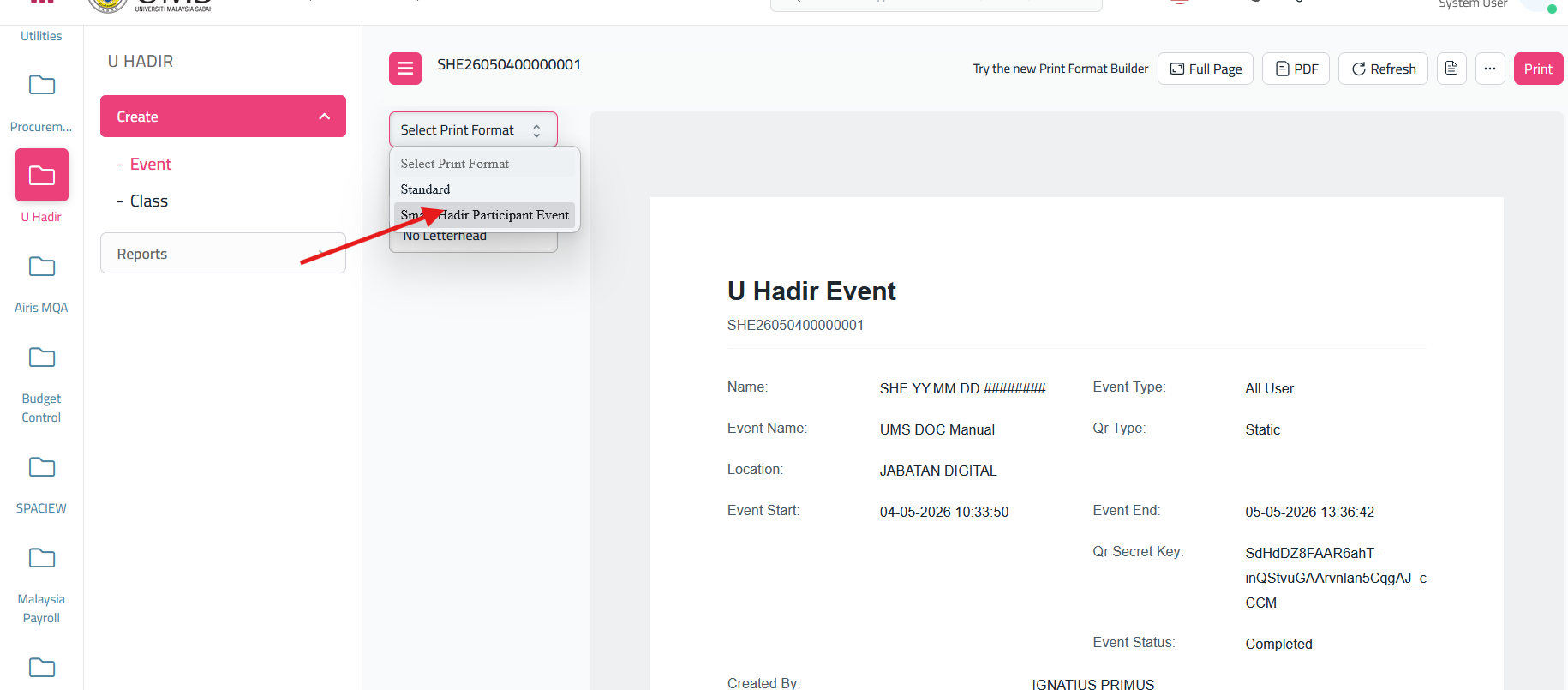
- Then finally click print, it will save pdf into your device
No comments to display
No comments to display