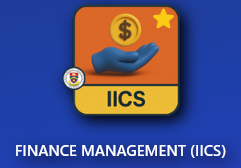
Go to IICS Website (Login into Portal Kinabalu and search for the Finance Management(IICS))
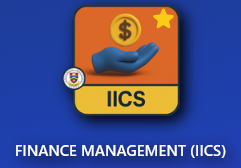
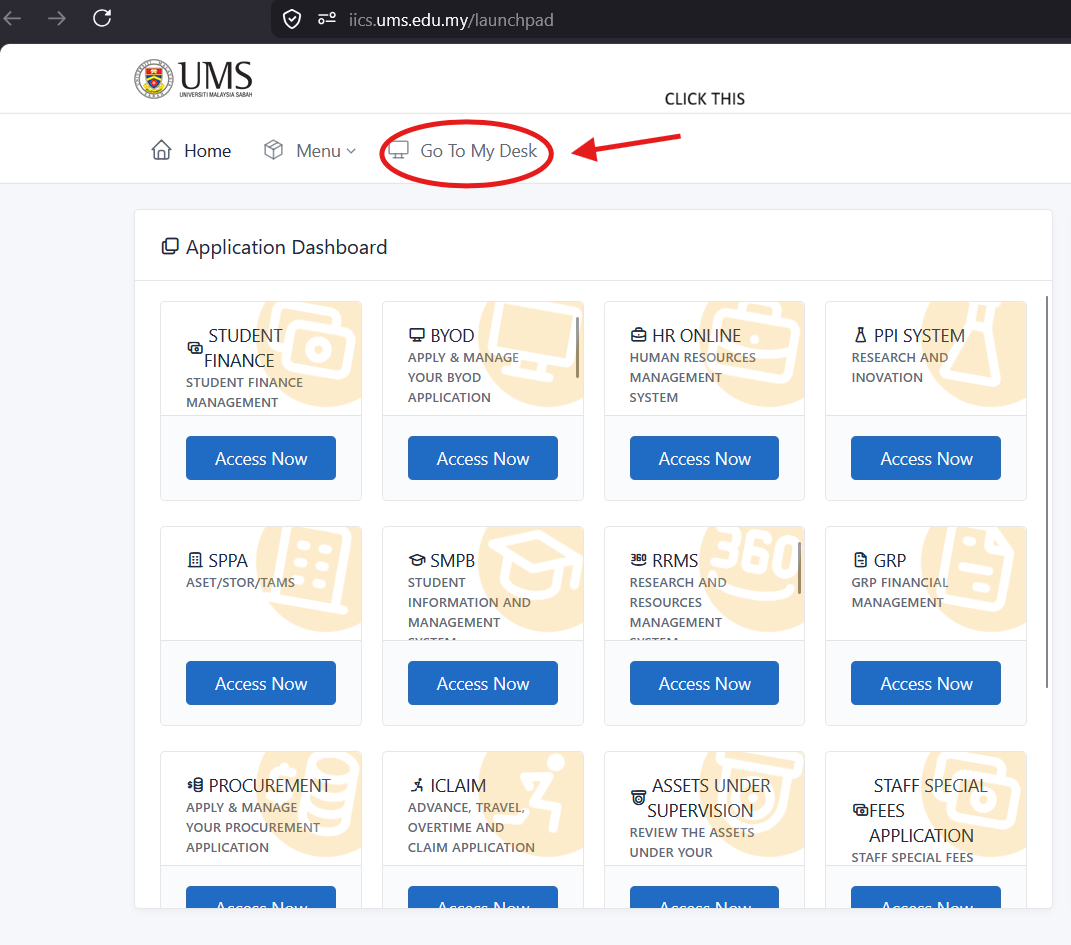
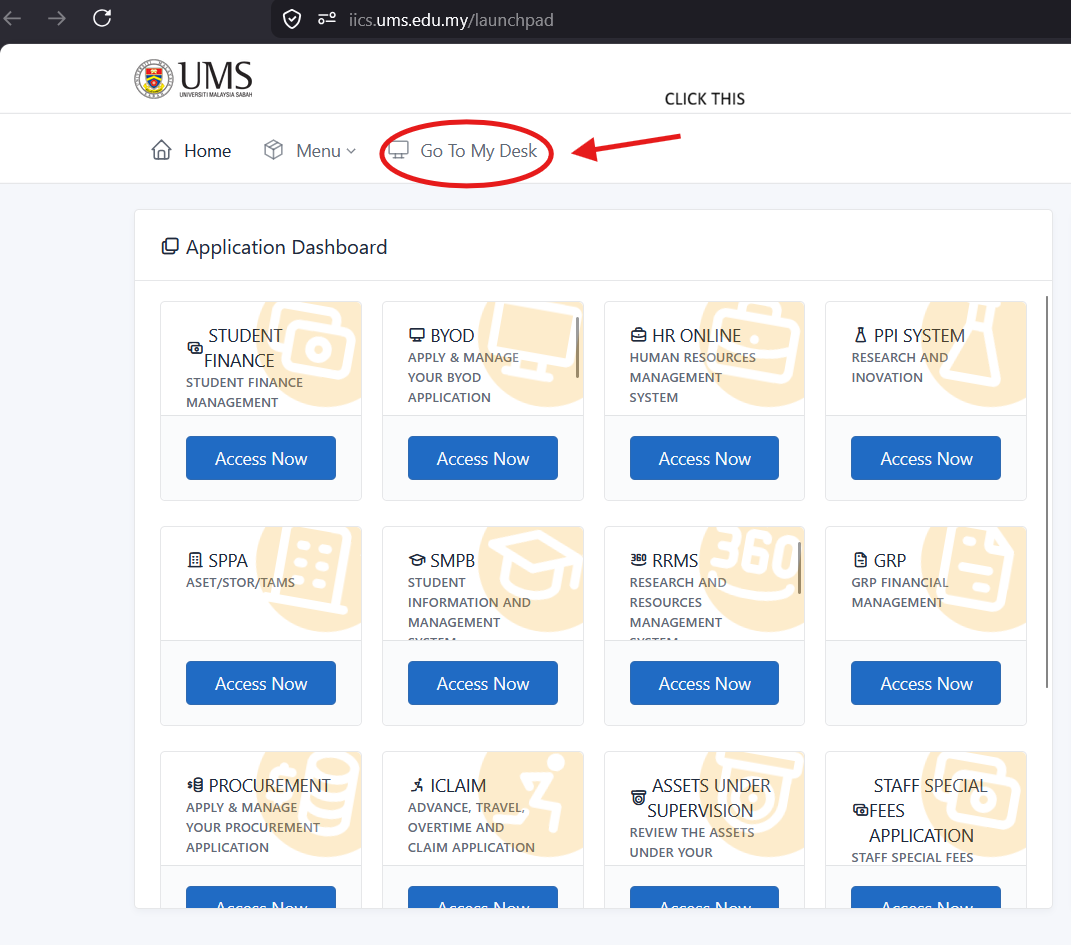
On Portal Kinabalu, Click the IICS and then on the launchpad page
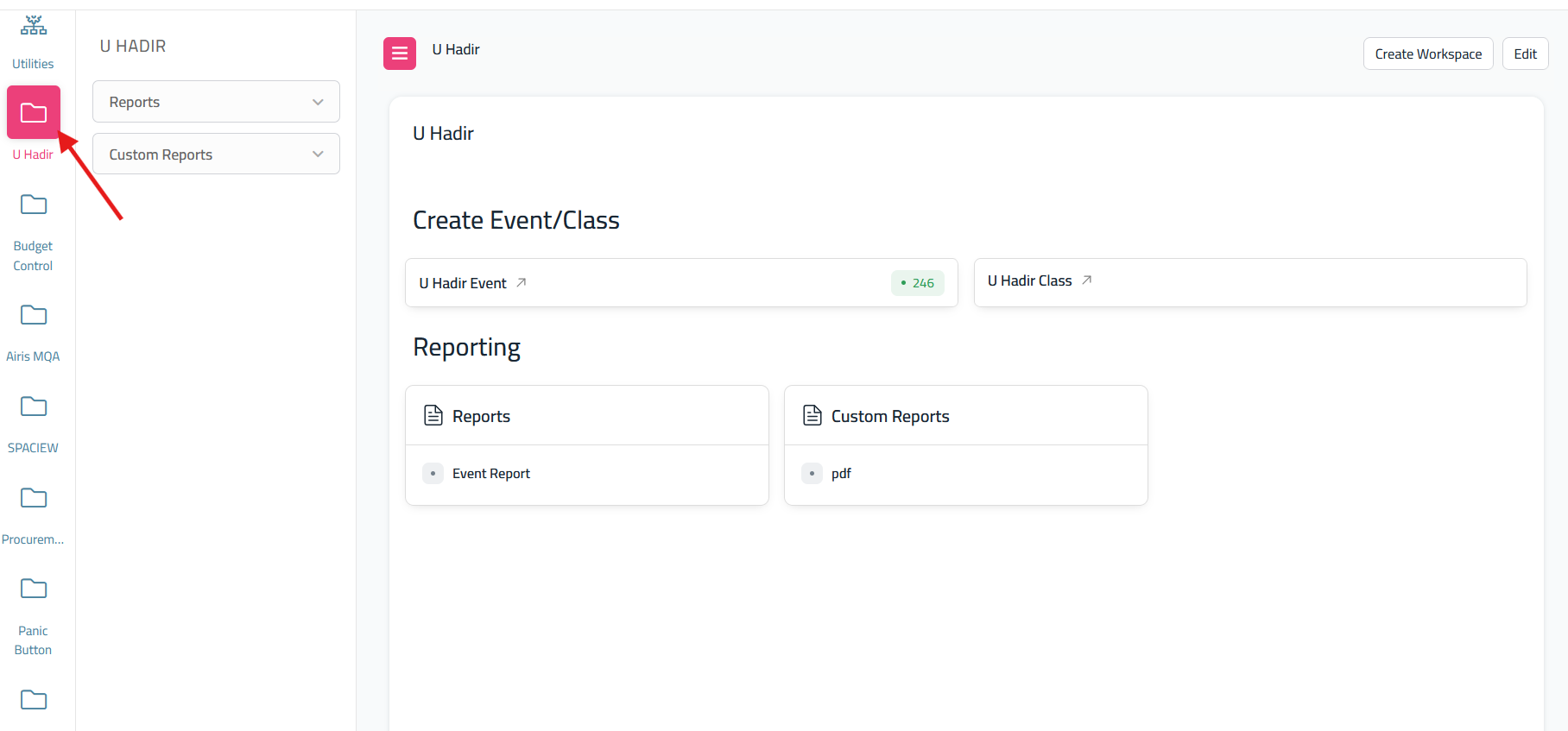
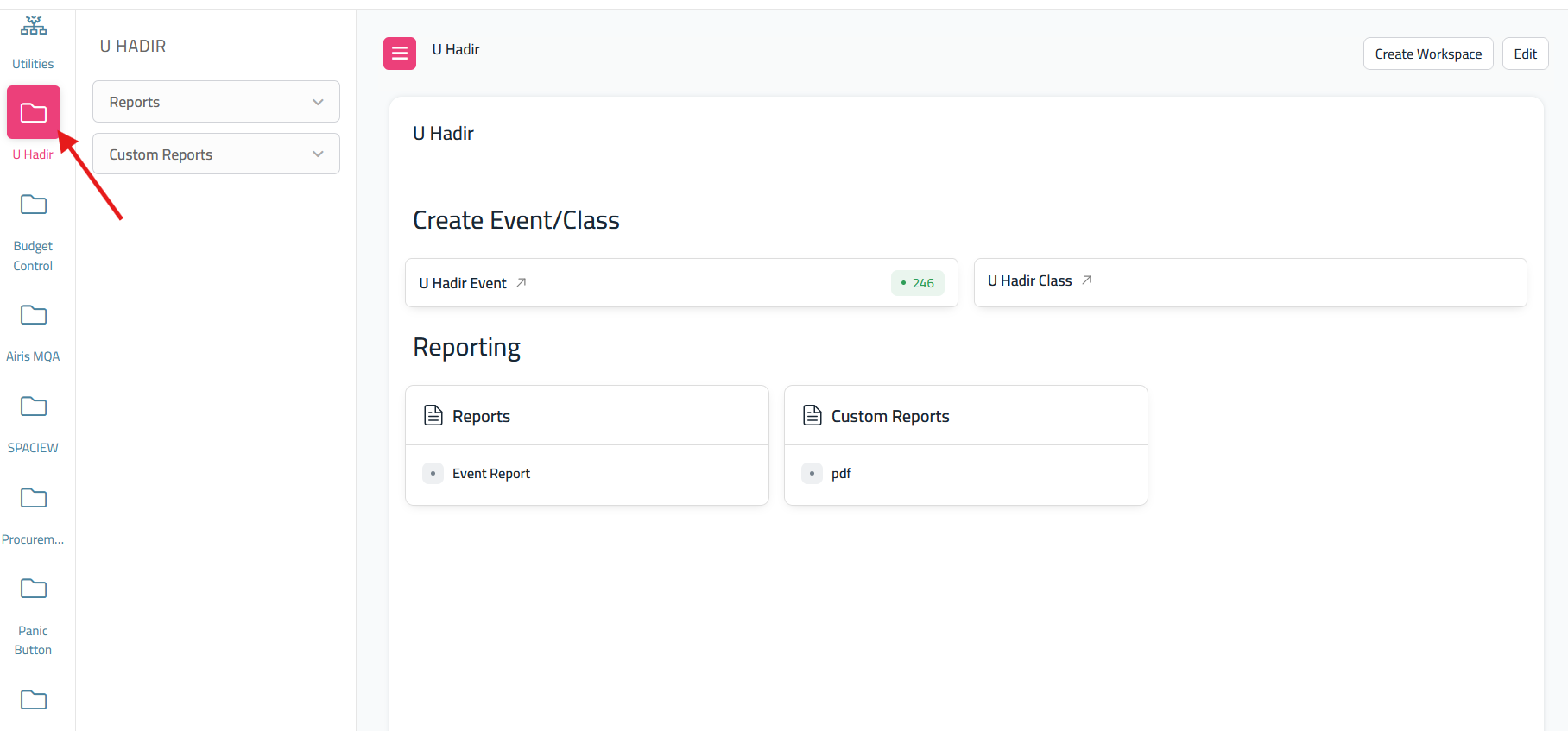
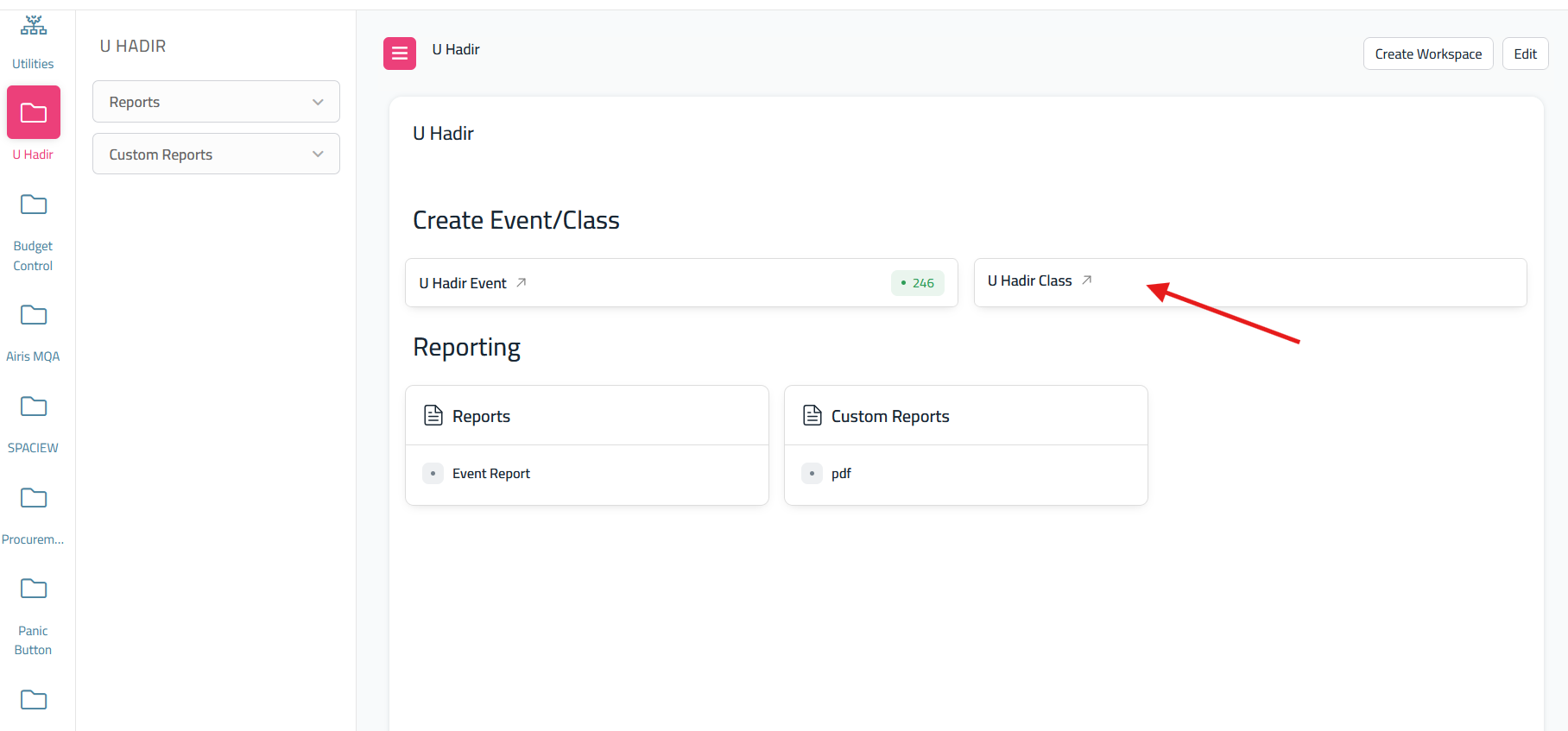
After click 'My Desk' scroll until you find U Hadir
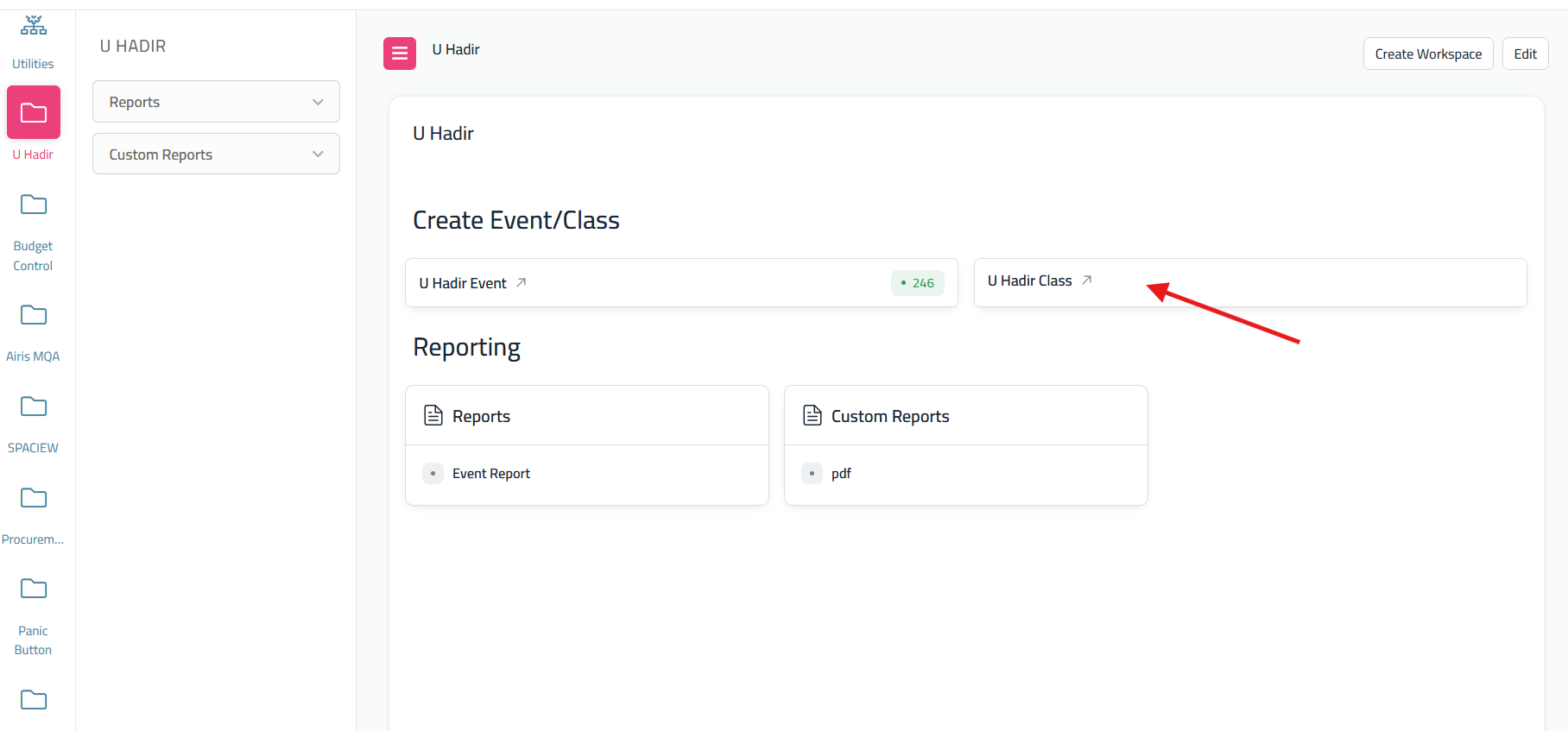
From the dashboard U Hadir, click the U Hadir Class
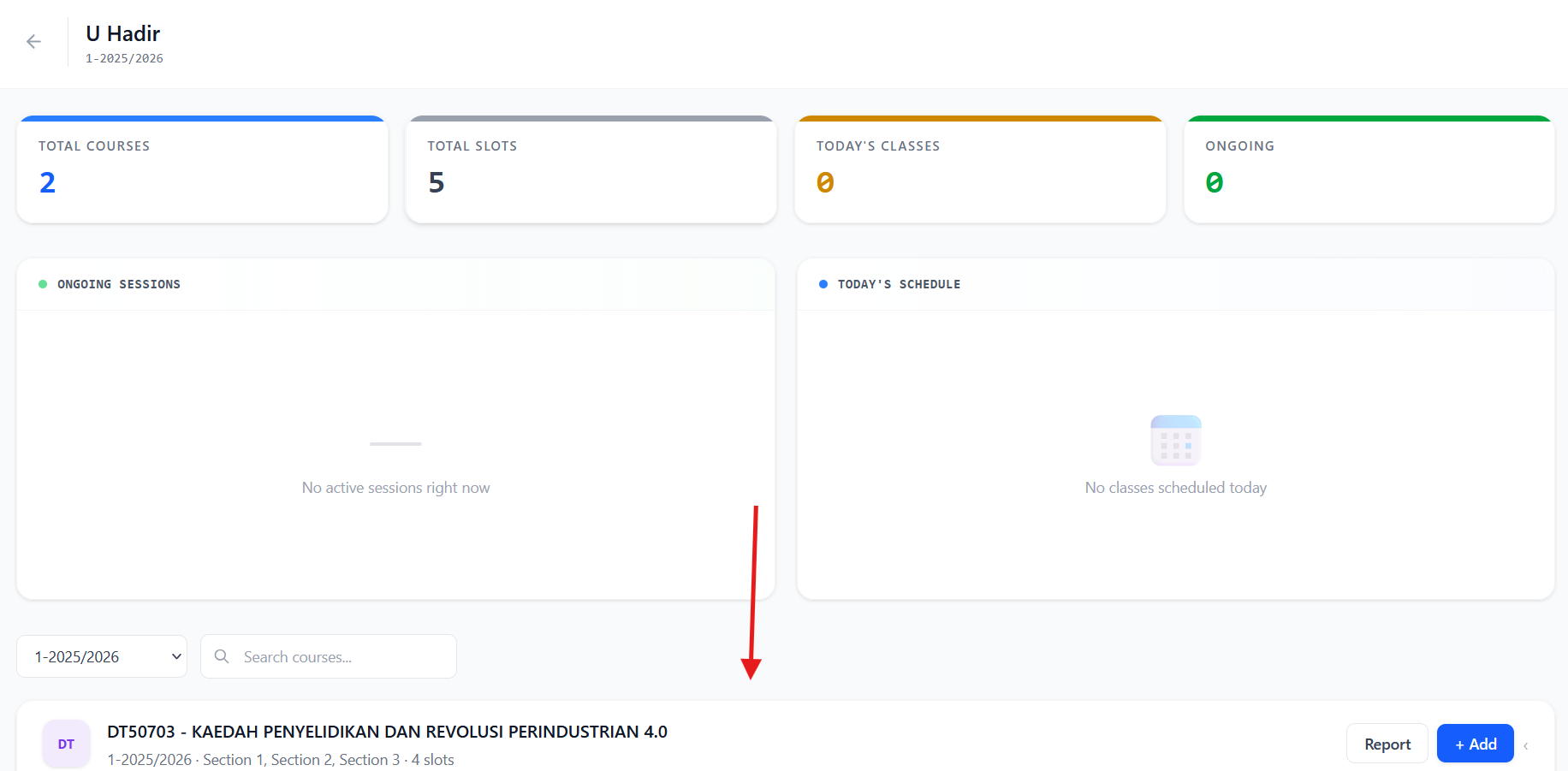
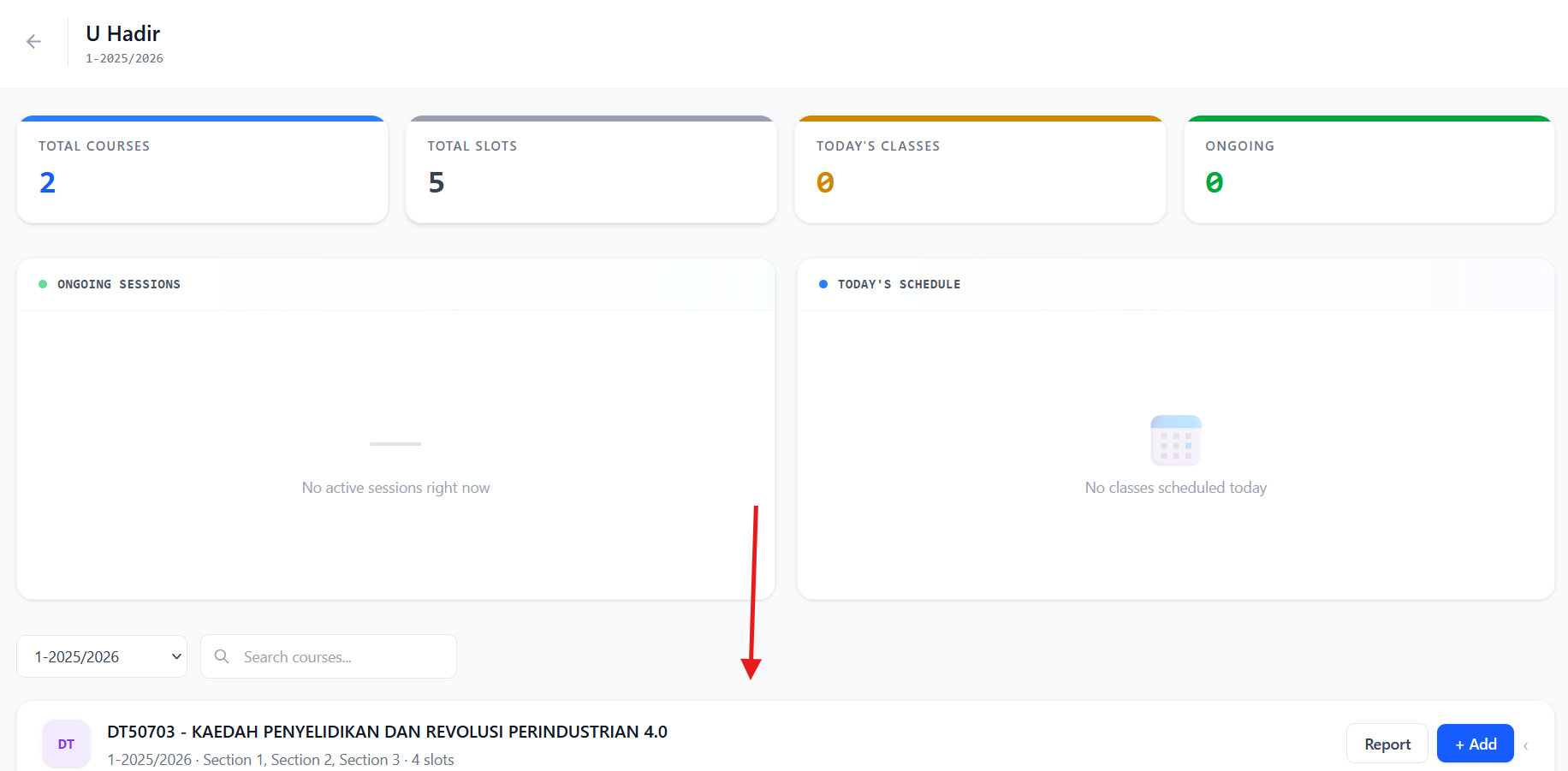
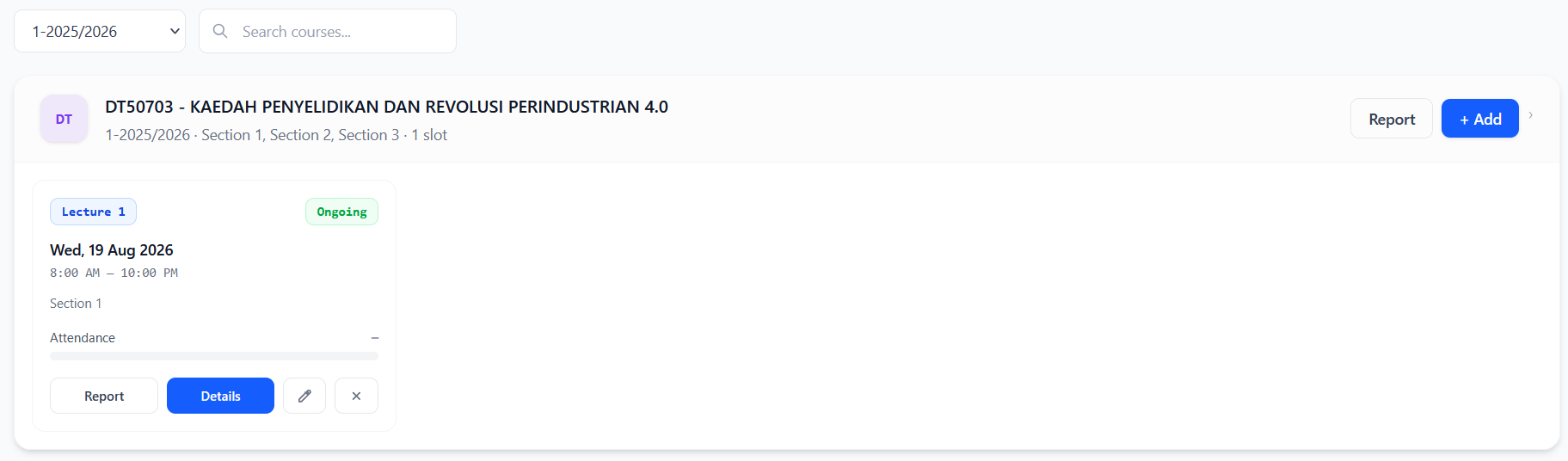
It will redirect to 'U Hadir Class Screen'. Scroll down to see your teaching courses.
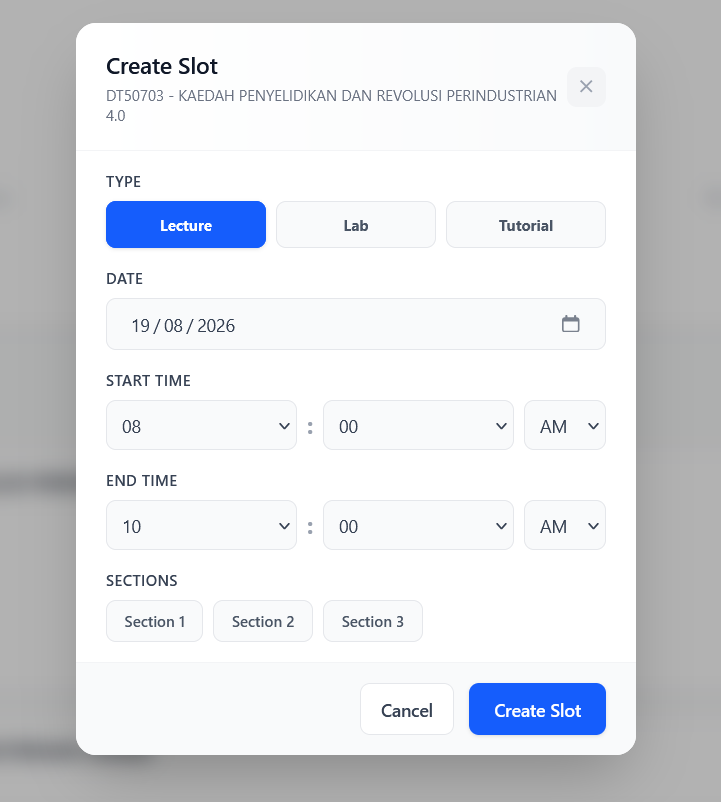
when you see the teaching courses, if you want to create a class just click add
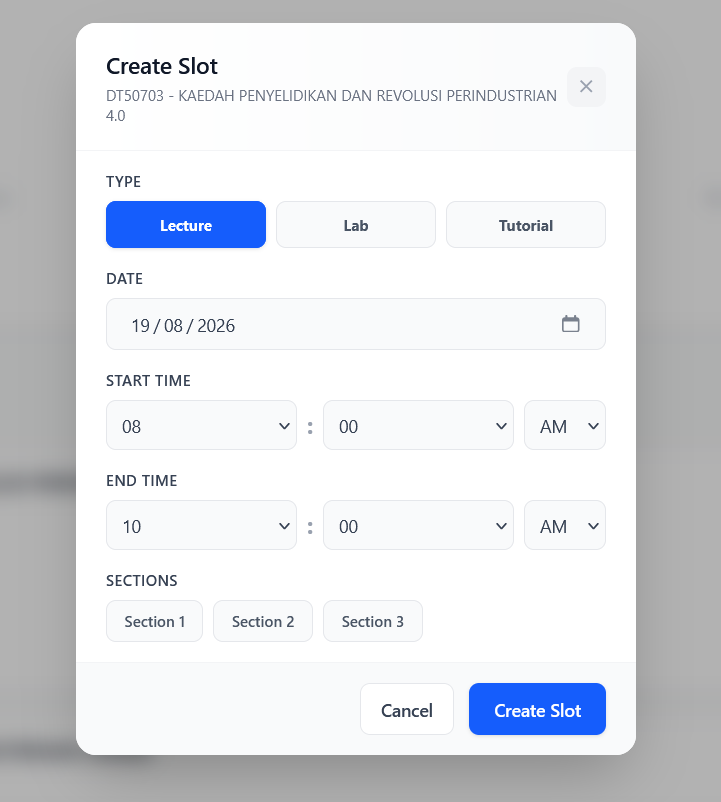
it will show this popup. Just fill the form and create slot
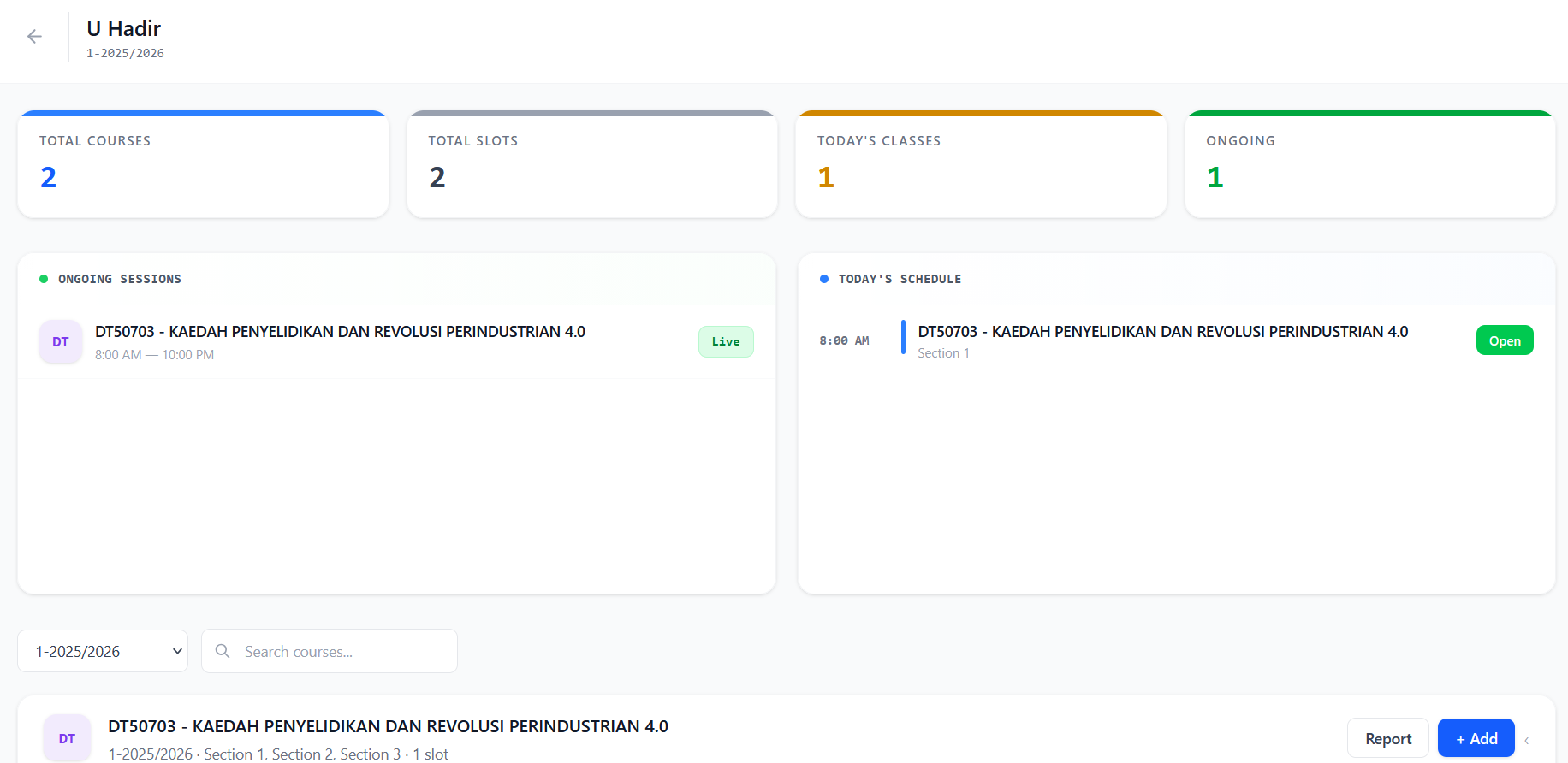
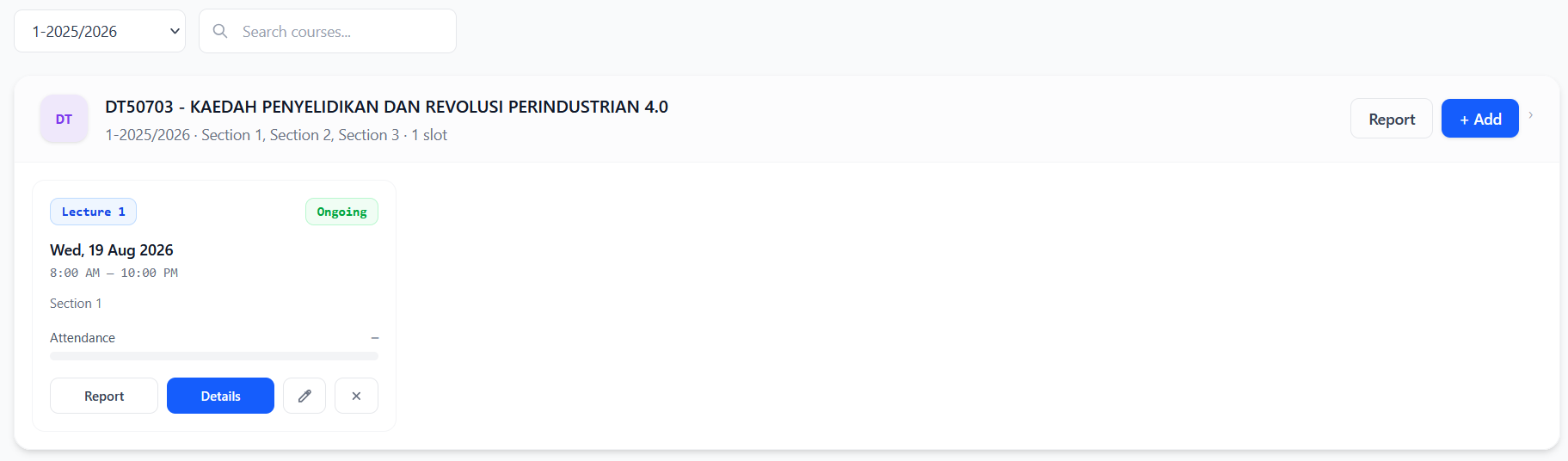
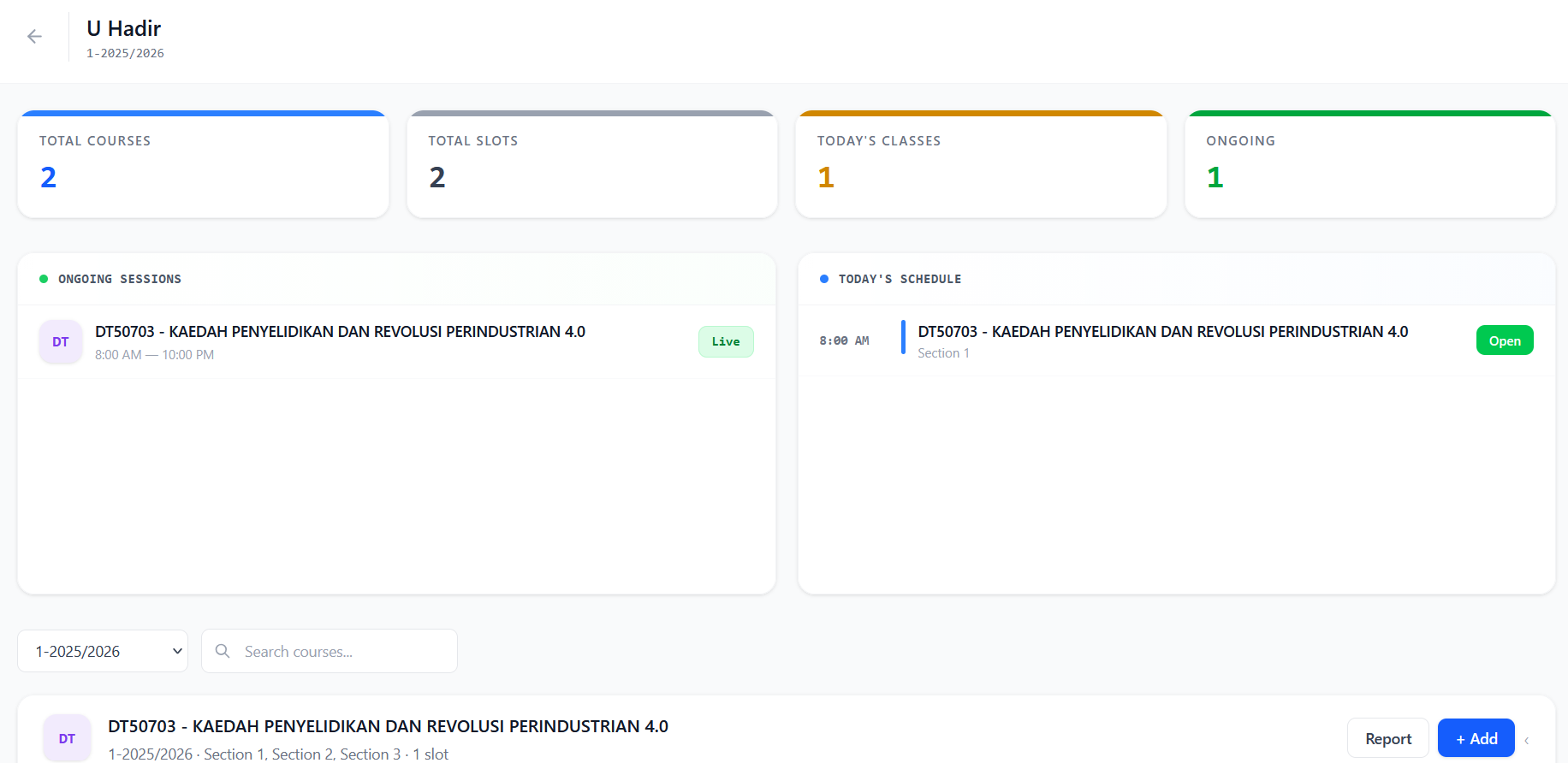
After created, it will show this newly created class.
if student want to attend your teaching class, click the details
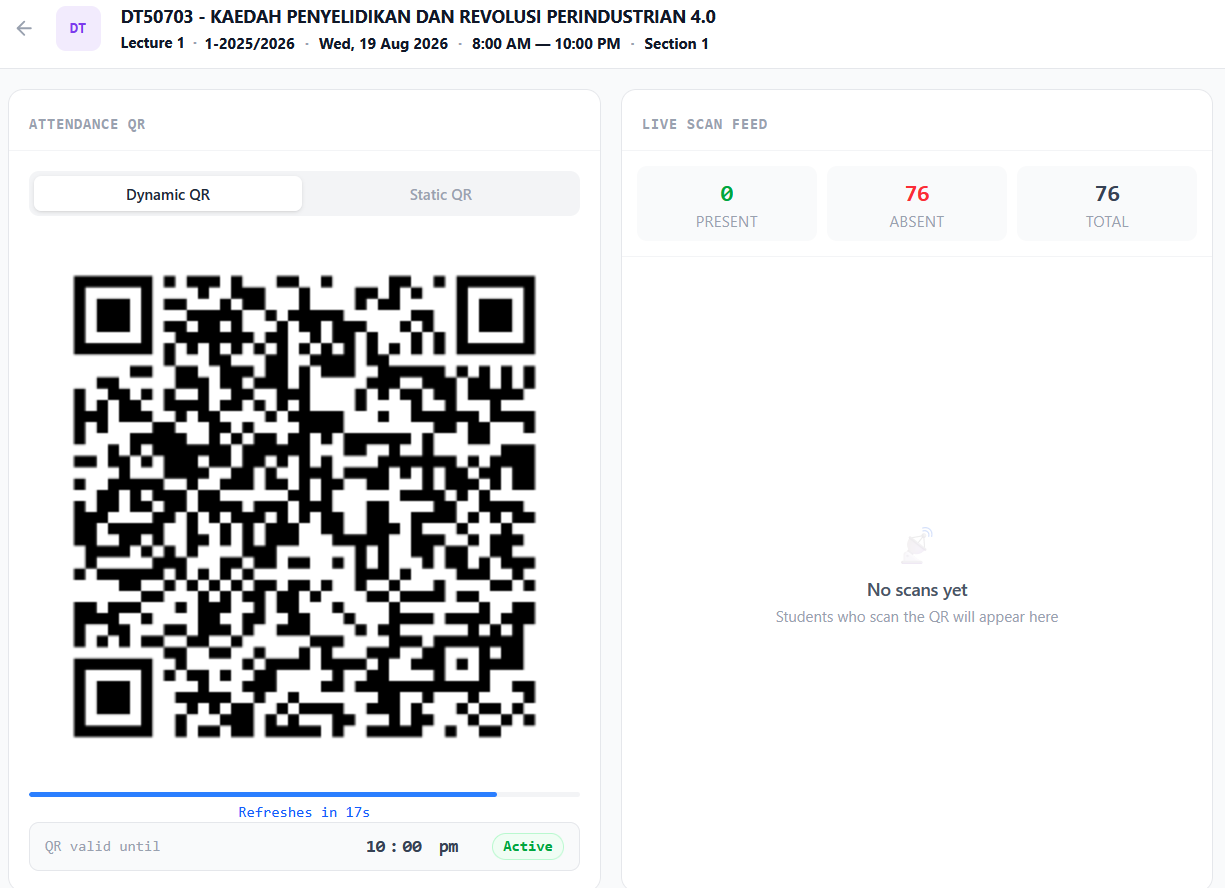
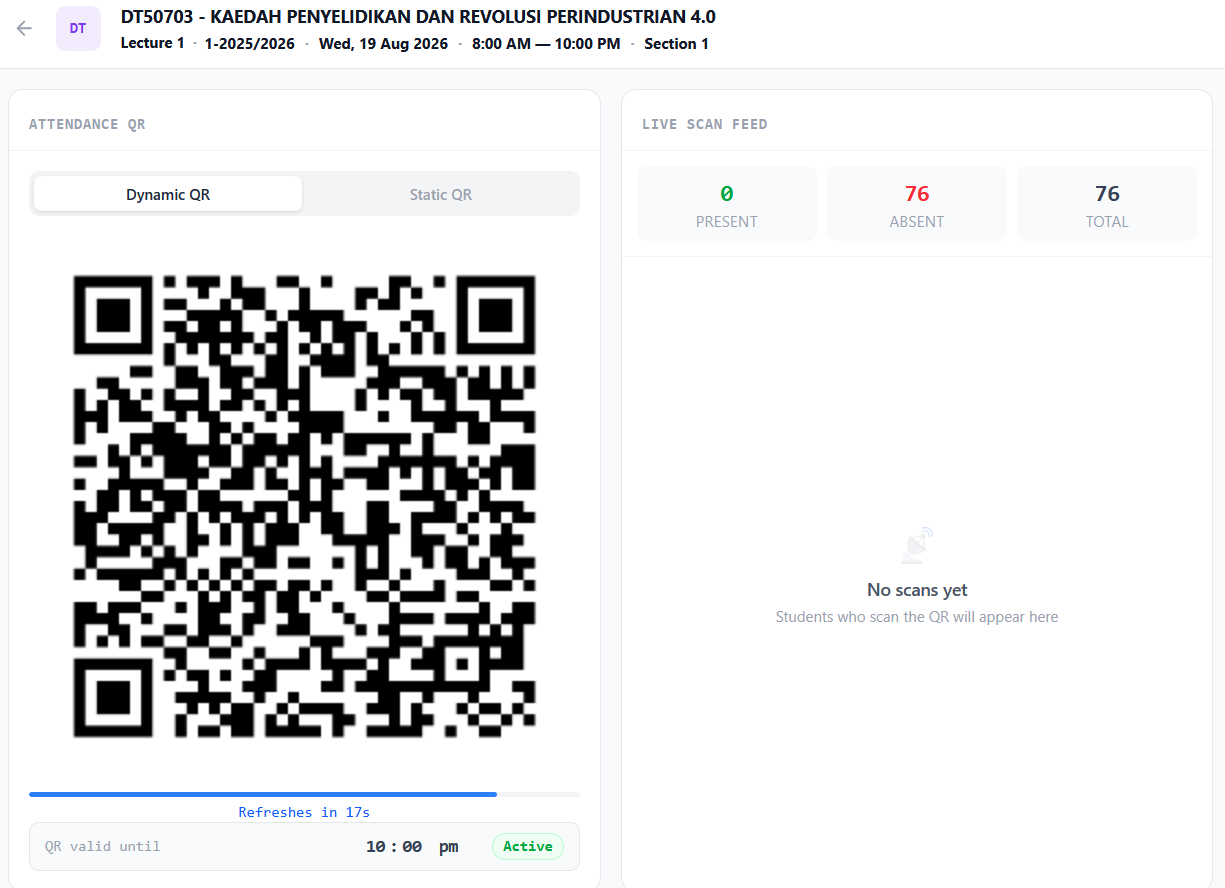
And it will show this screen that contains qr. if you want dynamic, choose dynamic, if you want static, choose static and it will give a link qr code then you can send to your student.
The attendance record will be on the right side. Student should use their ums go superapp to scan the qr



No comments to display
No comments to display