
User Manual - Penyemak - Pembantu Tadbir BPSM
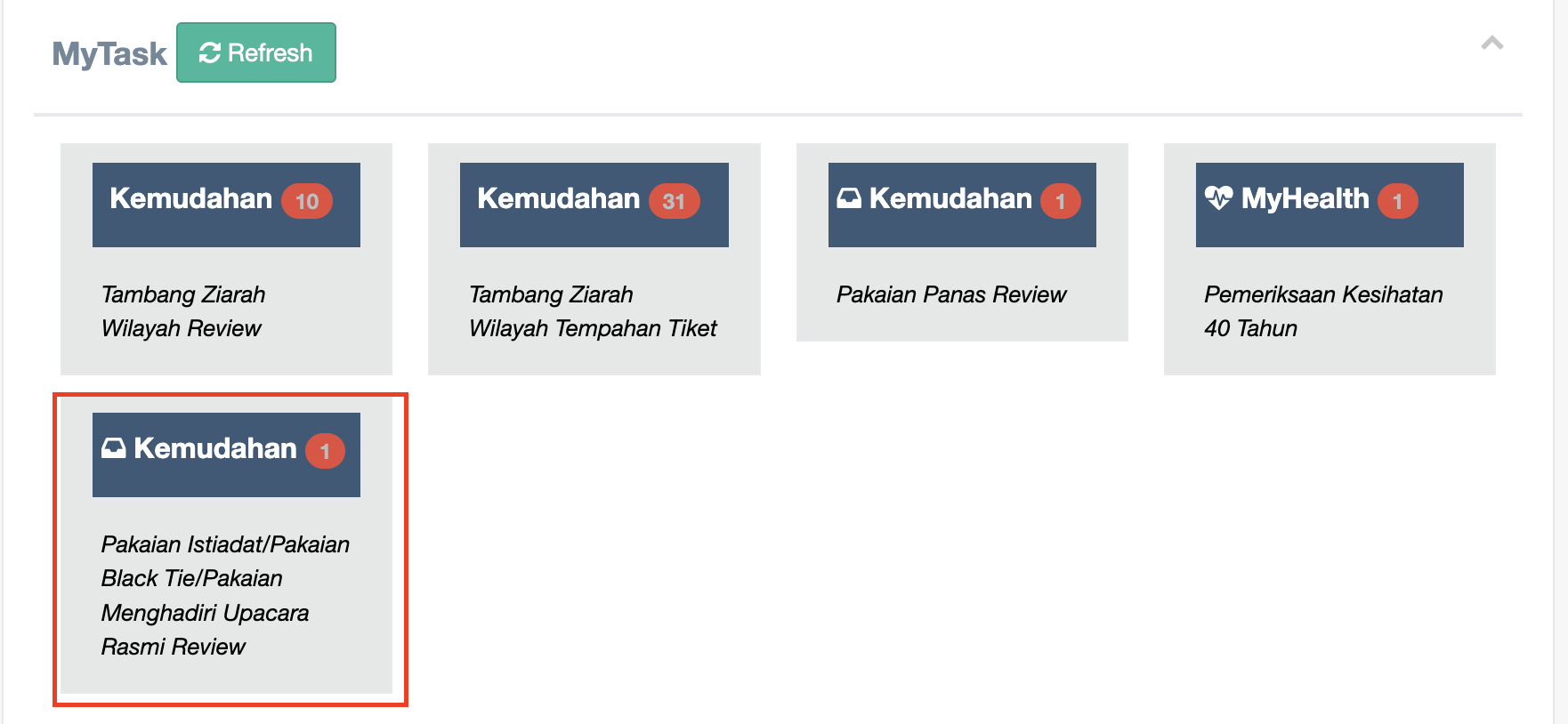
Step 1 : Click Refresh Green button and Check your notification then click to open the Kemudahan - Pakaian Istiadat / Pakaian Black Tie / Pakaian Menghadiri Upacara Rasmi
Step 2 : Click the menu Menunggu Tindakan then click Pakaian Istiadat/Pakaian Black Tie/Pakaian Menghadiri Upacara Rasmi tab
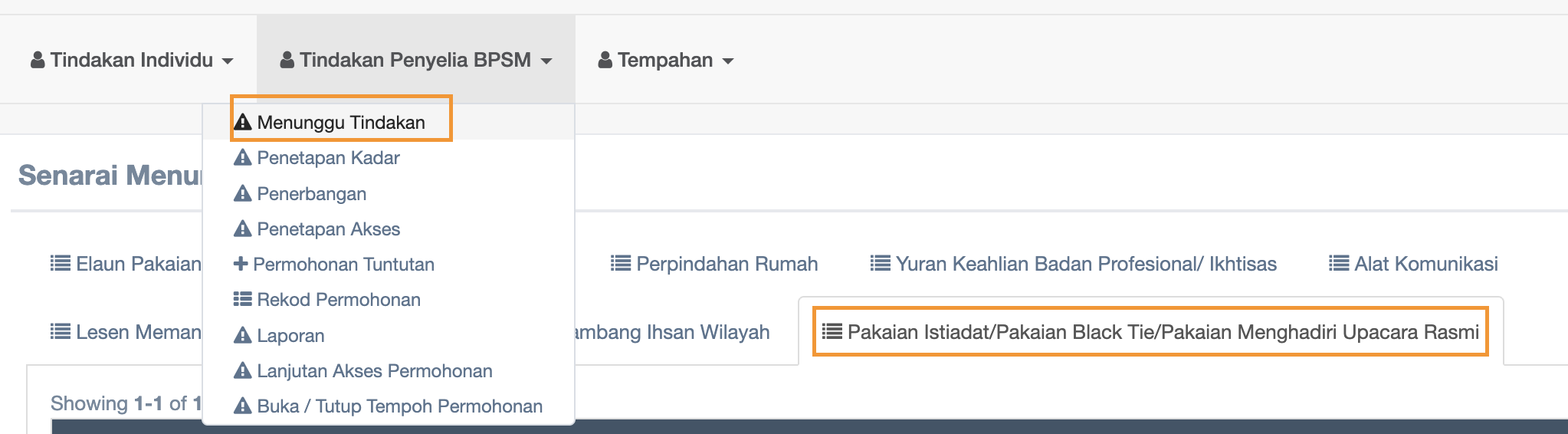
Follow the steps :
Click menu Menunggu Tindakan
click Pakaian Istiadat/Pakaian Black Tie/Pakaian Menghadiri Upacara Rasmi tab
Step 3 : At the Dokumen Sokongan column, click DOKUMEN SOKONGAN and RESIT to review
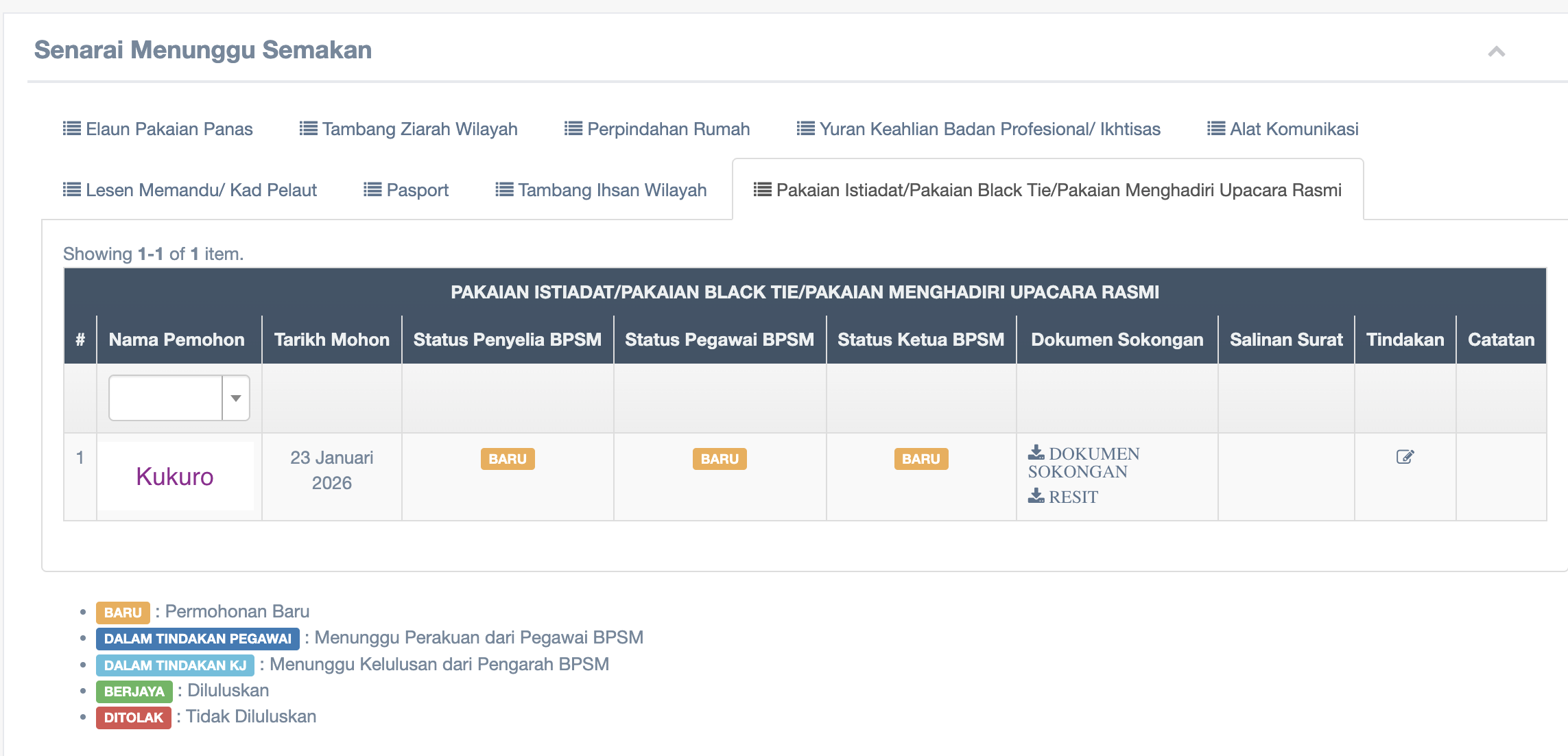
Step 4 : Click the name of the applicant and start review
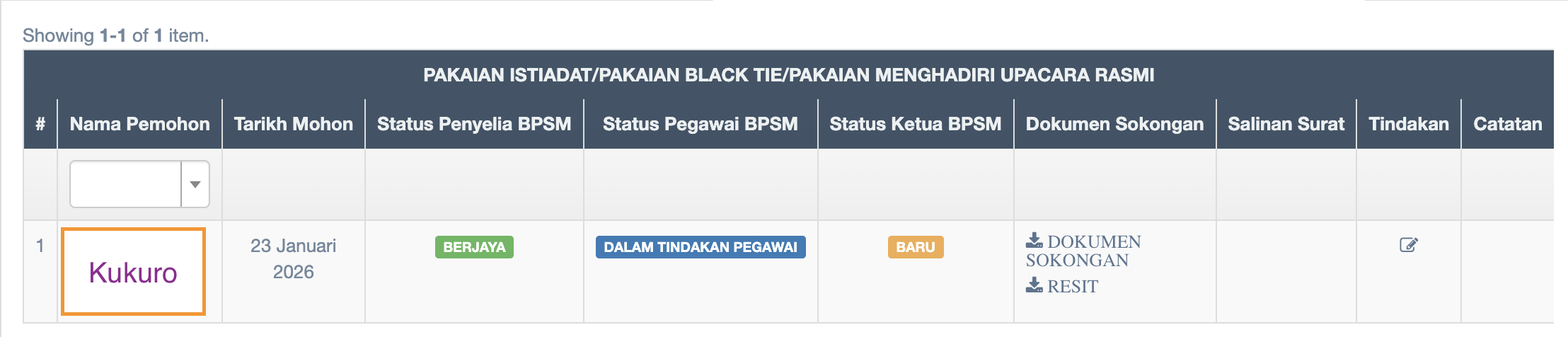
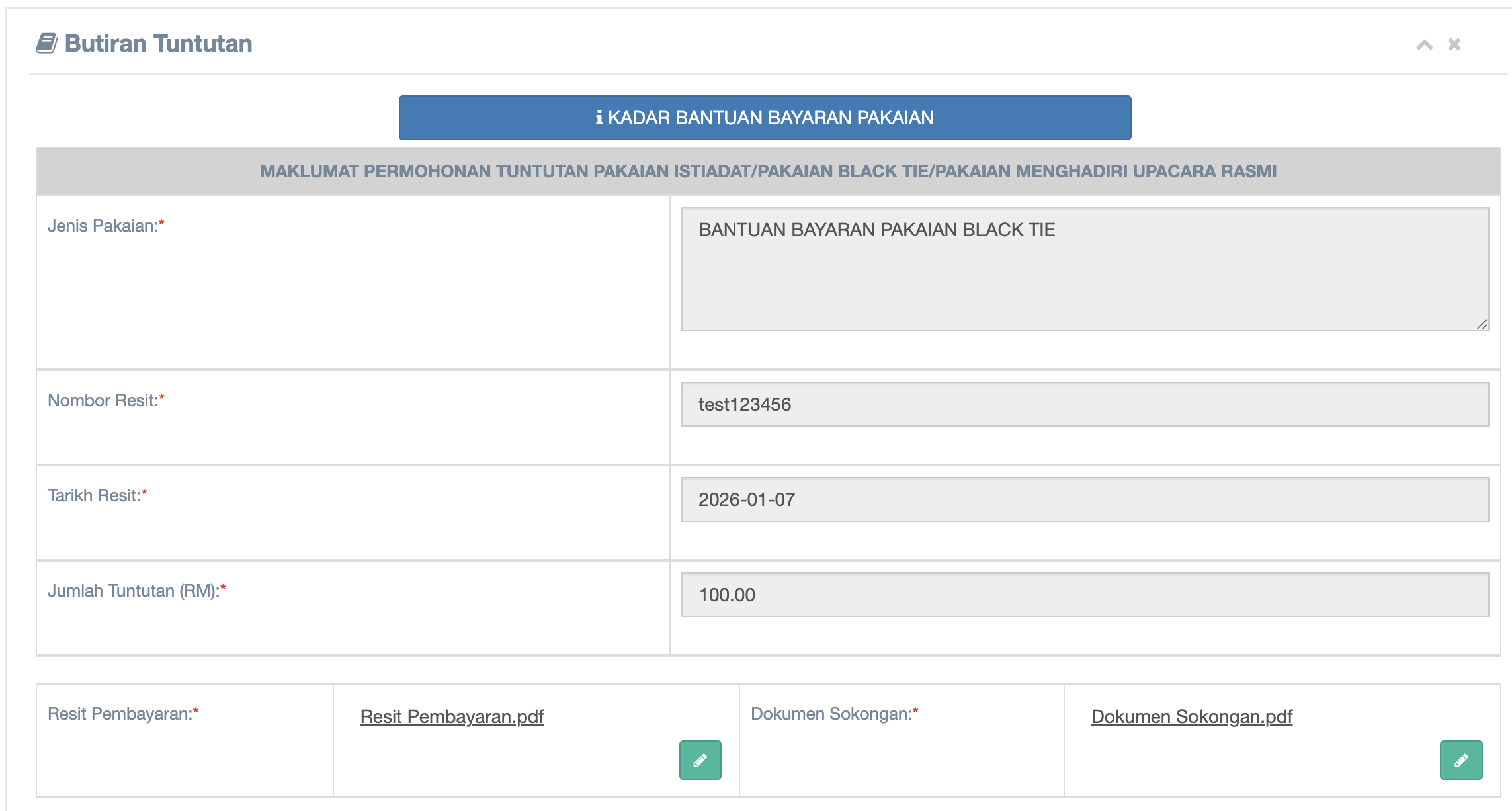
Step 5 : Review the details of claim
Step 6 : Semakan Oleh Pembantu Tadbir
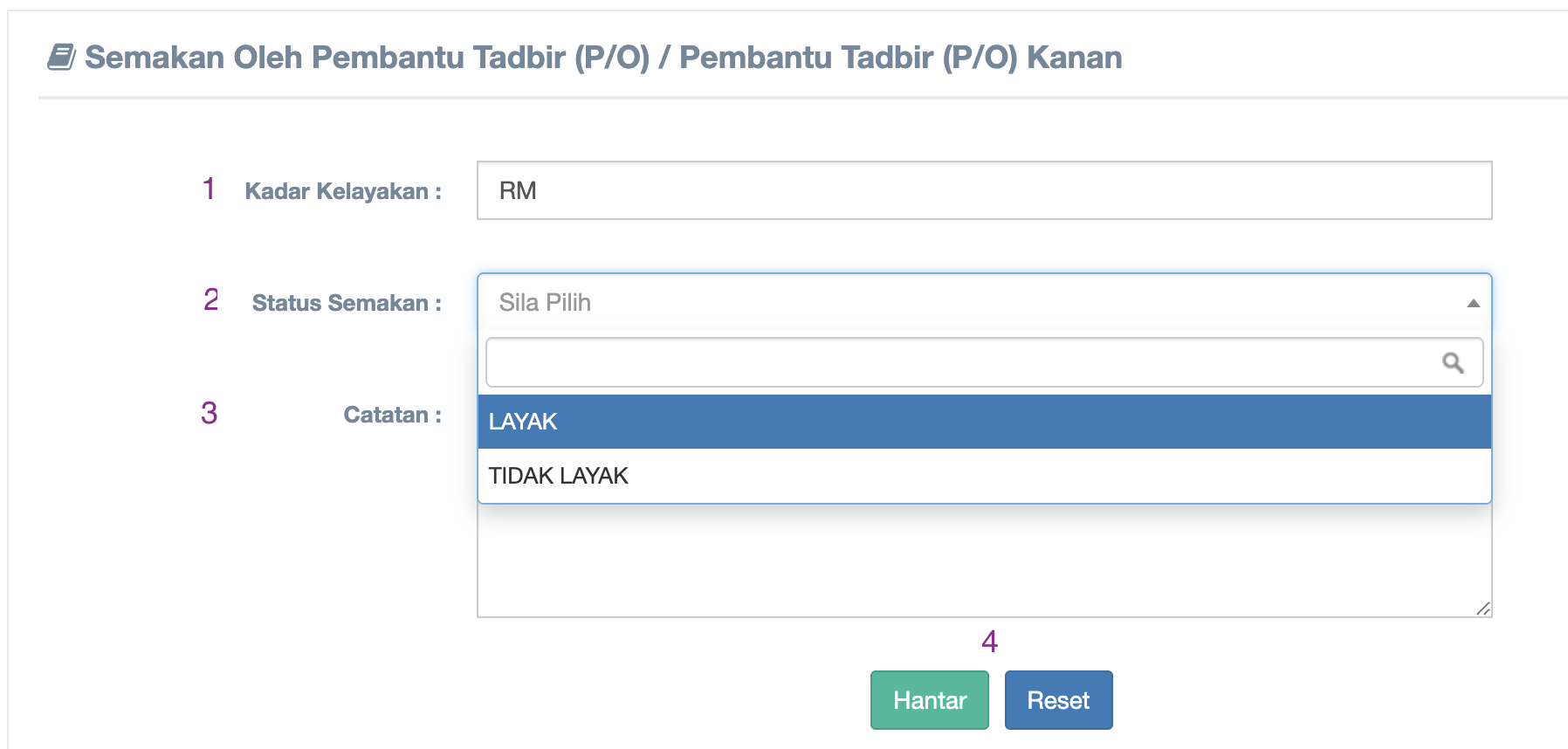
Langkah-langkah :
- Fill up Kadar Kelayakan
- Choose Status Semakan
- Fill up Catatan
- Click Hantar or Reset button
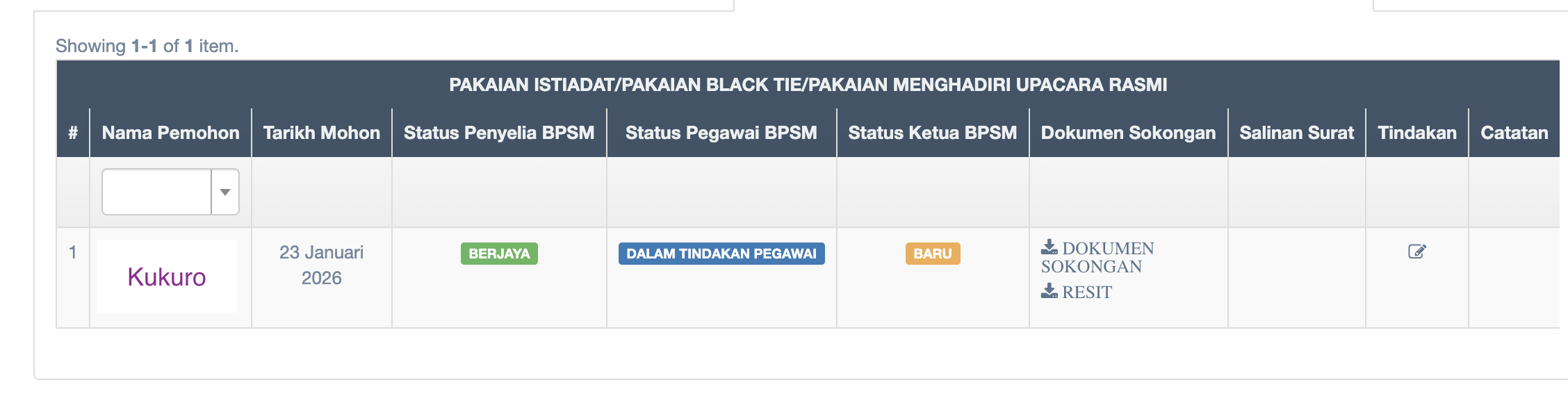
Step 7 : View of Claim Status
No comments to display
No comments to display