
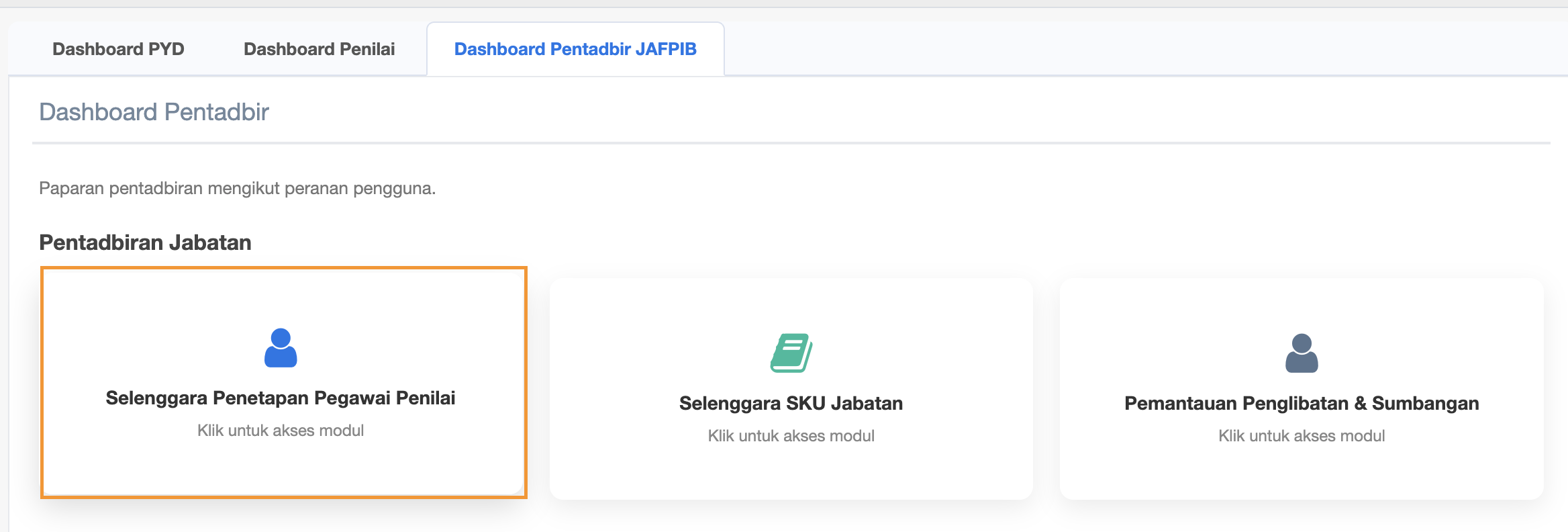
Dashboard Pentadbir JAFPIB - Selenggara Penetapan Pegawai Penilai
- Selenggara Penetapan Pegawai Penilai
- Selenggara SKU Jabatan
- Pemantauan Penglibatan & Sumbangan
SELENGGARA PENETAPAN PEGAWAI PENILAI
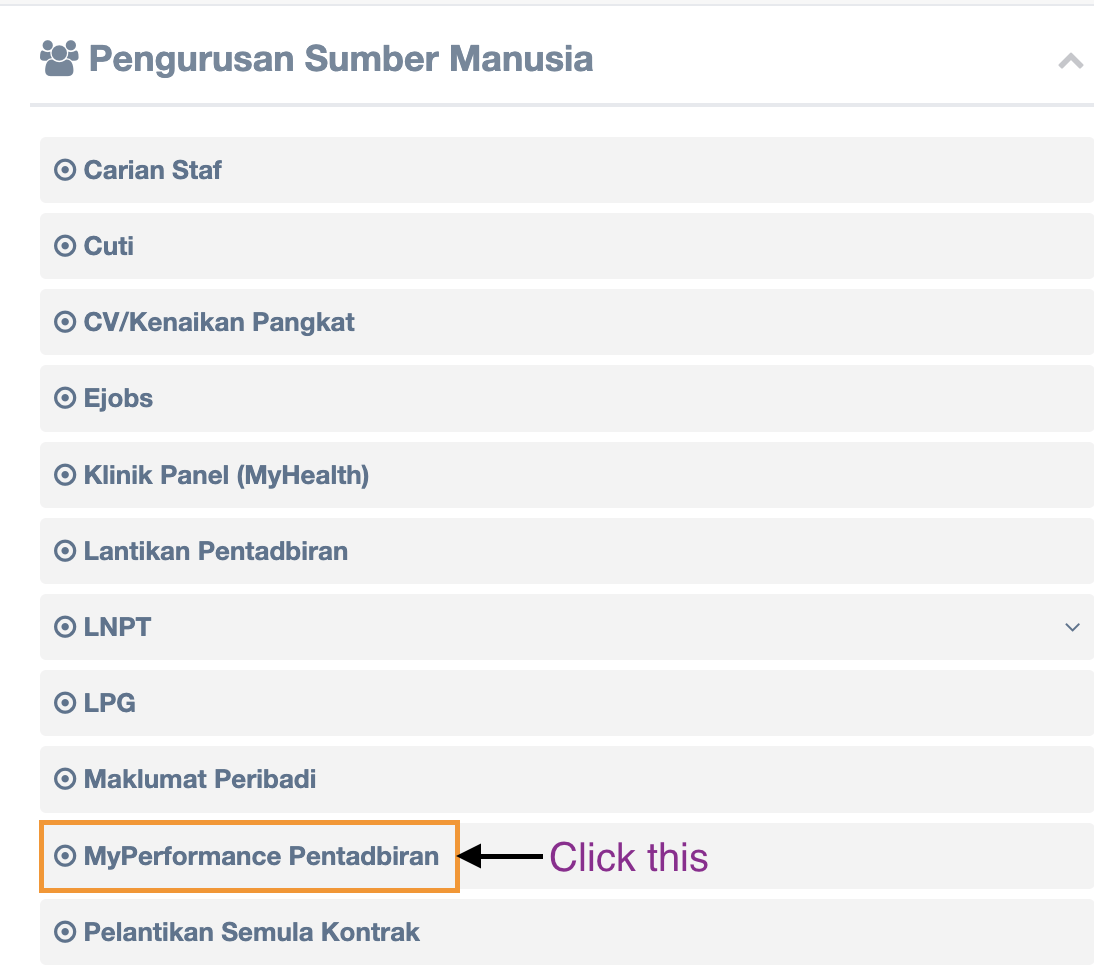
Step 2 : Click MyPerformance Pentadbiran
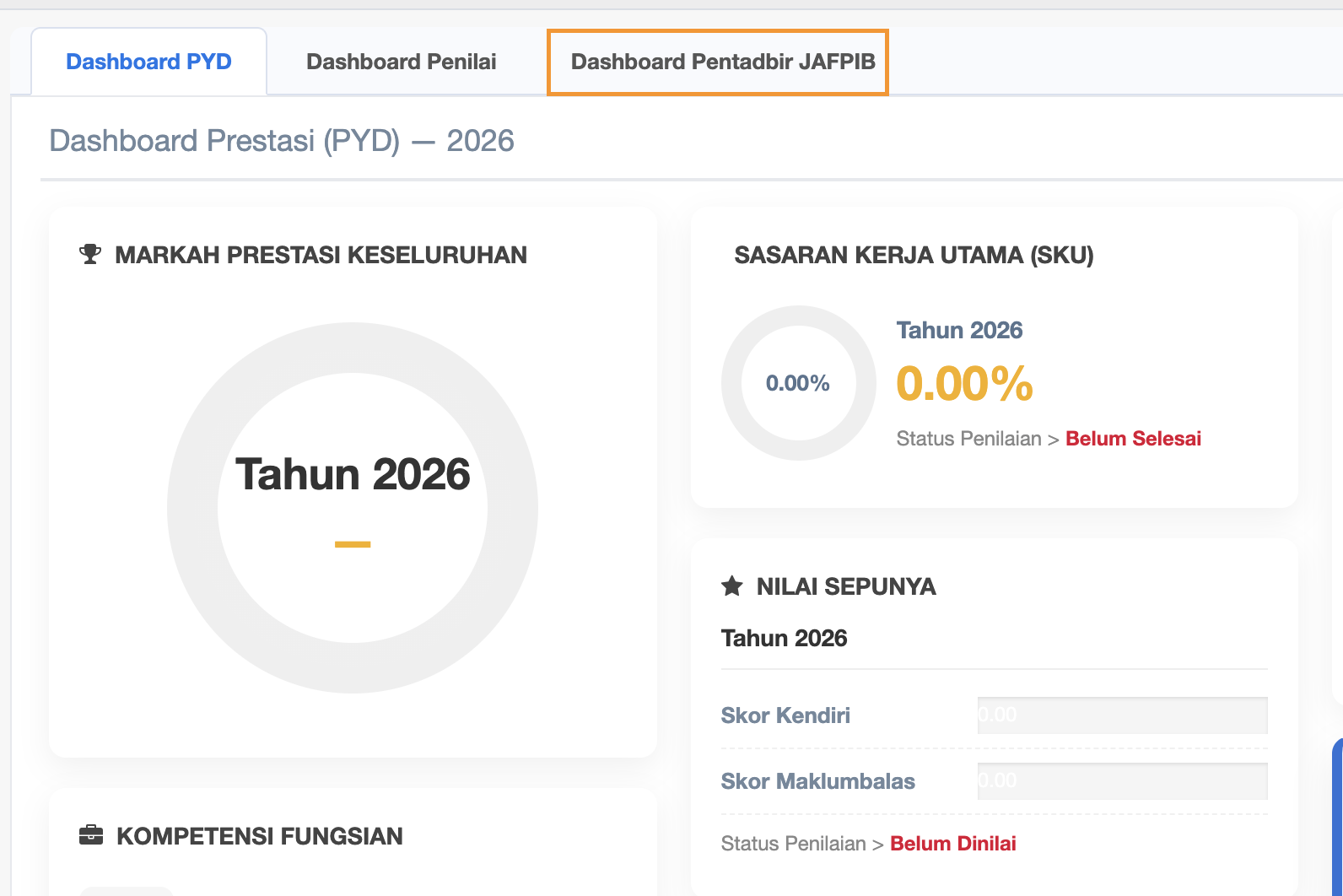
Step 3 : Click Dashboard Pentadbir JAFPIB
Step 4 : Three (3) SUb Menus under Dashboard Pentadbir JAFPIB
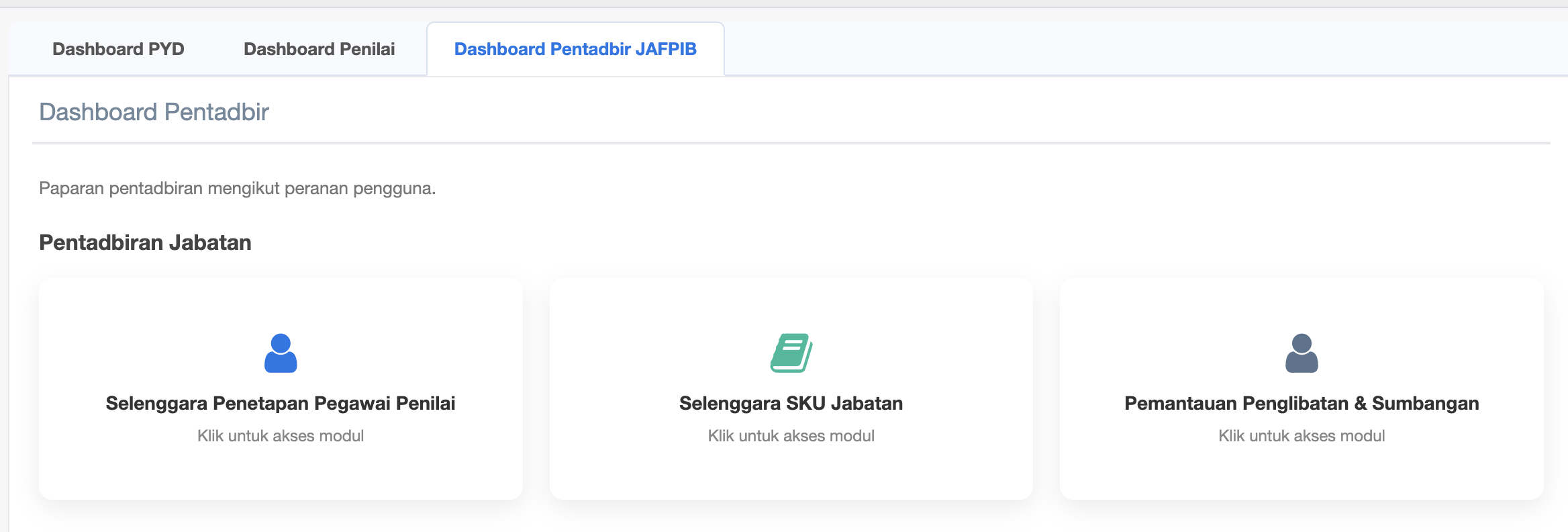
Step 5 : Click Sub Menu Selenggara Penetapan Pegawai Penilai
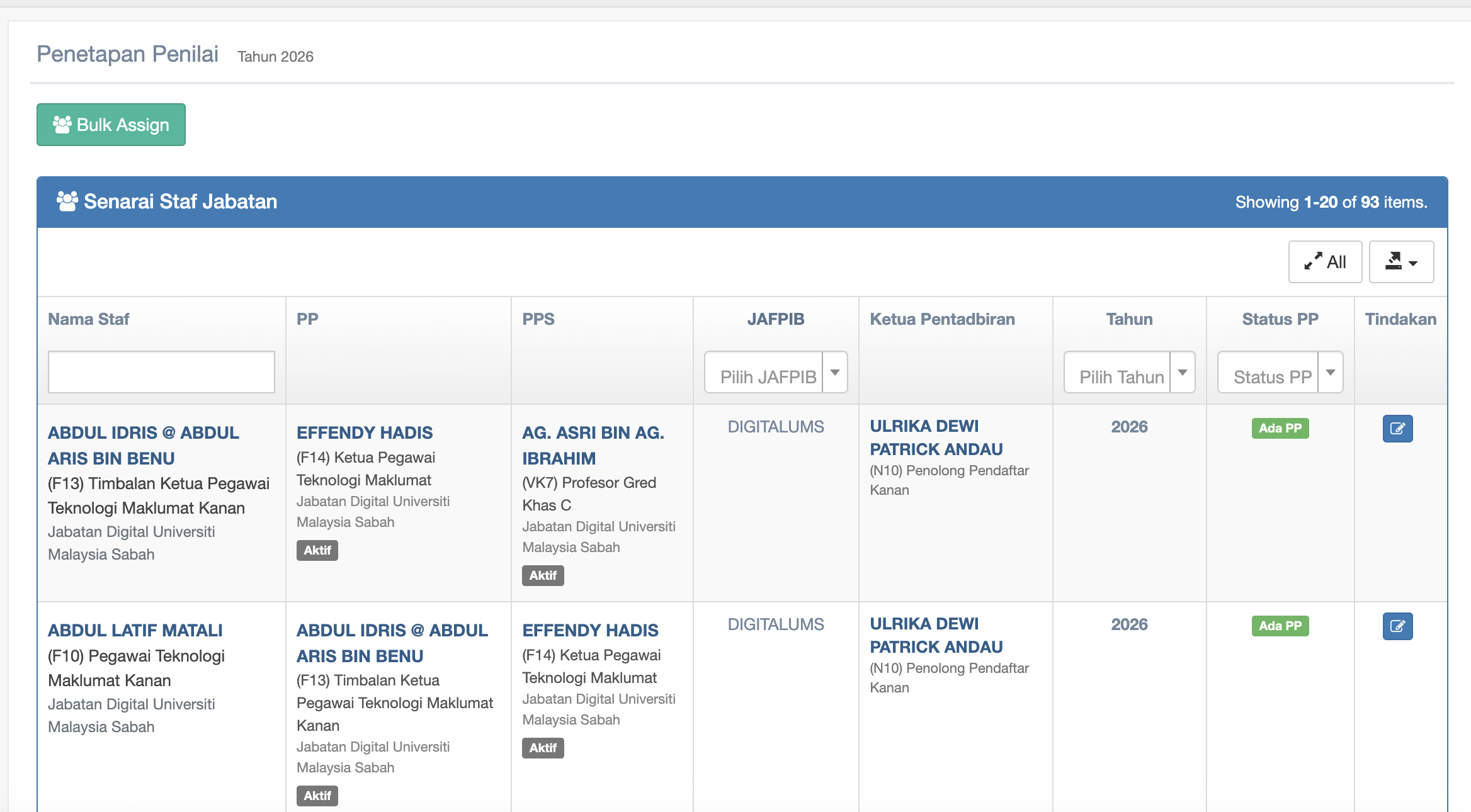
Step 6 : Senarai Staf Jabatan under your Jabatan only
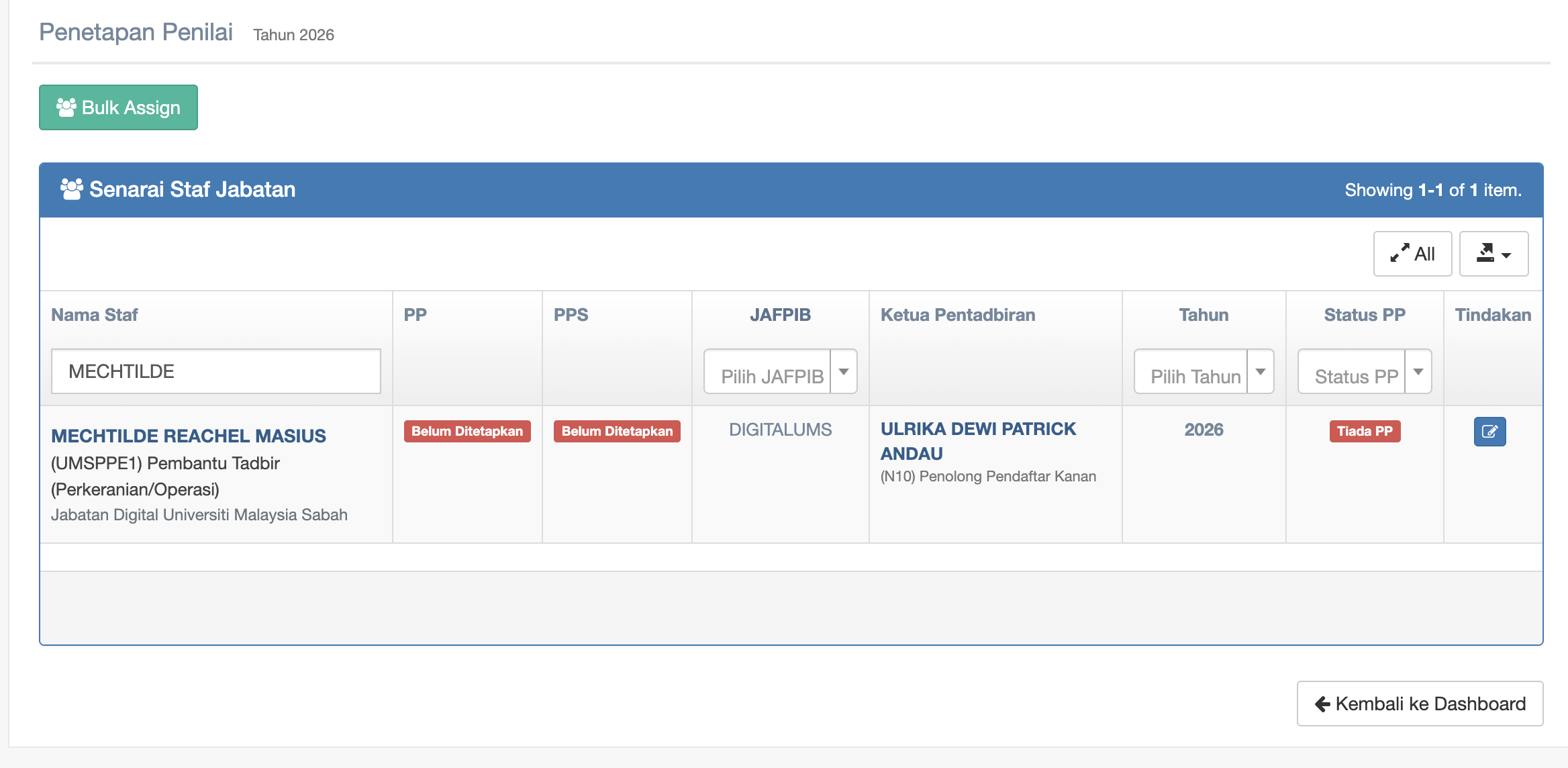
Step 7 : You may search for the Staff's name by entering name in the textbox under Nama Staf
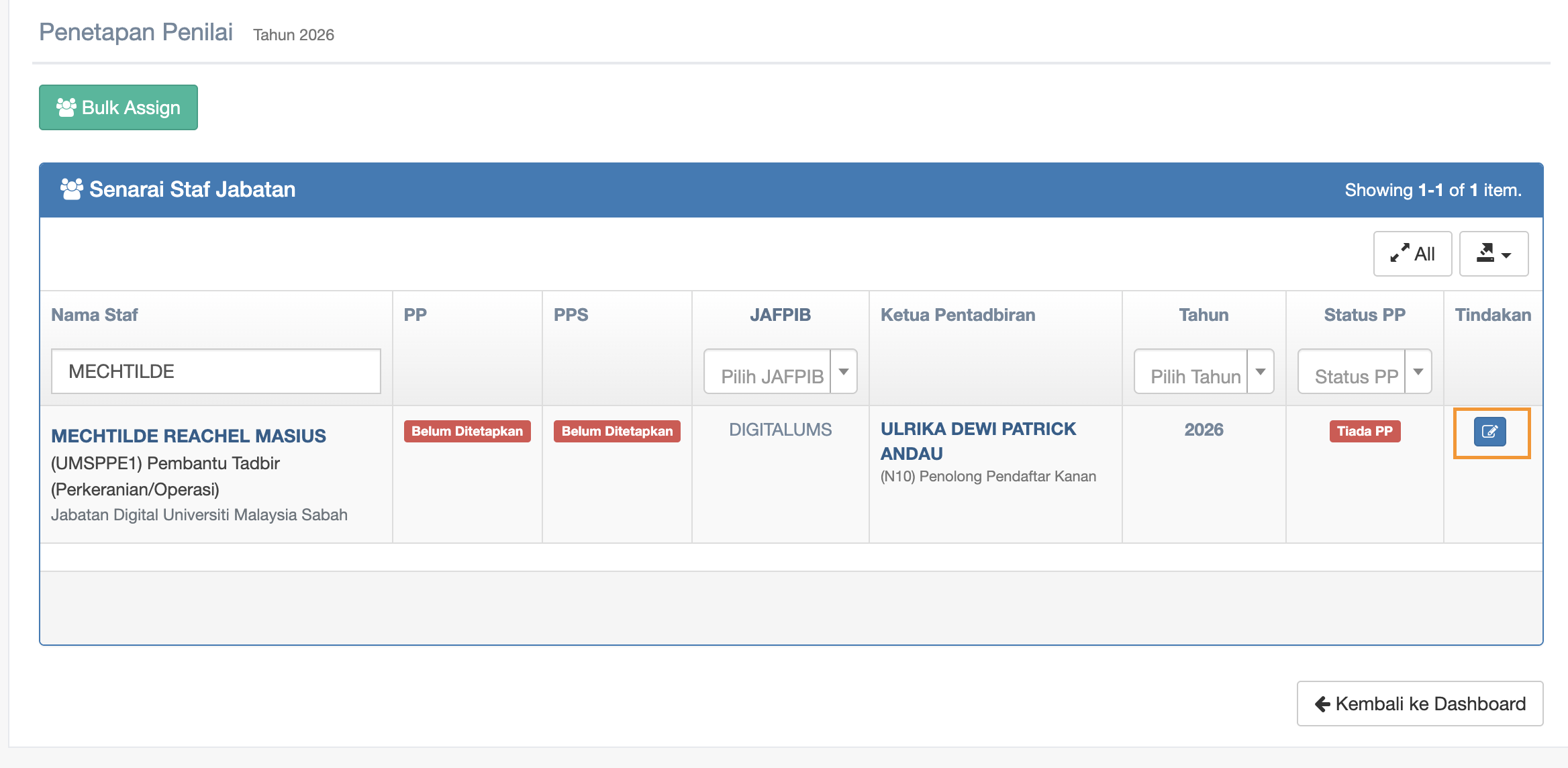
Step 8 : click the checkbox under Tindakan column to start edit
Step 9 : Click the dropdown of Penilai Pertama (PP) and Penilai Kedua (PPS) to choose
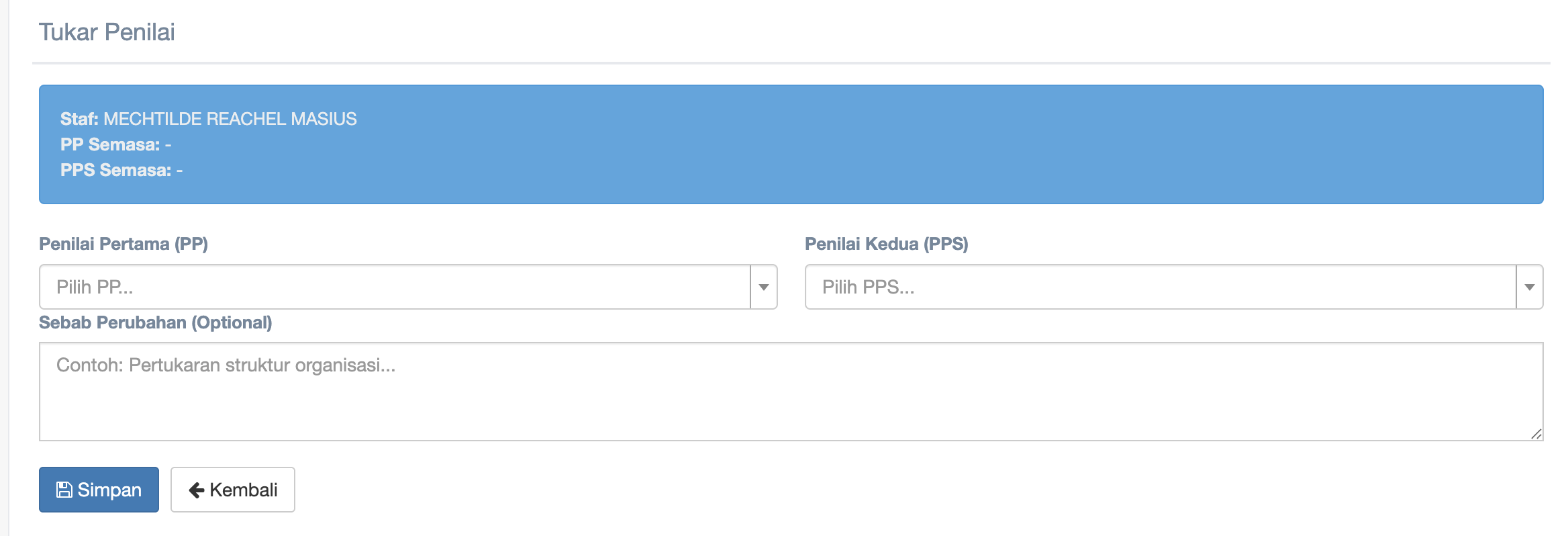
-
Click the dropdown of Penilai Pertama (PP)
-
Click the dropdown of Penilai Kedua (PPS) to choose
-
Fill in reason in the textbox of Sebab Perubahan (Optional)
-
Click Simpan button to start creating or updating
-
Click Kembali button to return to the Penetapan Penilai page
Step 10 : Click Bulk Assign
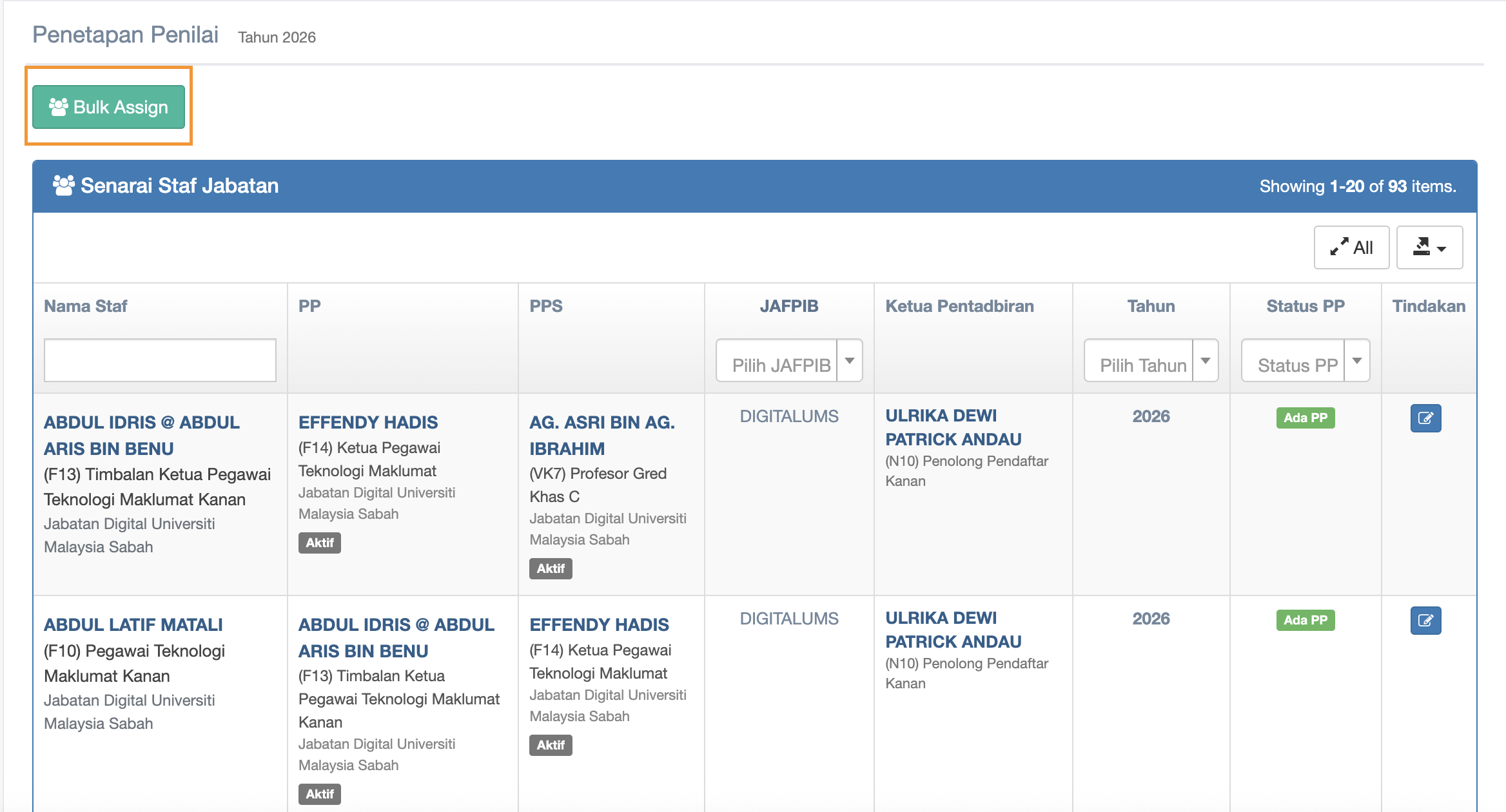
Step 11 : Bulk Assign Penilai
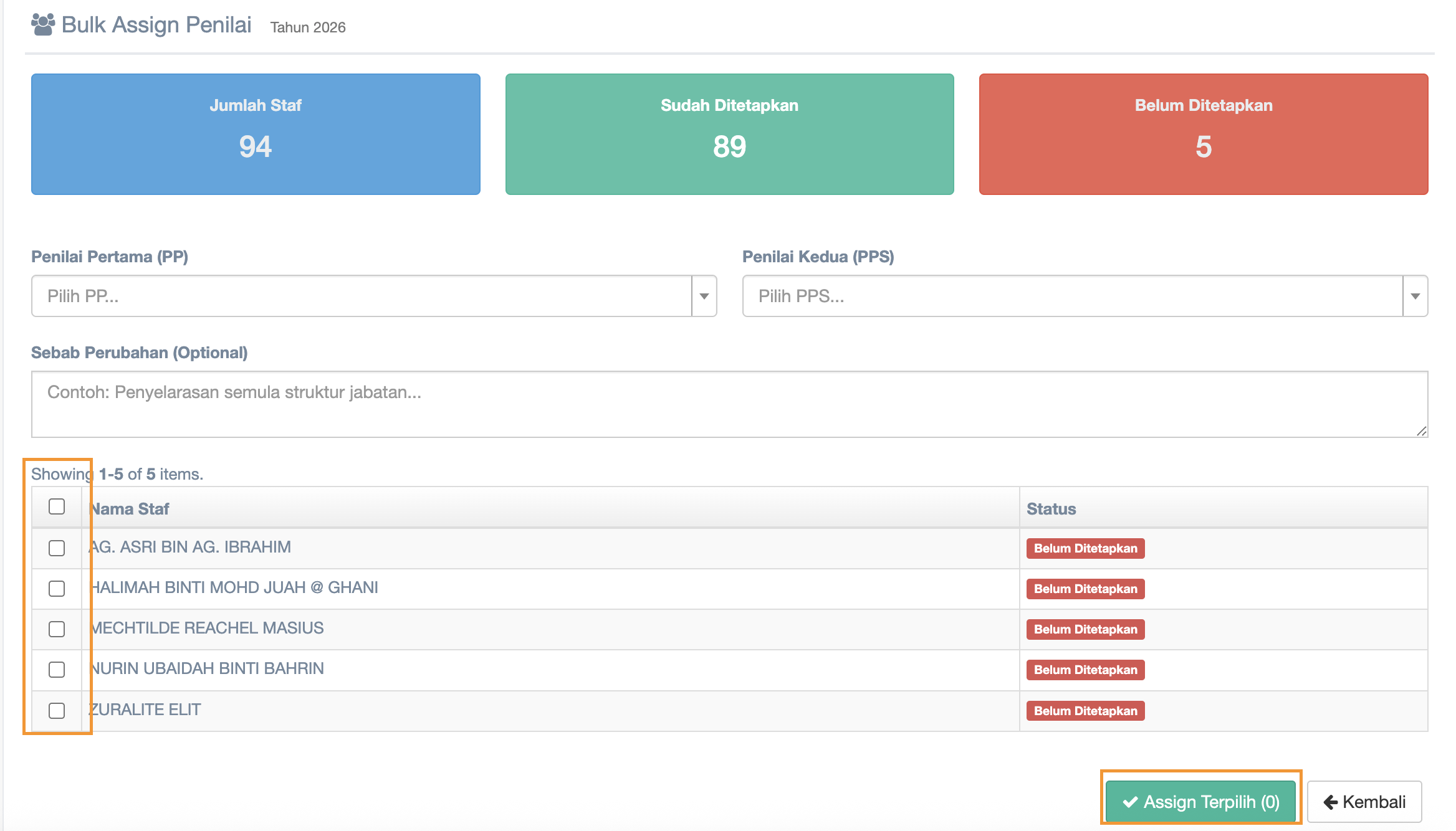
In Bulk Assign you can choose more than 1 staff to Penilai Pertama(PP) and Penilai Kedua (PPS)
1. click dropdown of Penilai Pertama (PP) to choose
2. click dropdown of Penilai Kedua (PPS) to choose
3. Fill in Sebab Perubahan (Optional)
4. Mark the name from the Staff List
5. after done all marking then click Assign Terpilih button
No comments to display
No comments to display