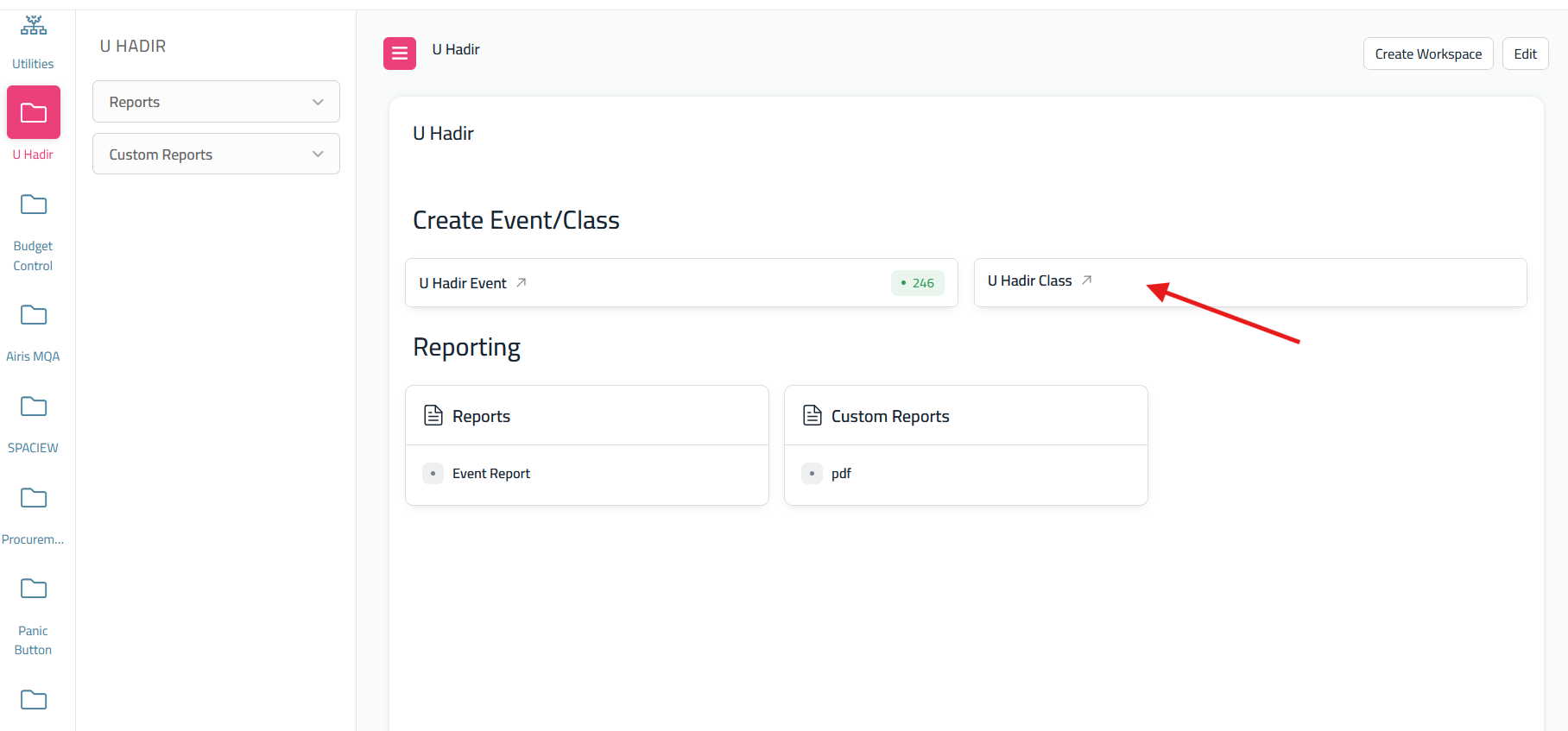
How To get the report U Hadir Class
- Go to dashboard U Hadir and Click
'Lecturer's"USummaryHadir'
Class"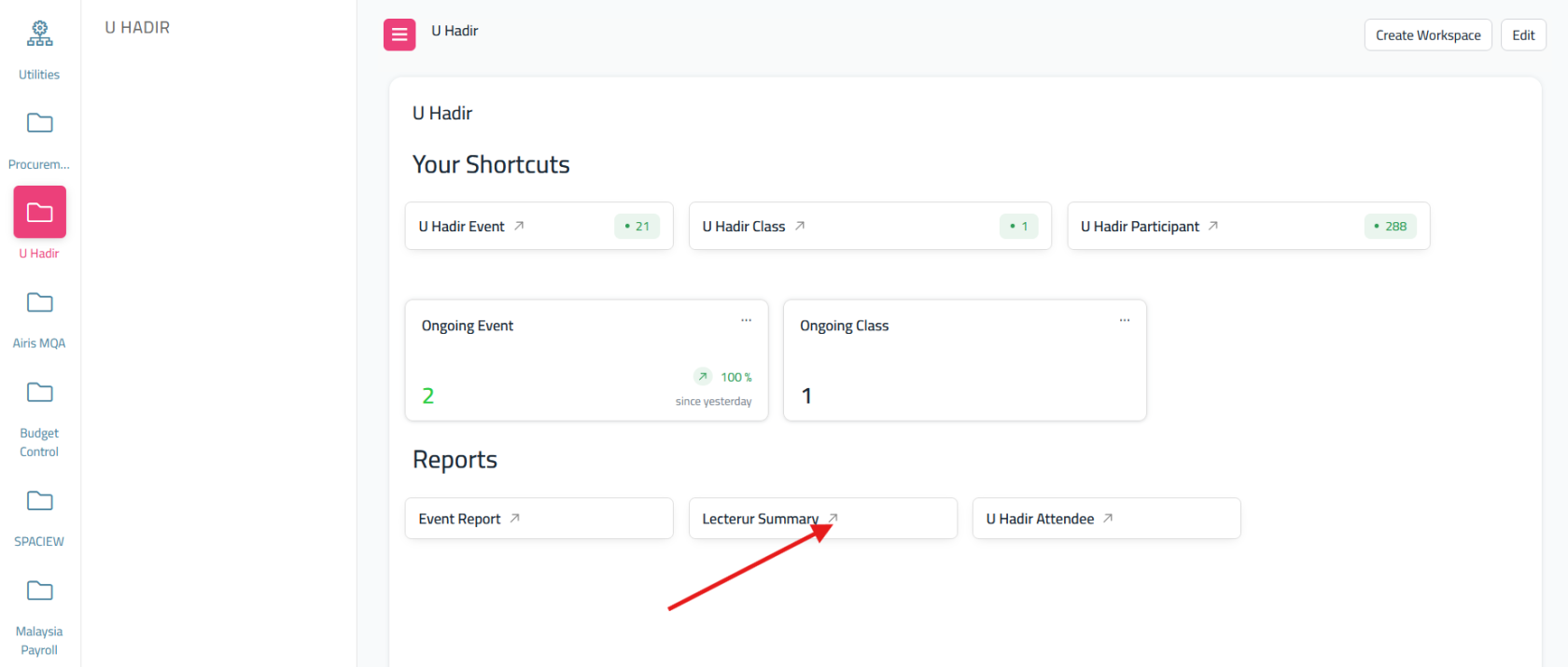
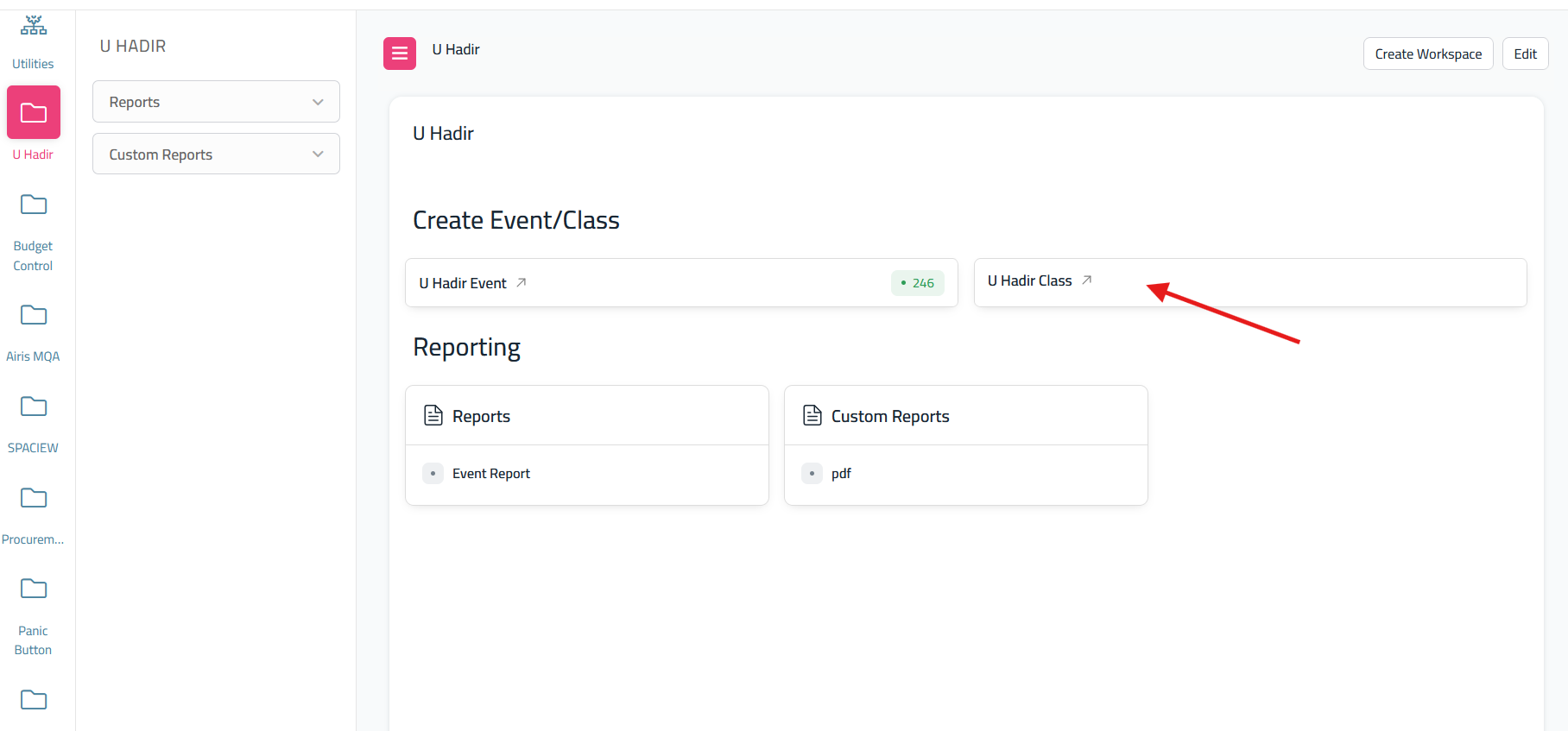
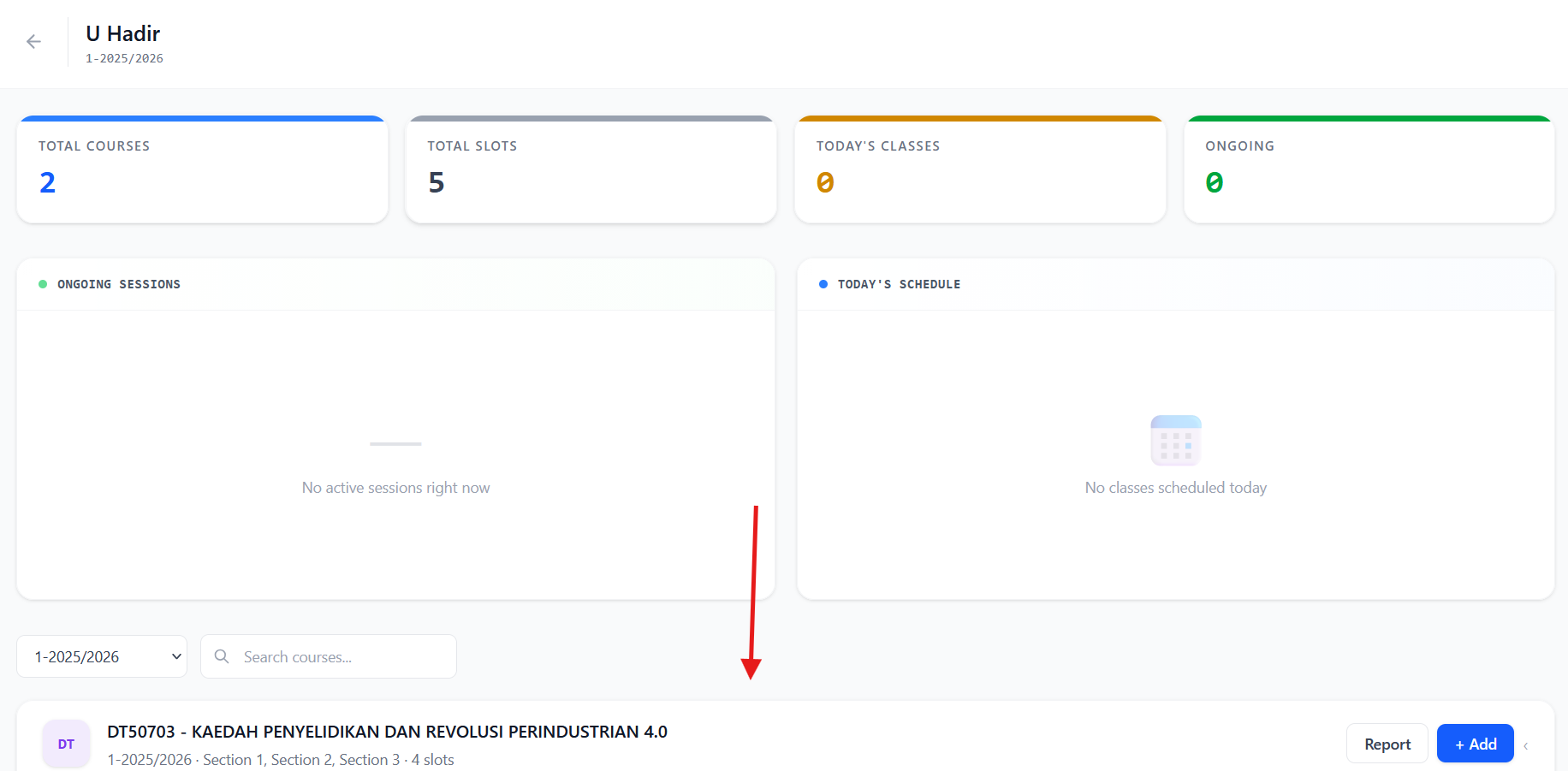
FromItthis,will redirect to this screen, please scroll down to find your teaching courses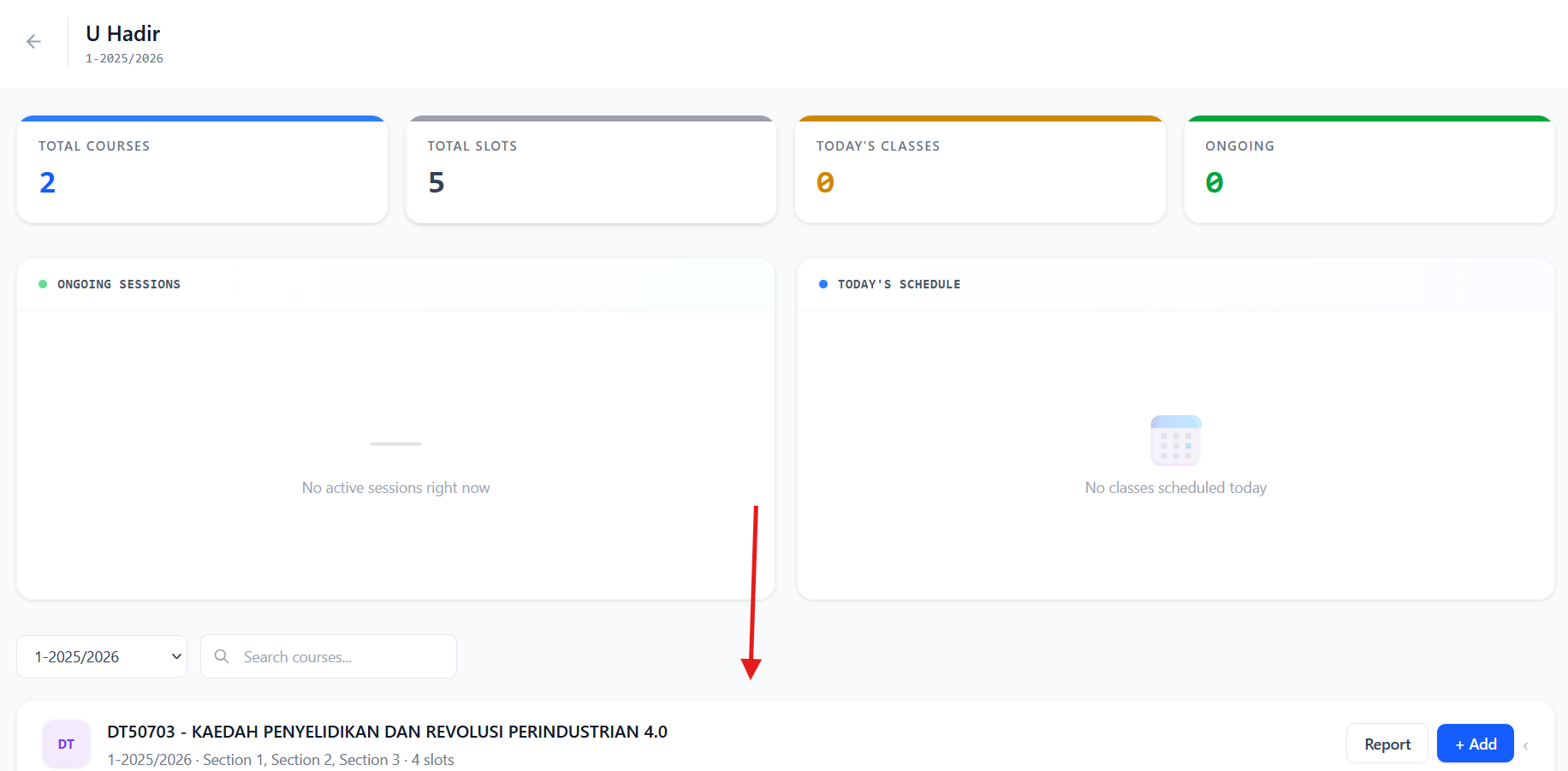
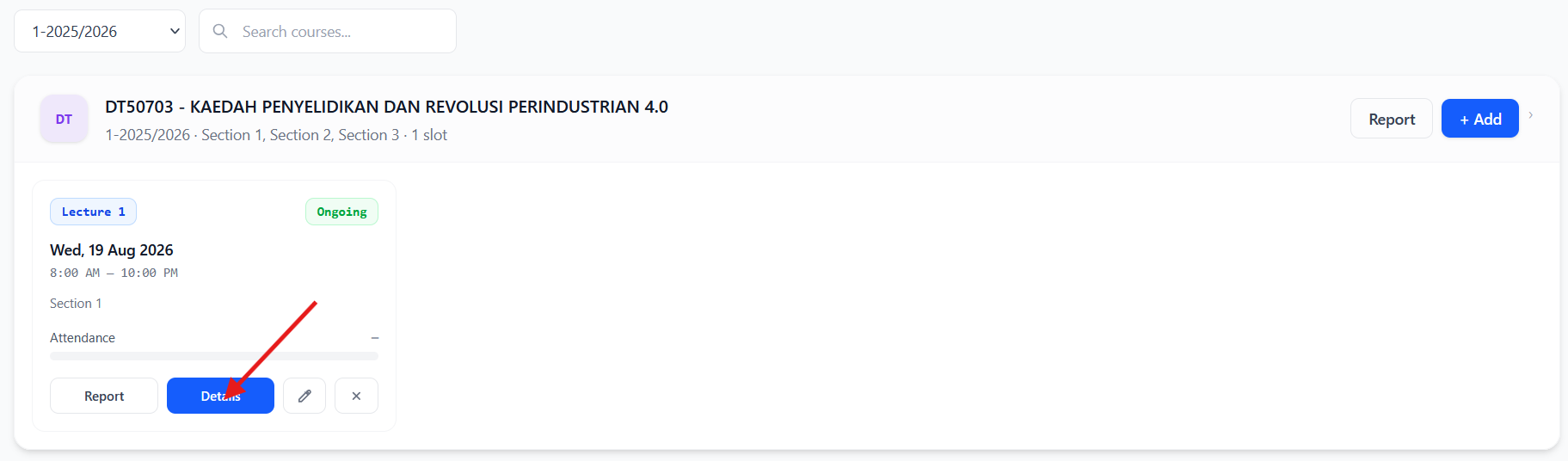
- click the details
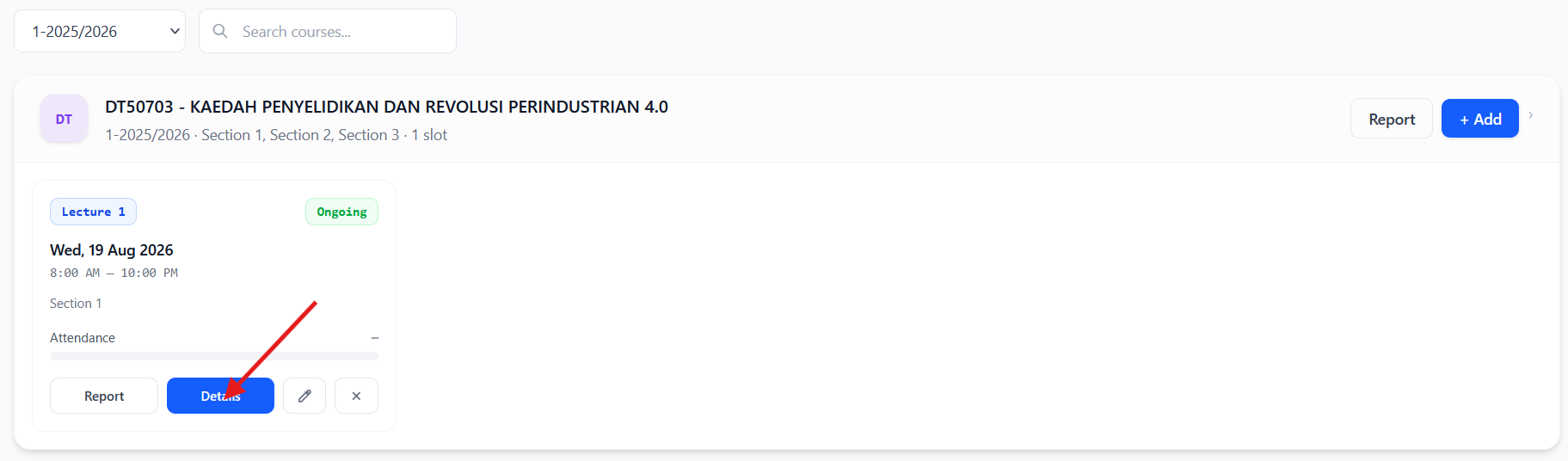
- At the top of the info, click the Slot Report it will show
nothing,the report for only 1 class that youneedselectedto filter one by one follow this step; selectoncourse,Numberthensessionand lastlysection3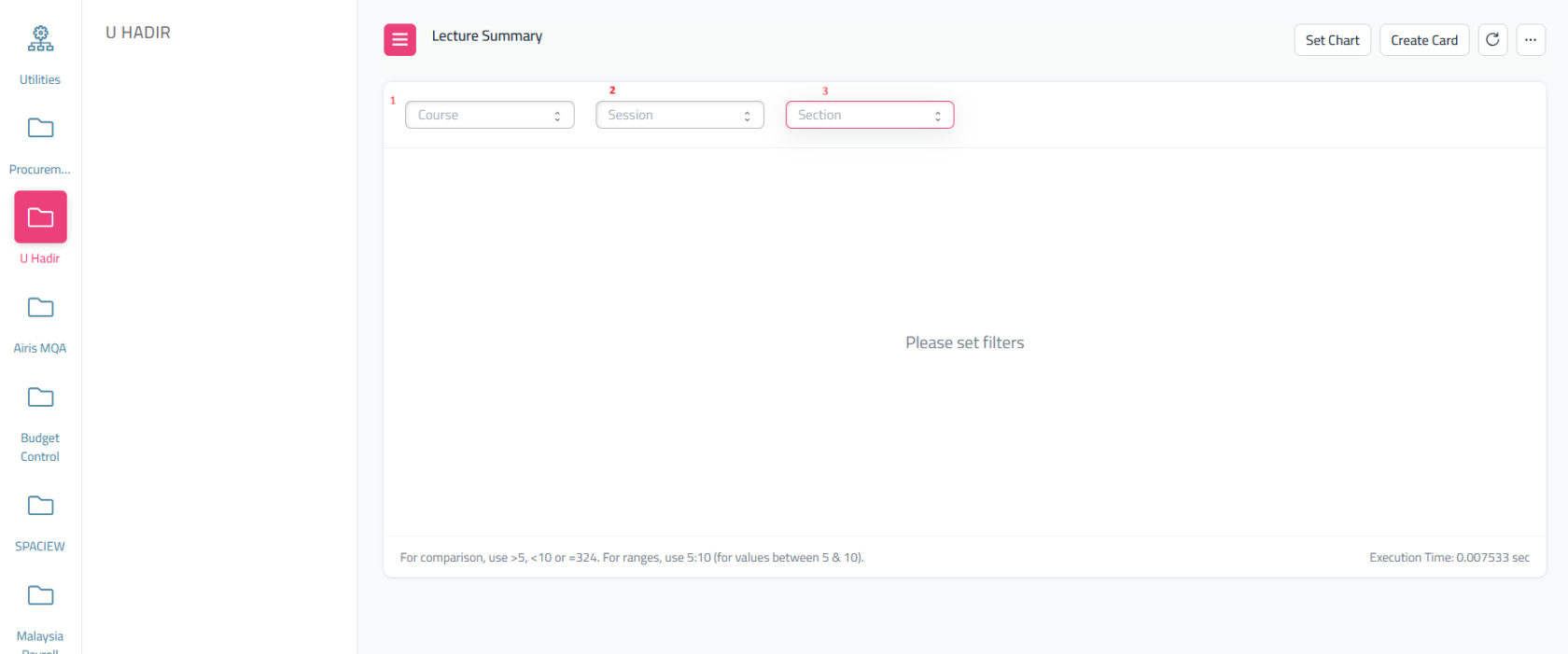

Thispage - if
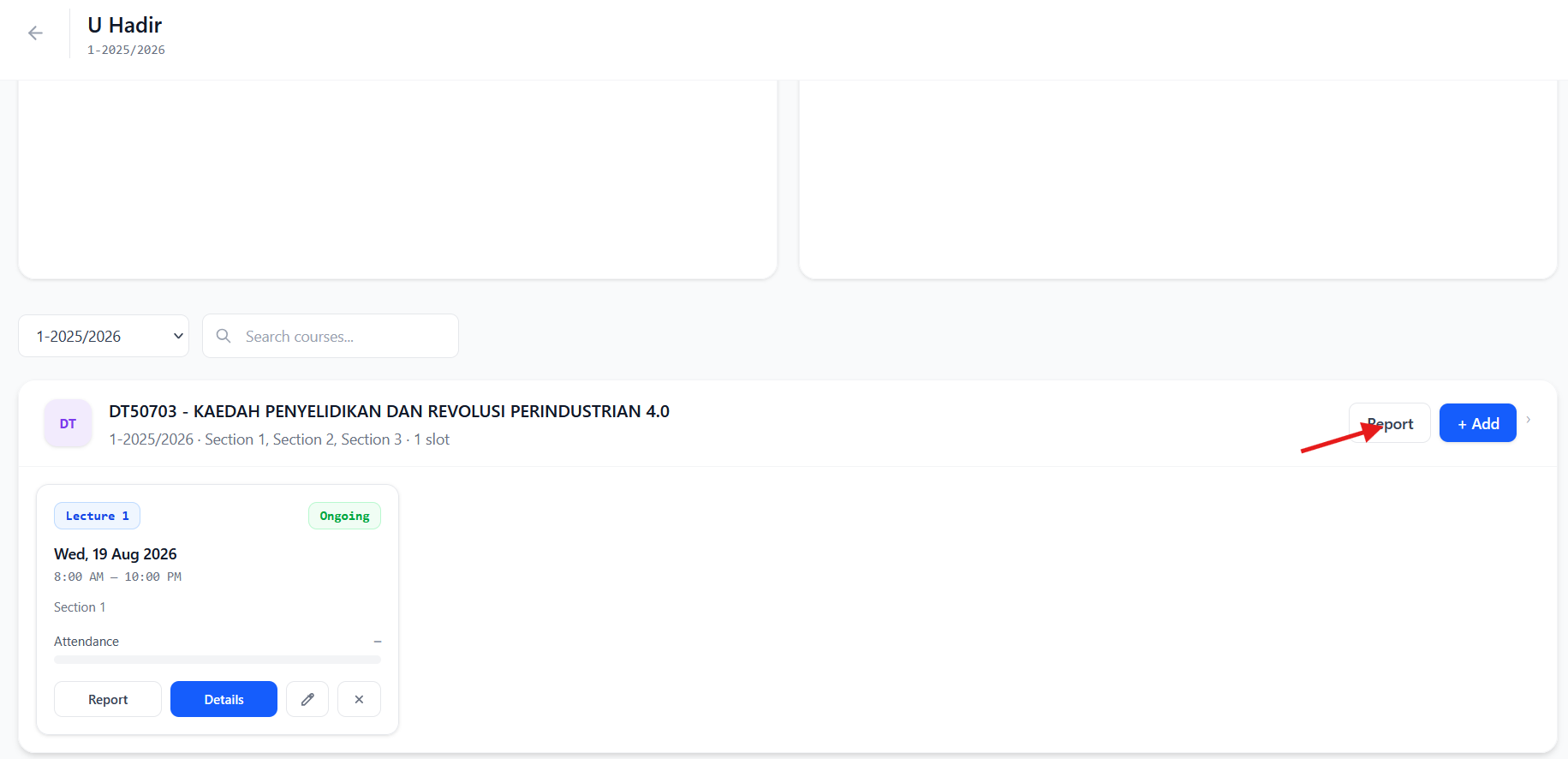
showyouhowwantmanytostudentsummarythat not attendedreport foryourall of the teaching courses class, please click back and then on the dashboard u hadir class
please click report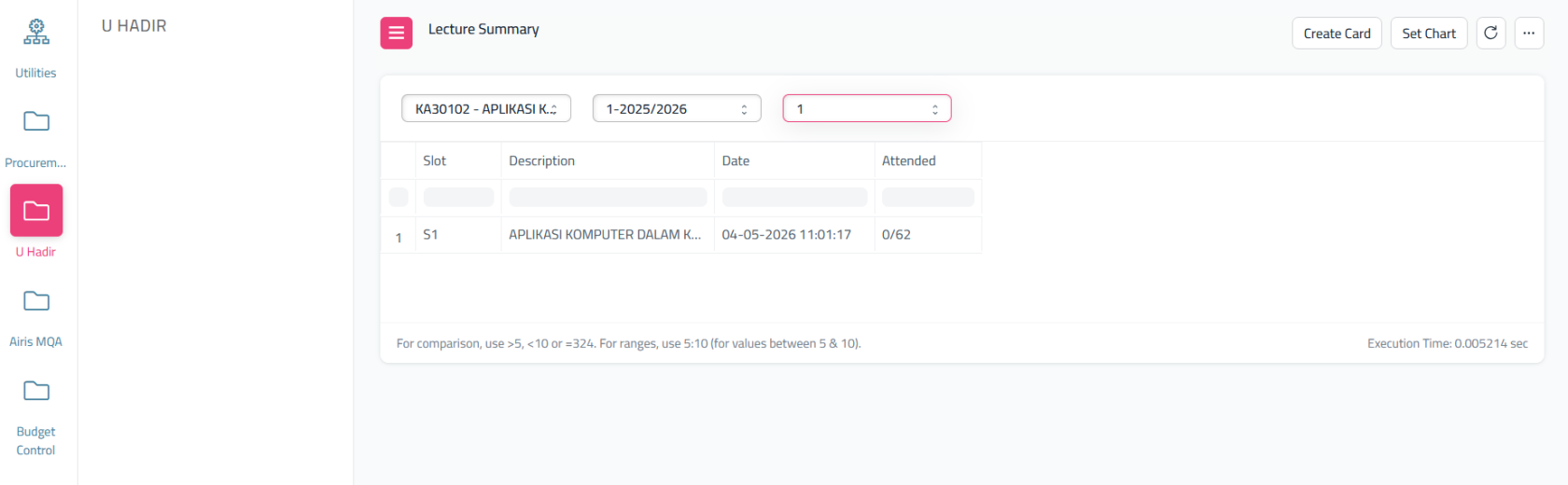
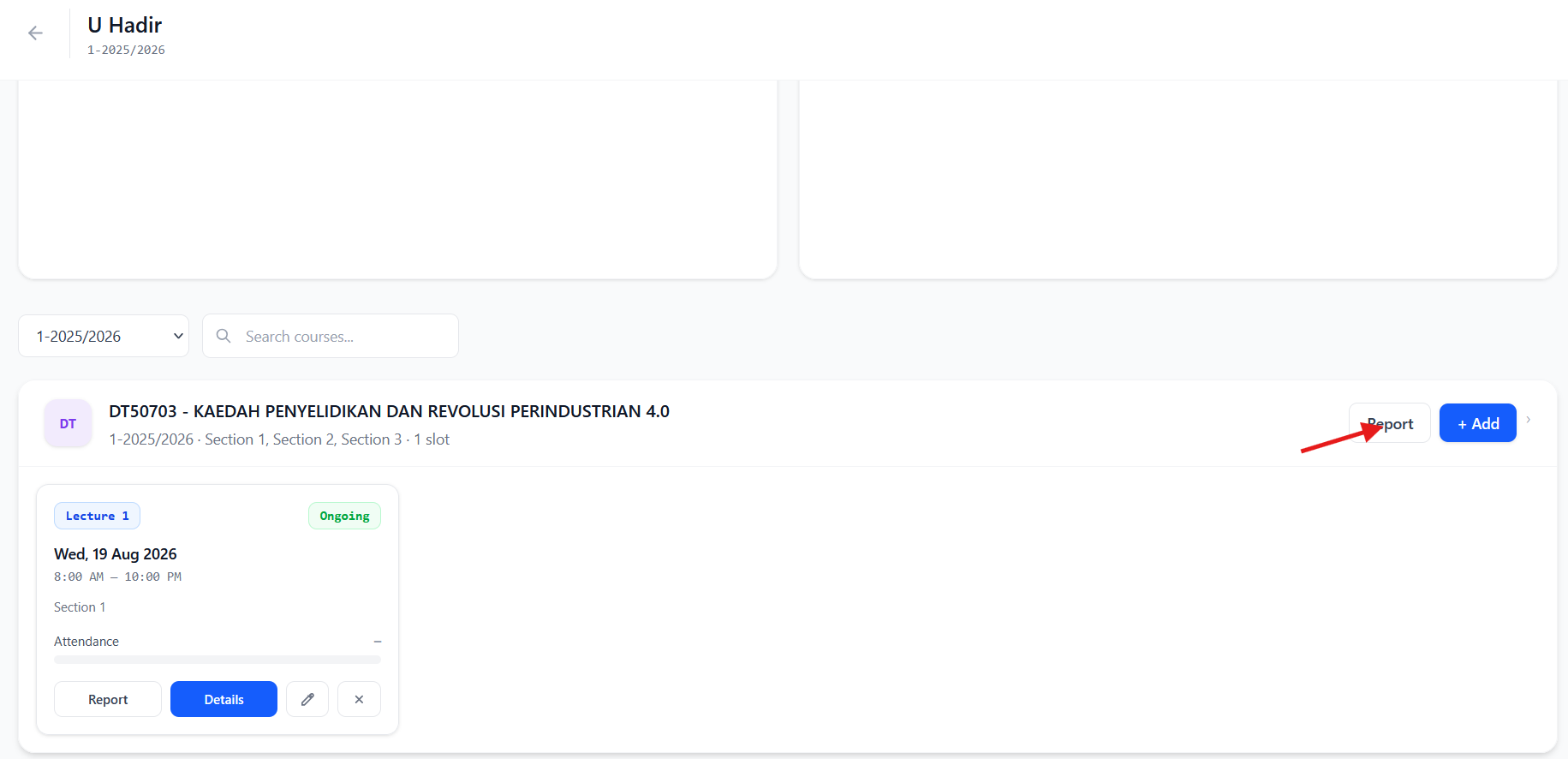
whatAndaboutafter click Report, it will redirect to another screen and on top of that info please click print if you want to print thepercentagesummaryfororyour student that attend your class? Go back to dashboard U Hadir and select 'U Hadir Attendee'As samesave asbefore,pdf.itThis will shownothing, you need to filter it. Folliw this step; SelectCourse, thenSessionlastlySection
selected
it will display list of student and their status record in percentage ifthestudentsummaryattendreportthefor all created classoronnot.To download in excel, click here then export itcourse.