Skip to main content
How To Create A Class
- Go to IICS Website (Login into Portal Kinabalu and search for the Finance Management(IICS))
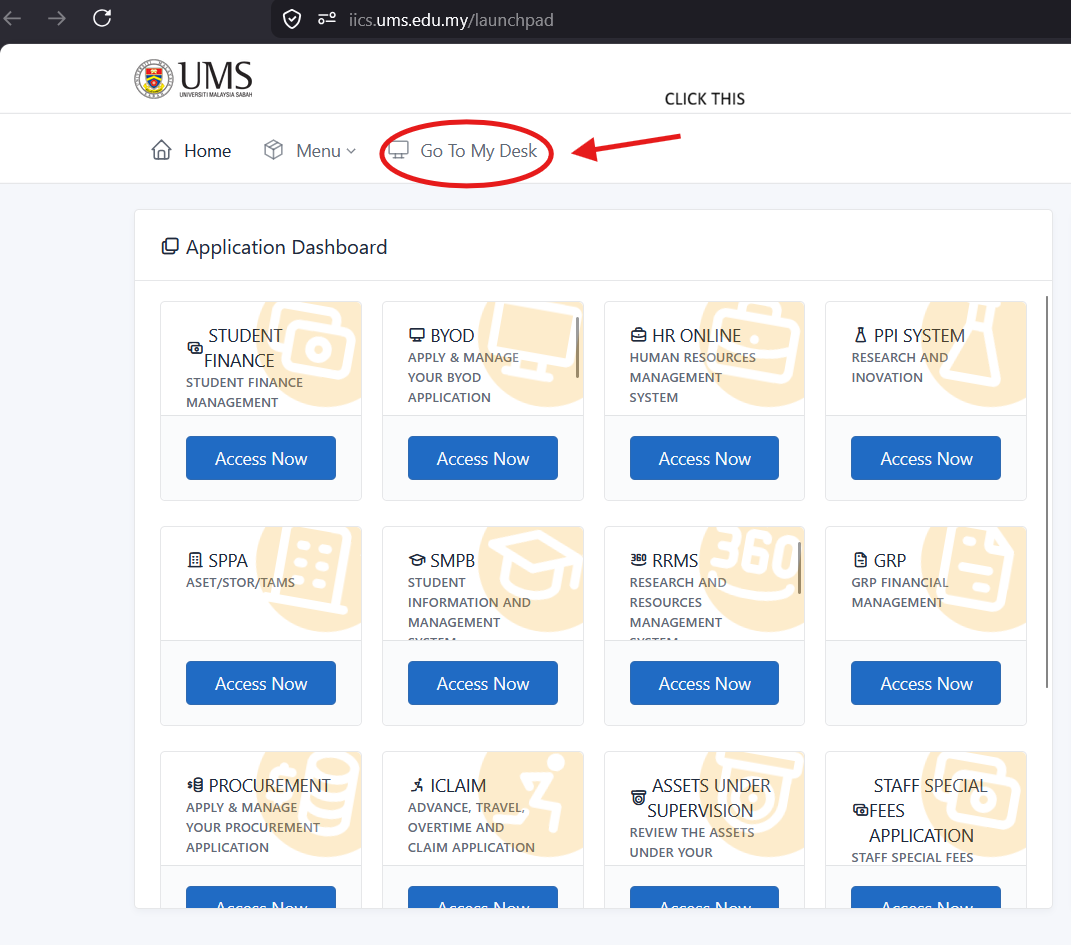
- On Portal Kinabalu, Click the IICS and then on the launchpad page
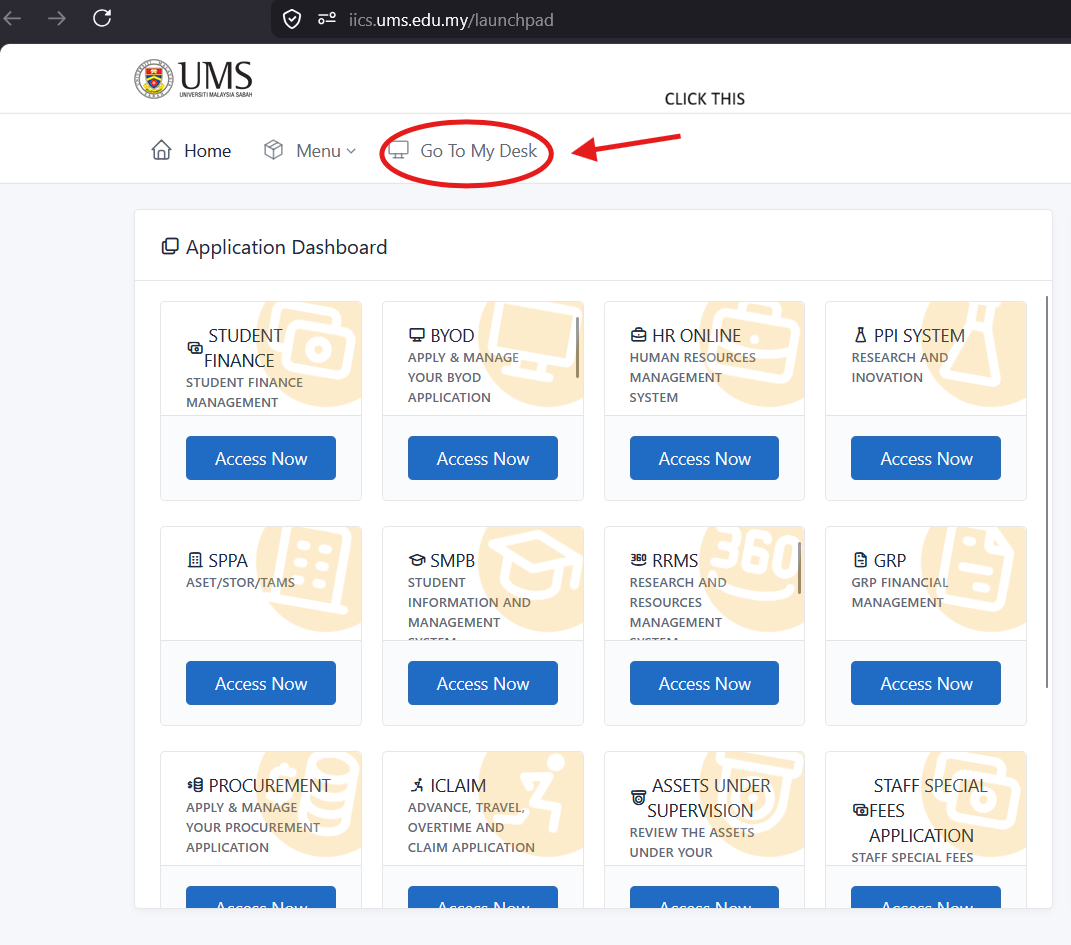
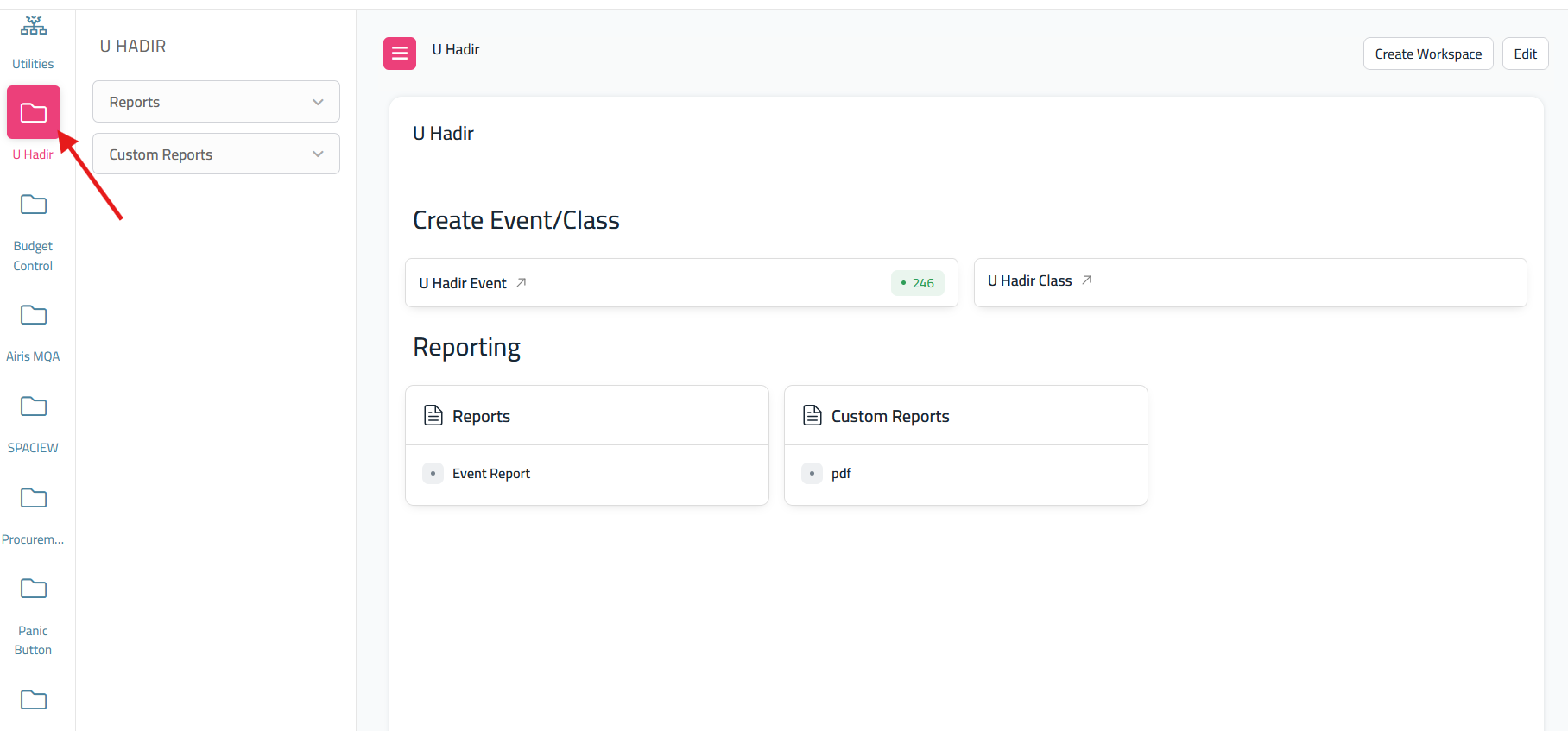
- After click 'My Desk' scroll until you find U Hadir
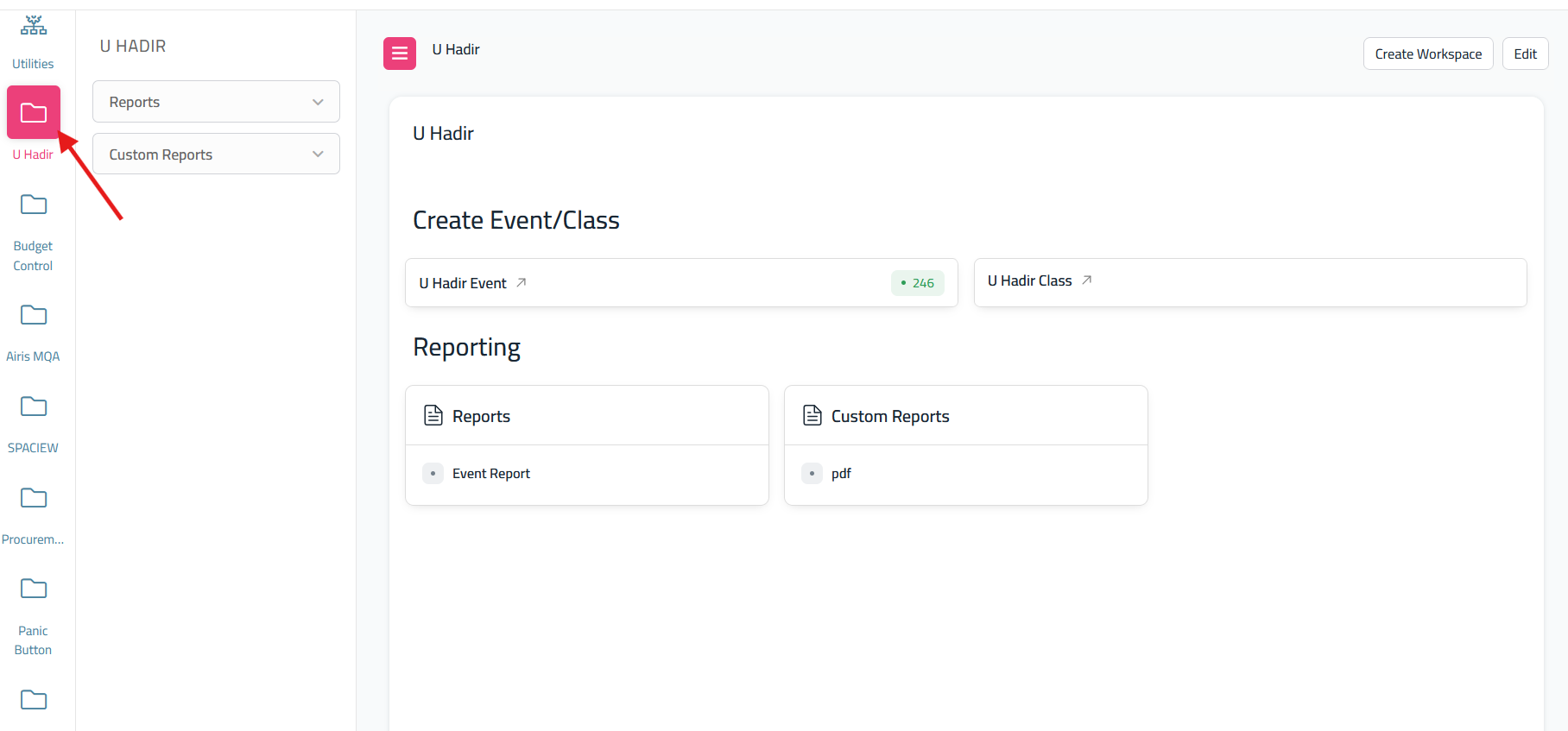
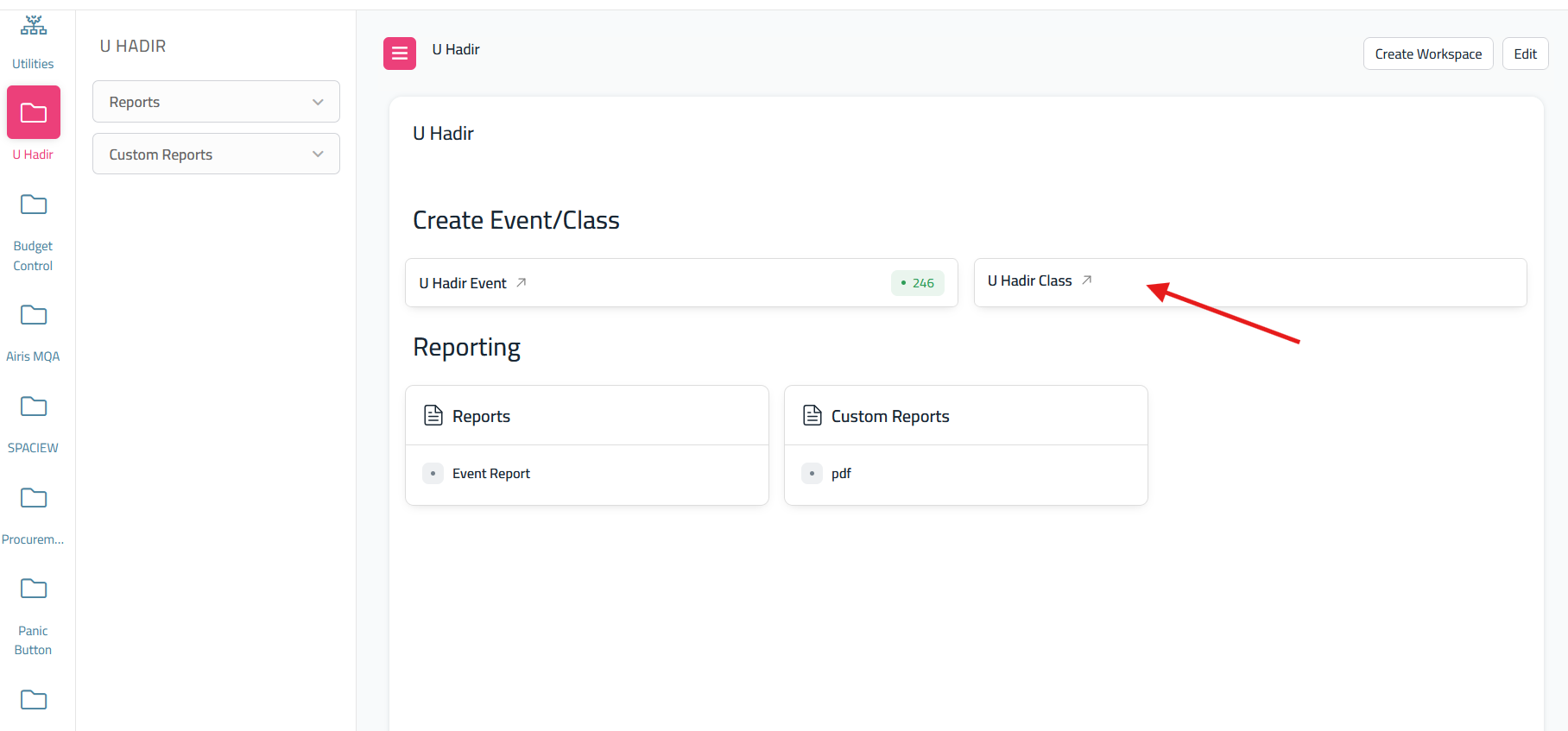
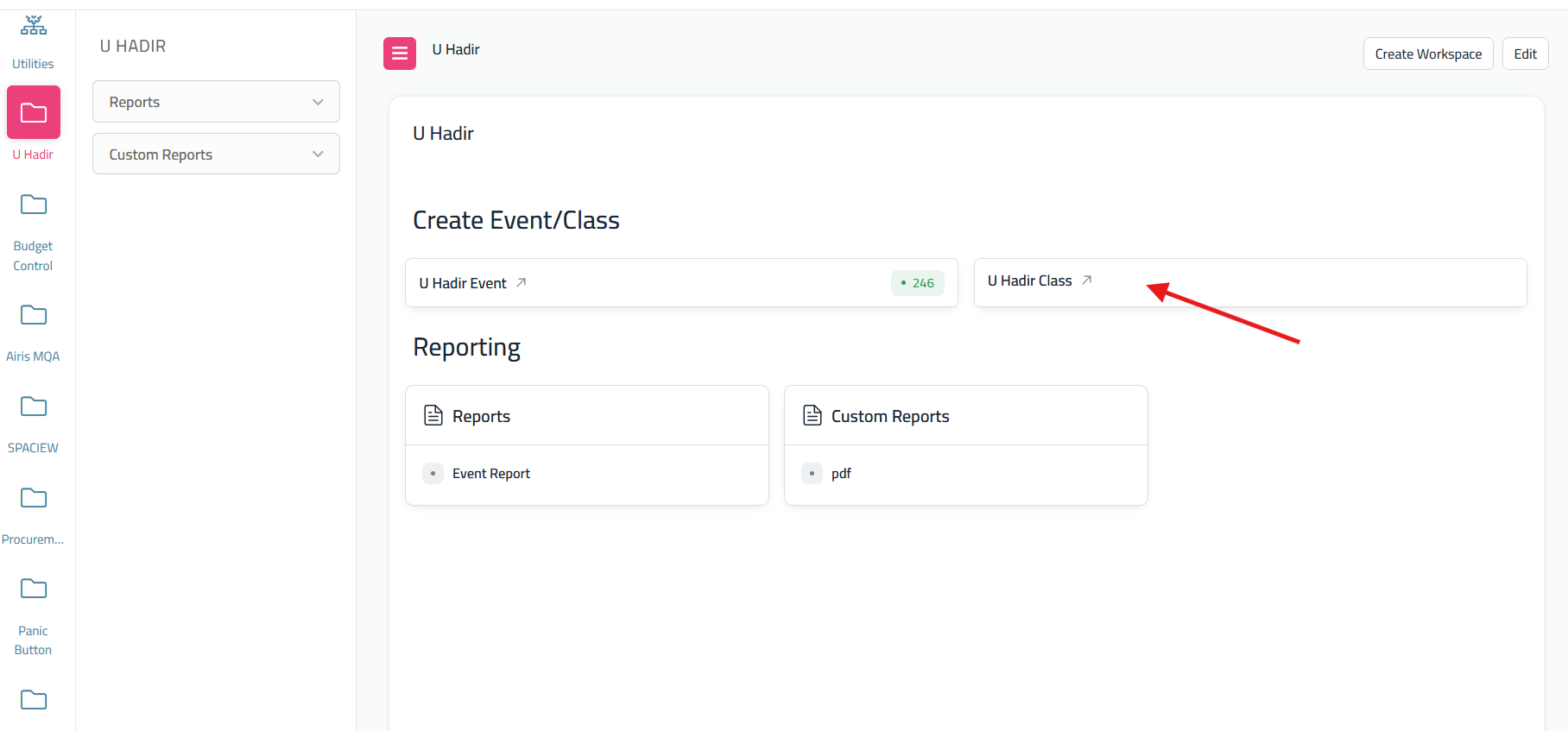
- From the dashboard U Hadir, click the U Hadir Class
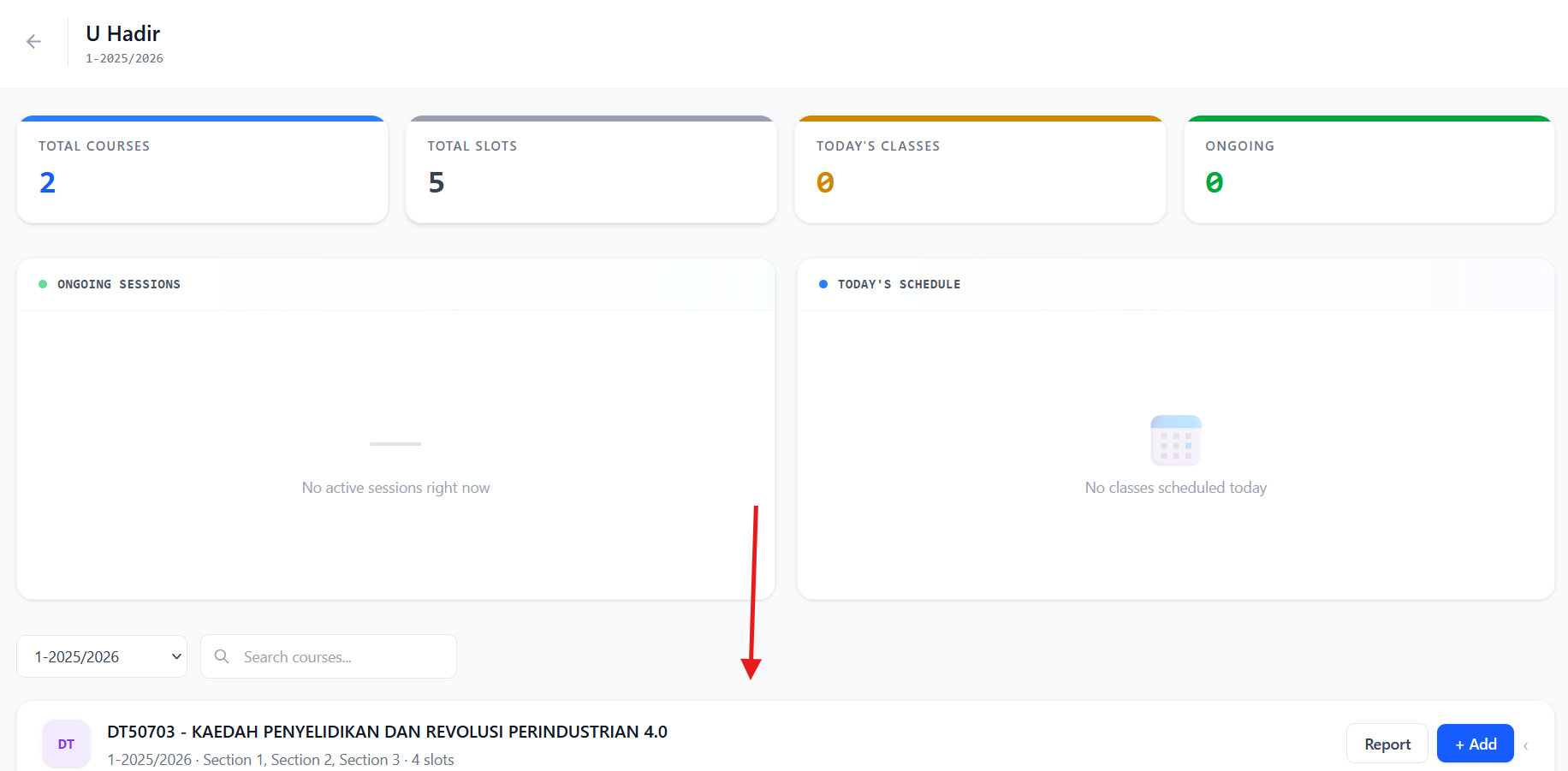
- It will redirect to 'U Hadir Class Screen'. Scroll down to see your teaching courses.
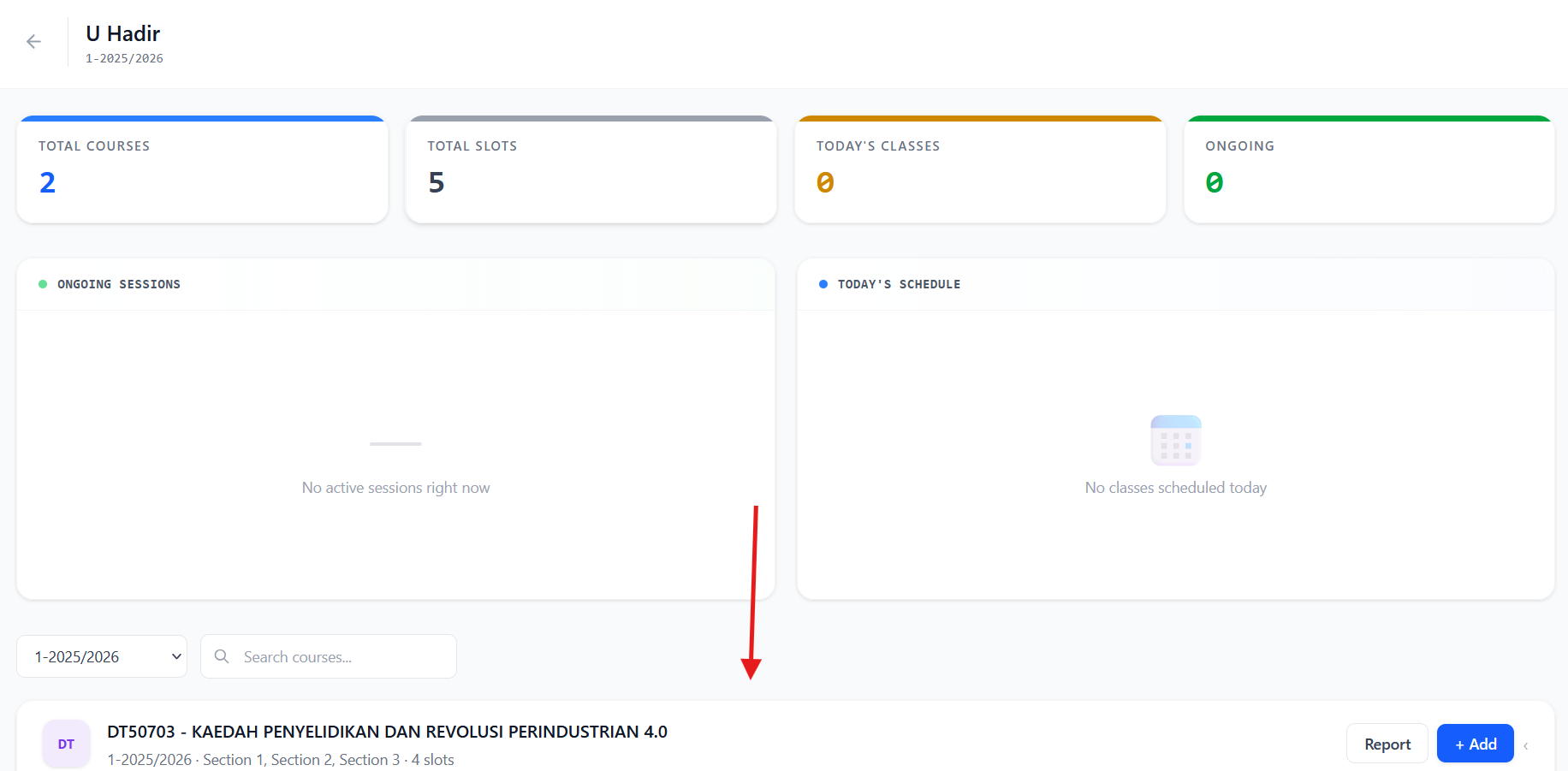
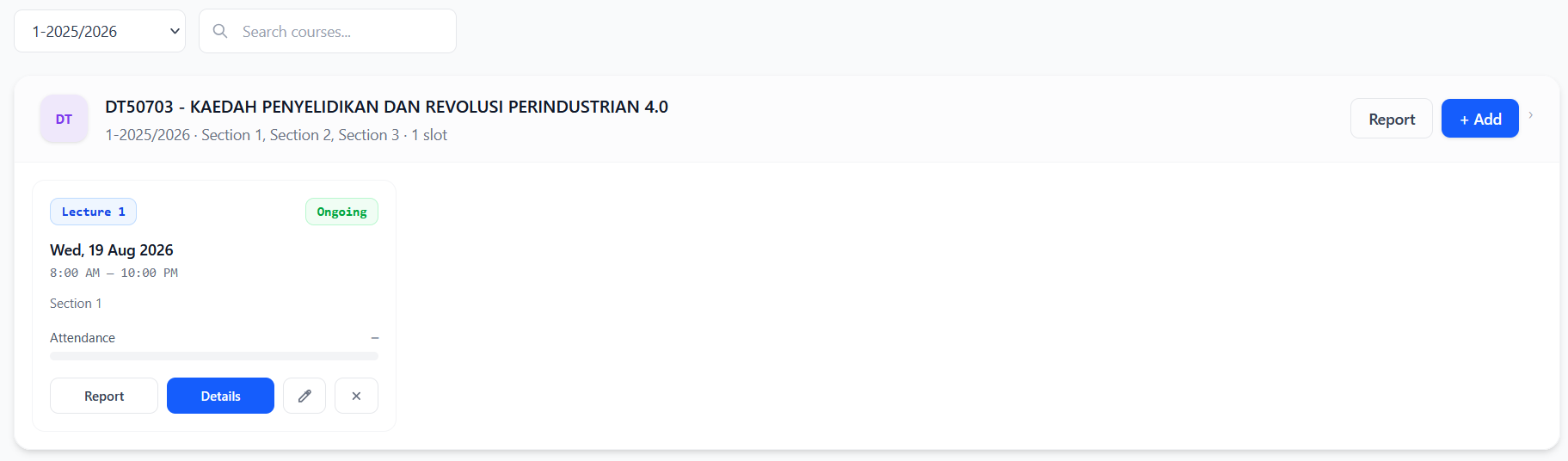
- when you see the teaching courses, if you want to create a class just click add

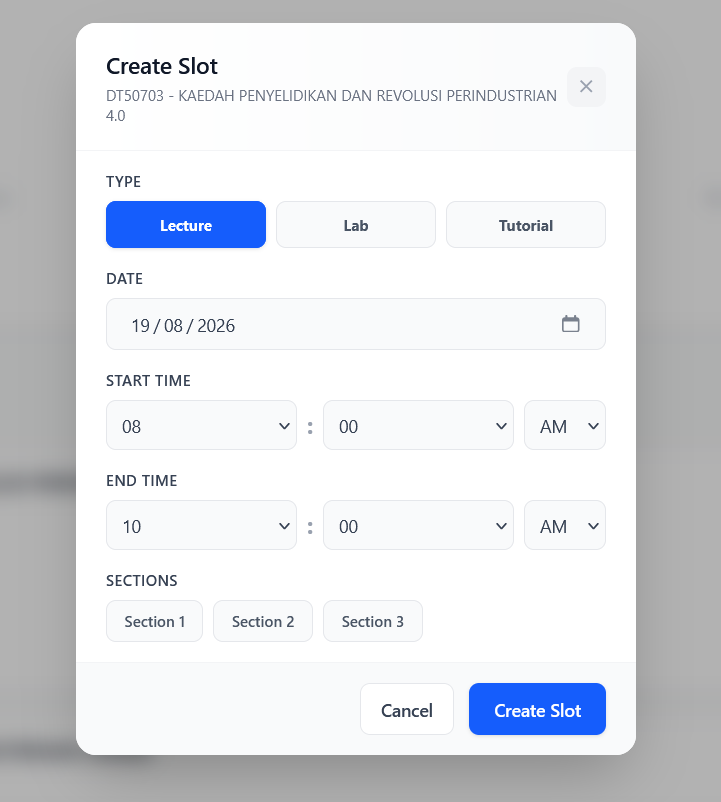
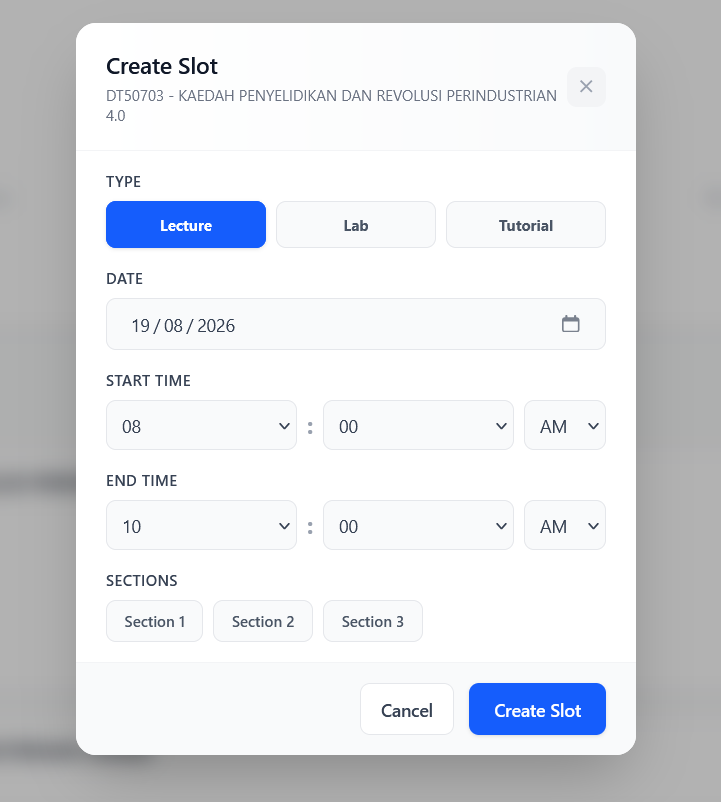
- it will show this popup. Just fill the form and create slot
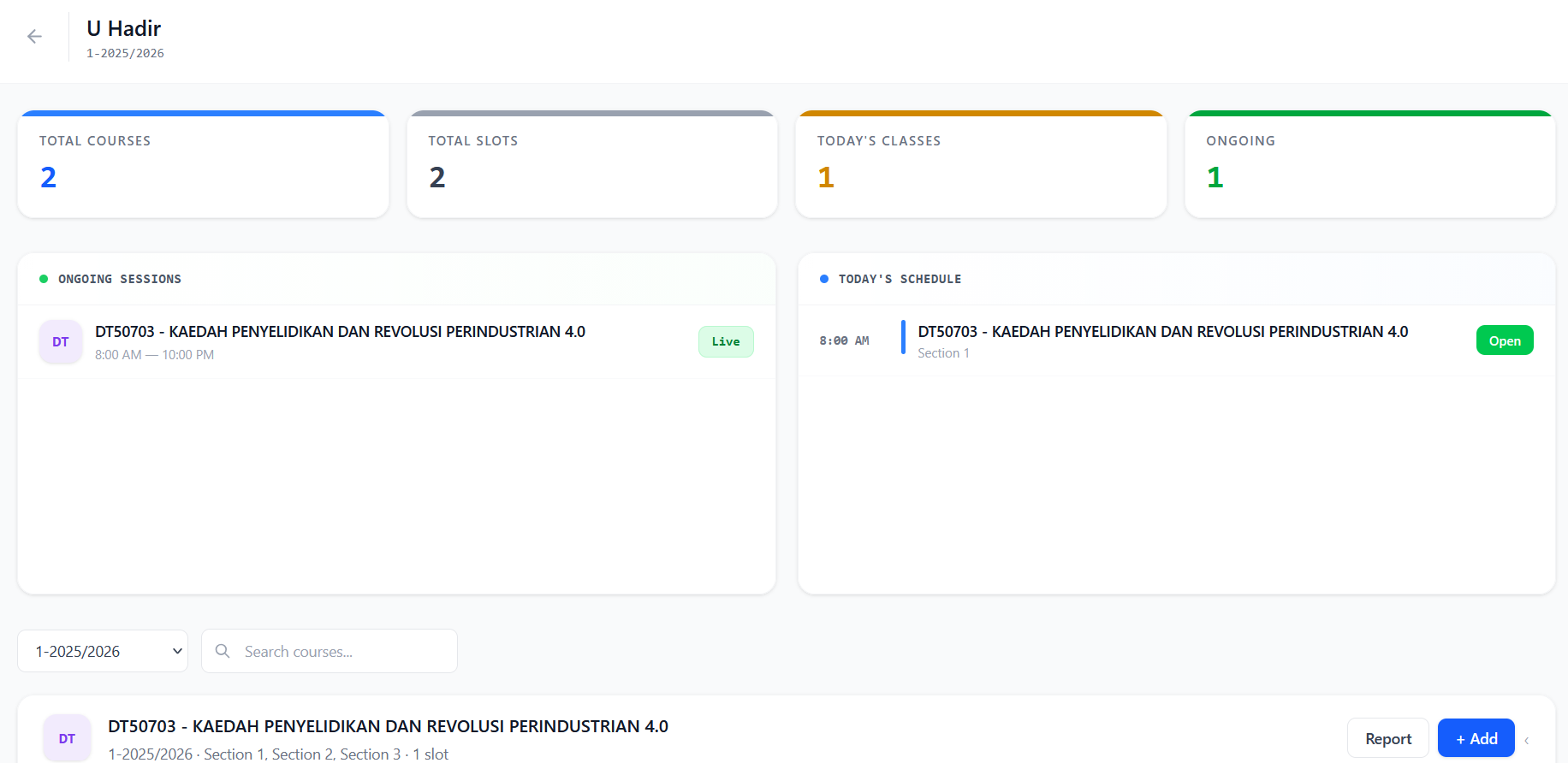
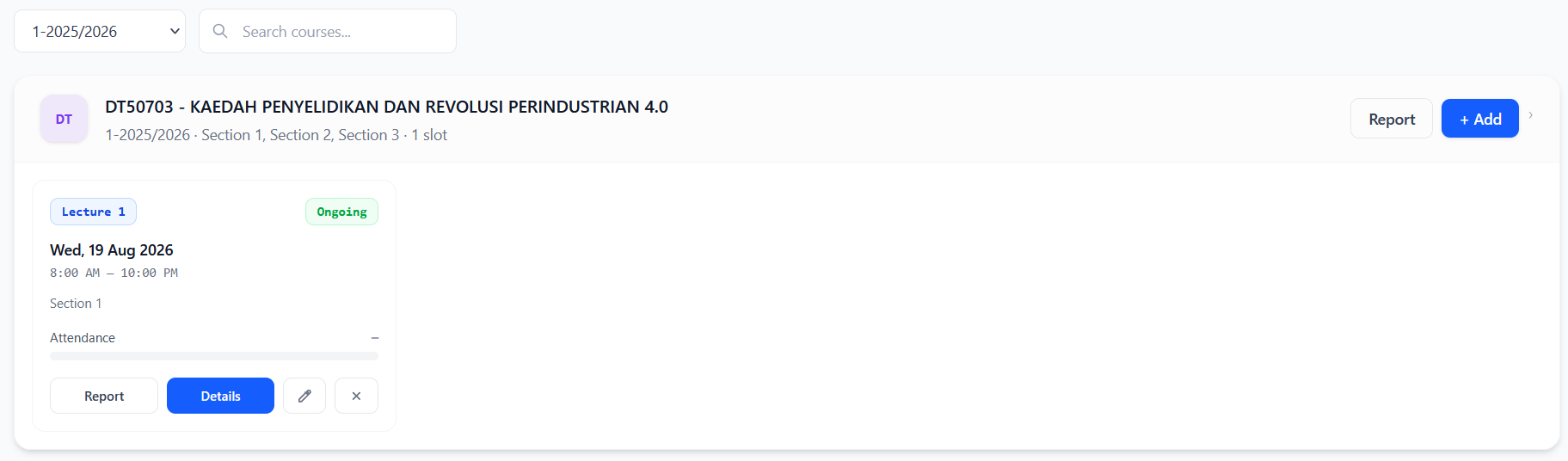
- After created, it will show this newly created class.
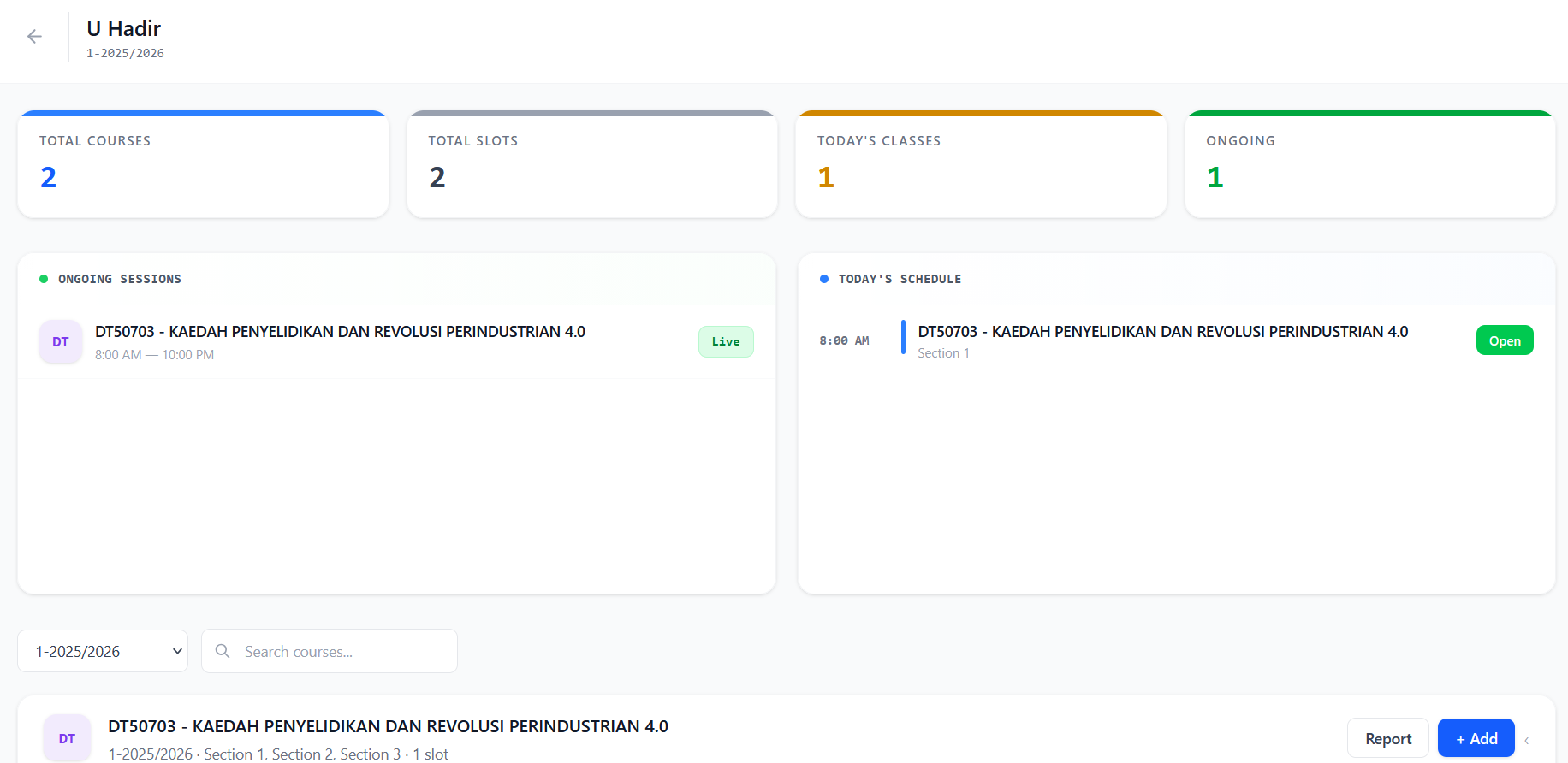
- if student want to attend your teaching class, click the details
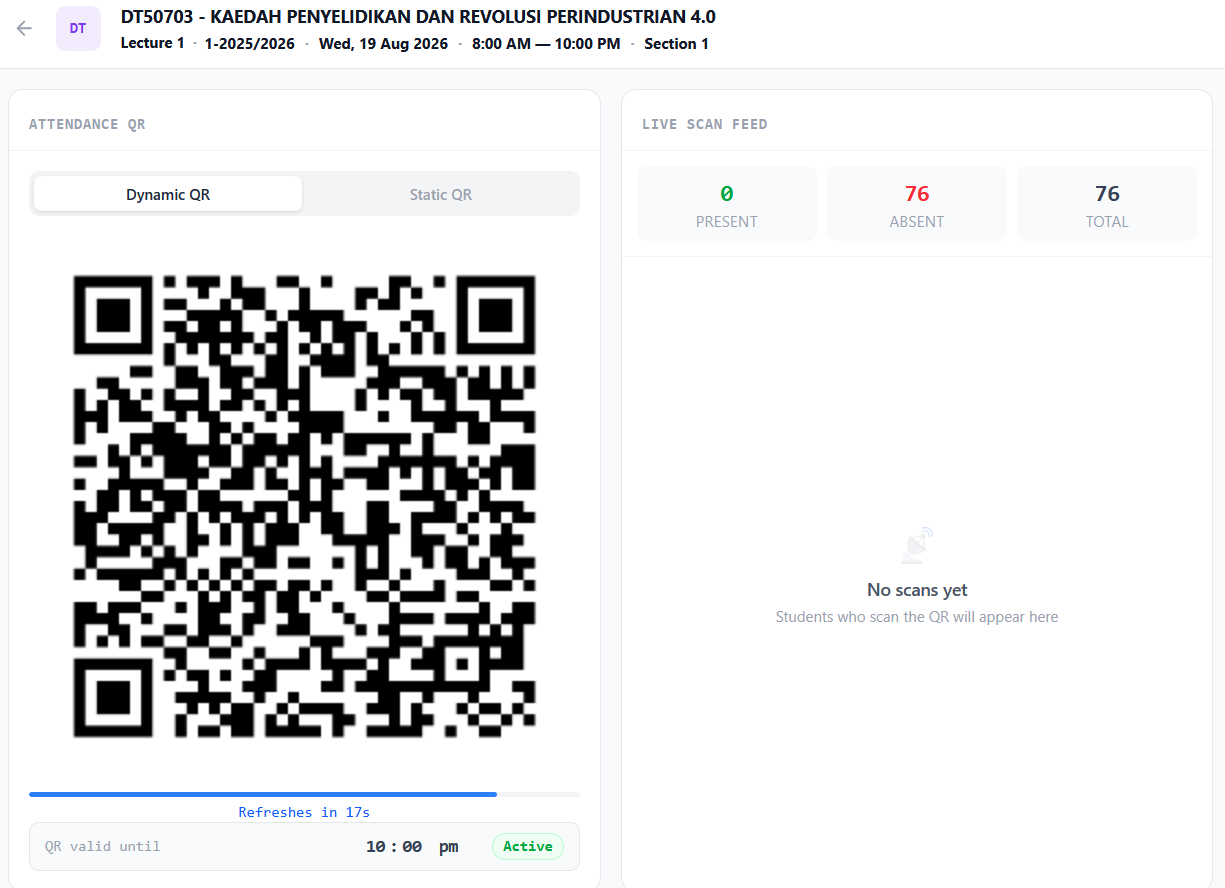
- And it will show this screen that contains qr. if you want dynamic, choose dynamic, if you want static, choose static and it will give a link qr code then you can send to your student.
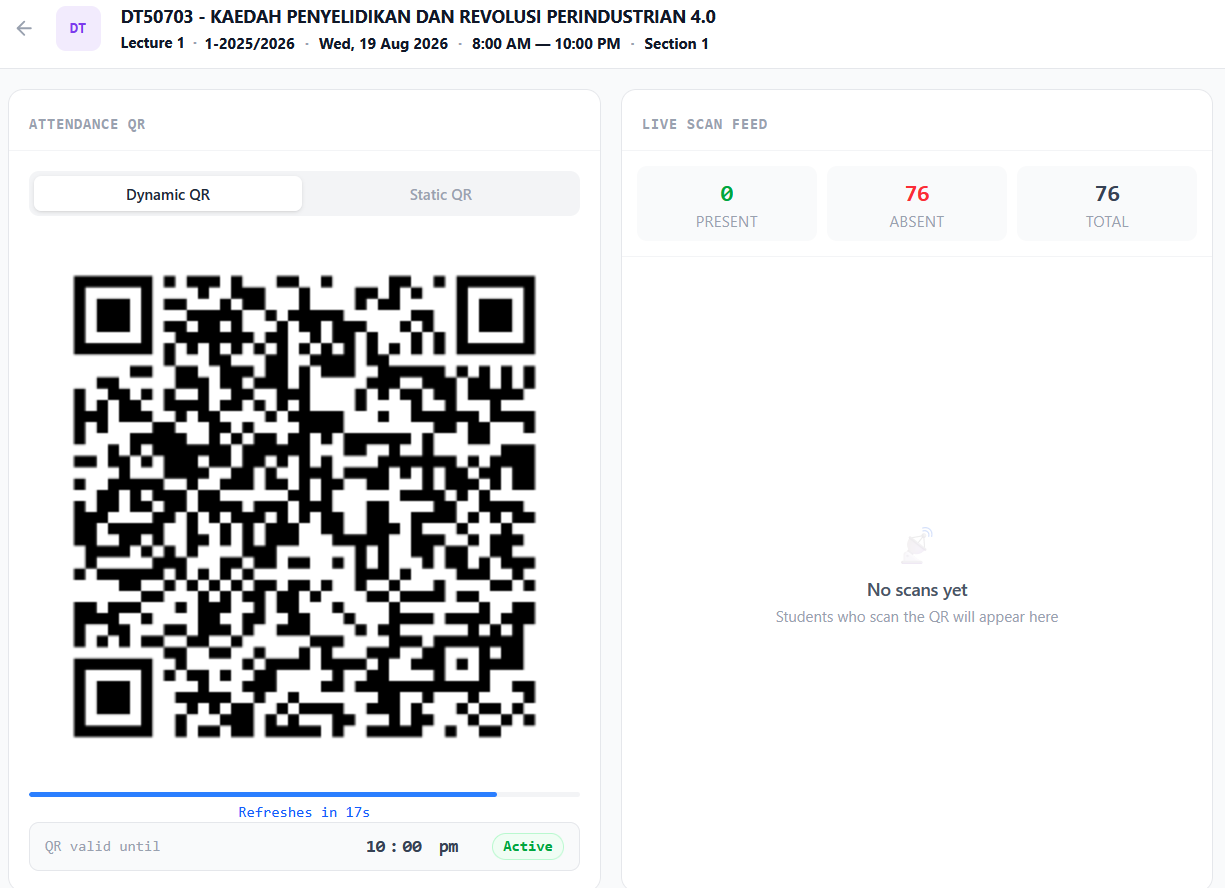
- The attendance record will be on the right side. Student should use their ums go superapp to scan the qr