How To Create A Class
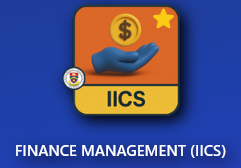
- Go to IICS Website (Login into Portal Kinabalu and search for the Finance Management(IICS))
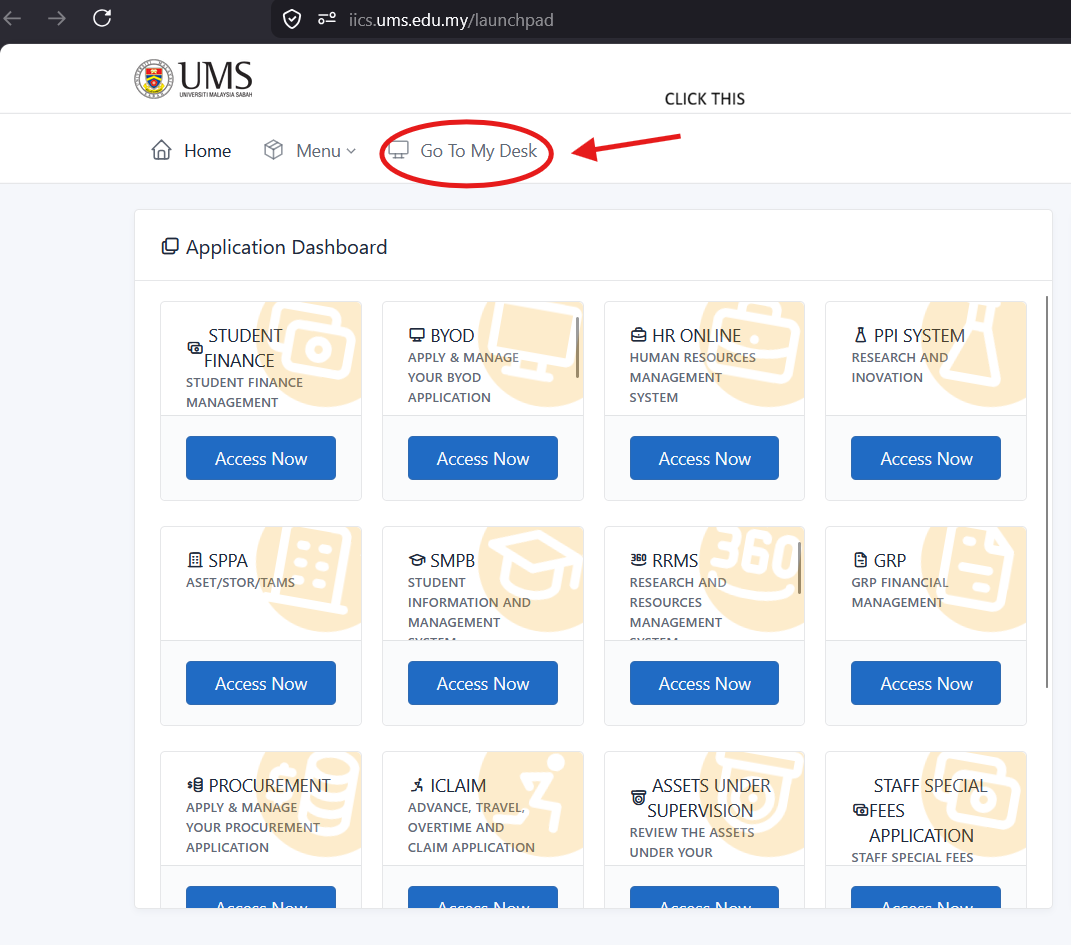
- On Portal Kinabalu, Click the IICS and then on the launchpad page
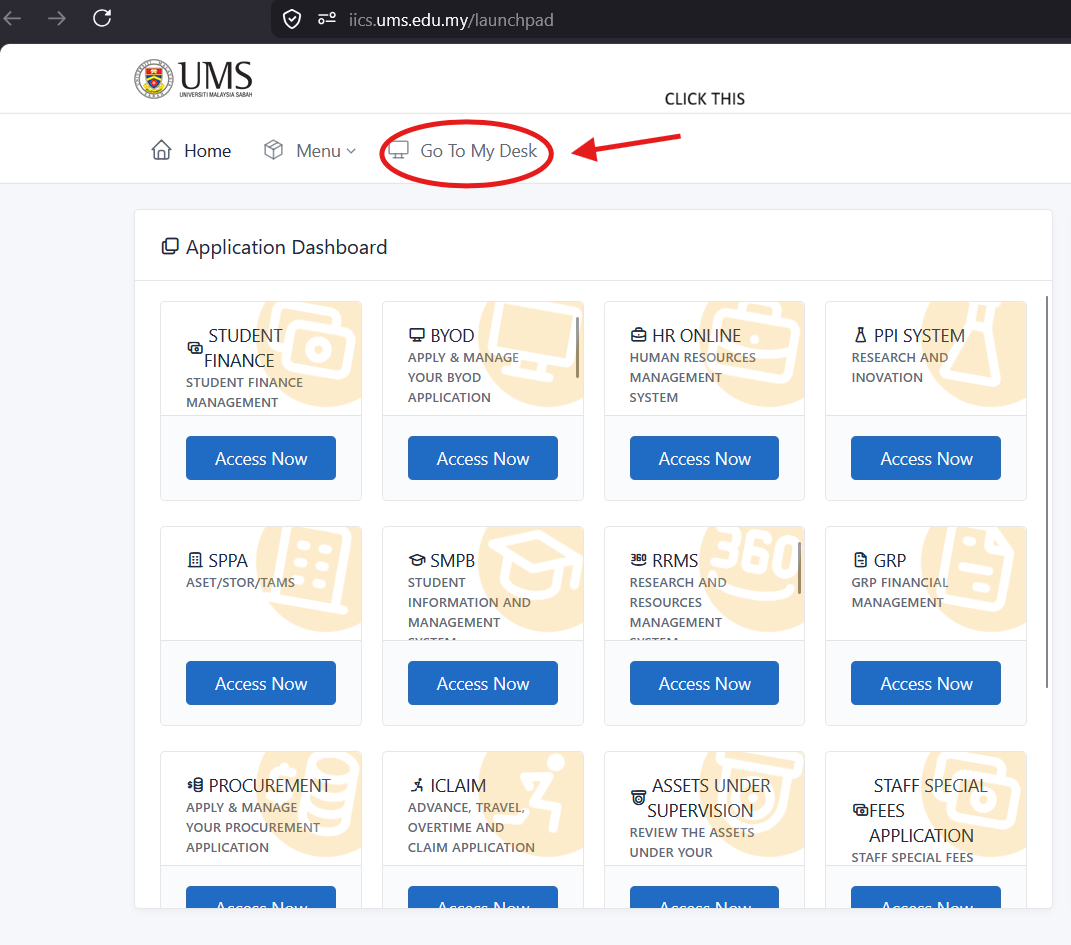
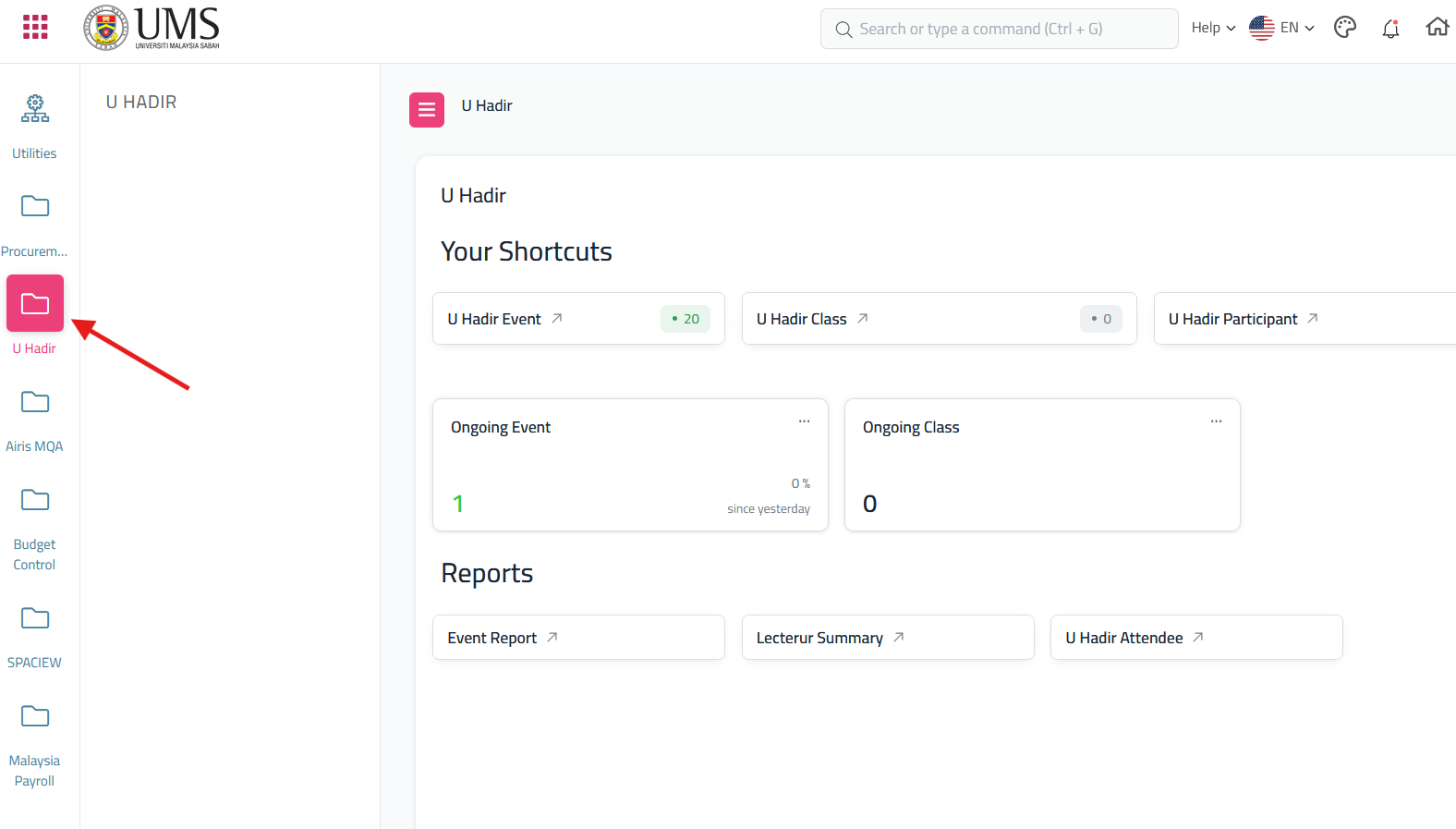
- After click 'My Desk' scroll until you find U Hadir
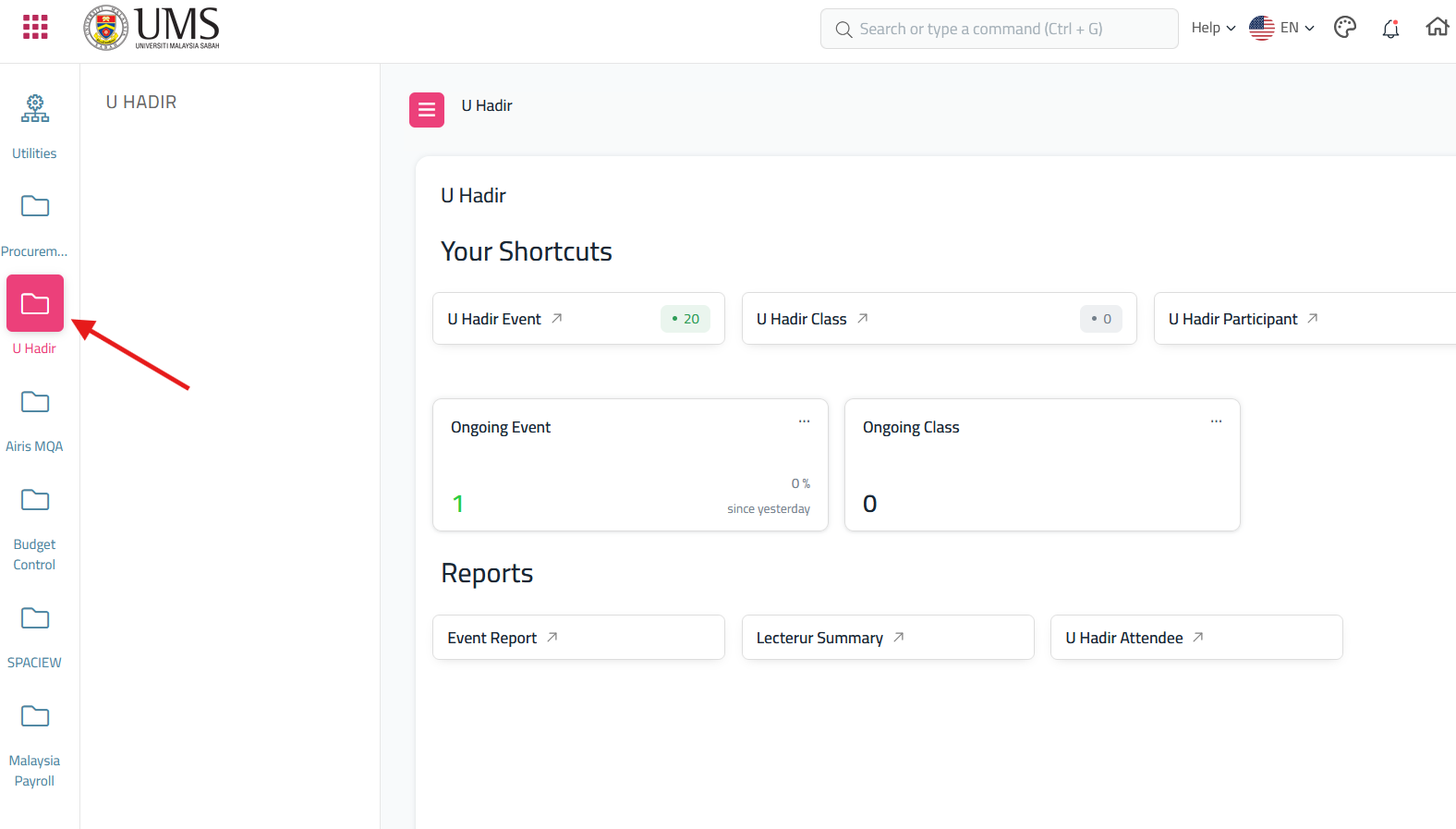
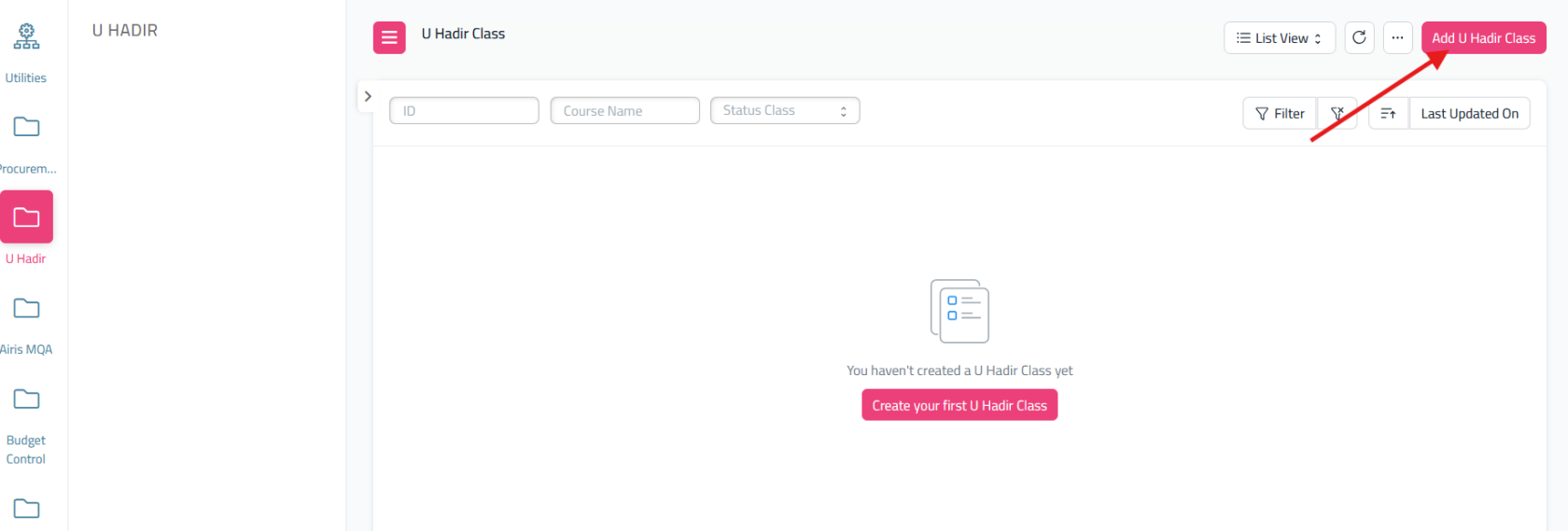
- From the dashboard U Hadir, click the U Hadir Class
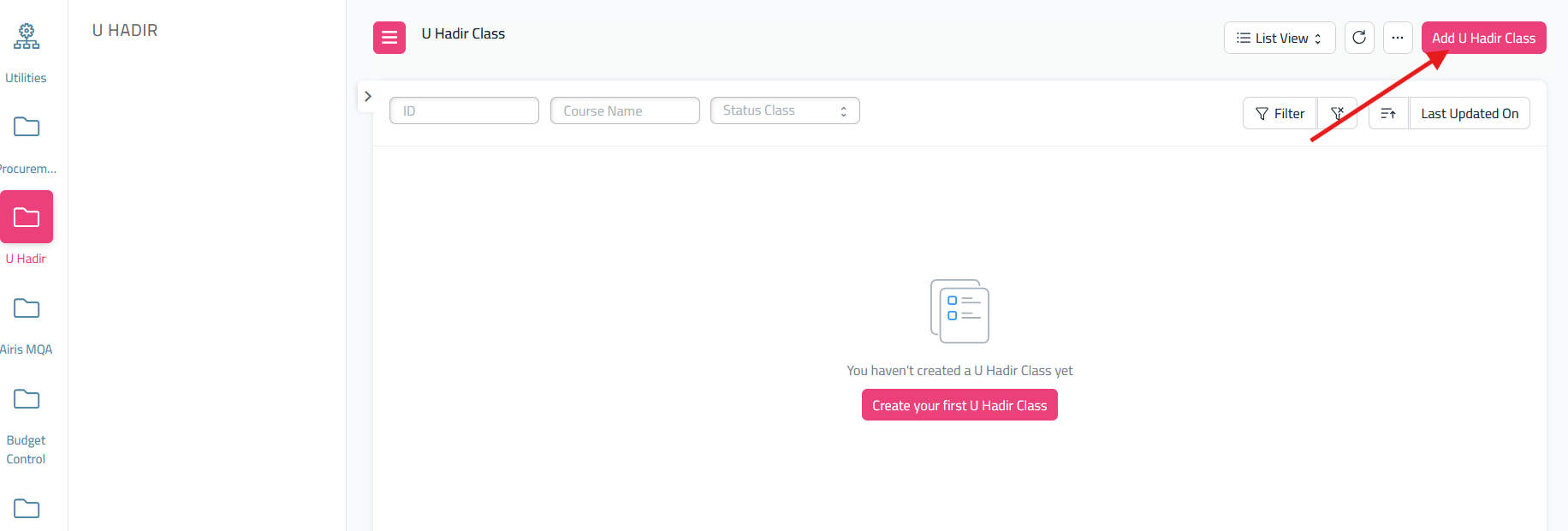
- It will redirect to 'U Hadir Class Doctype' and if you want to create a class, click 'Add U Hadir Class'
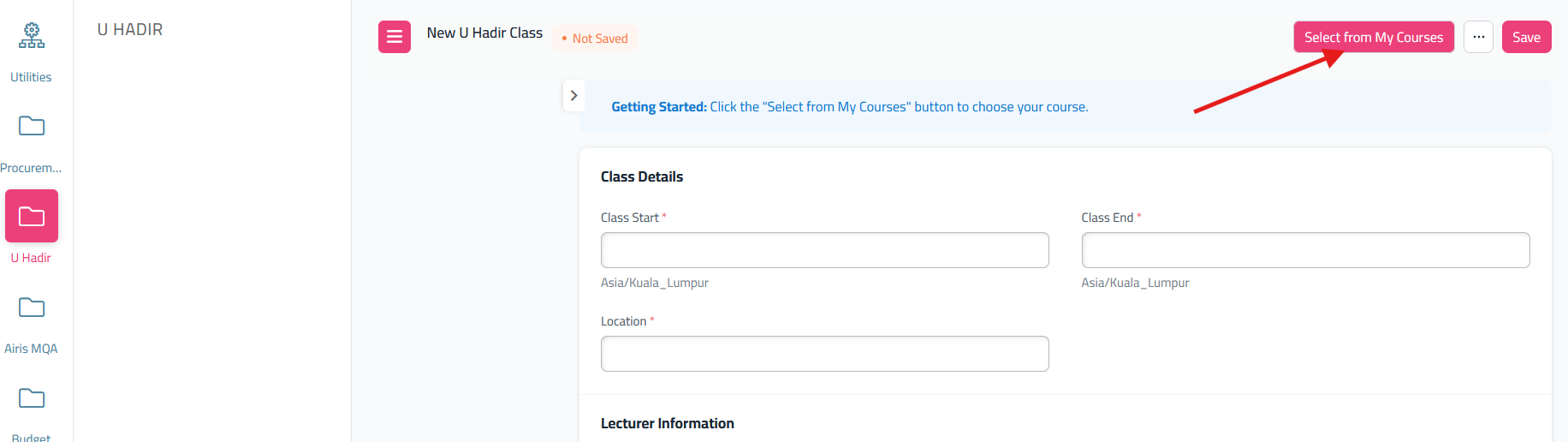
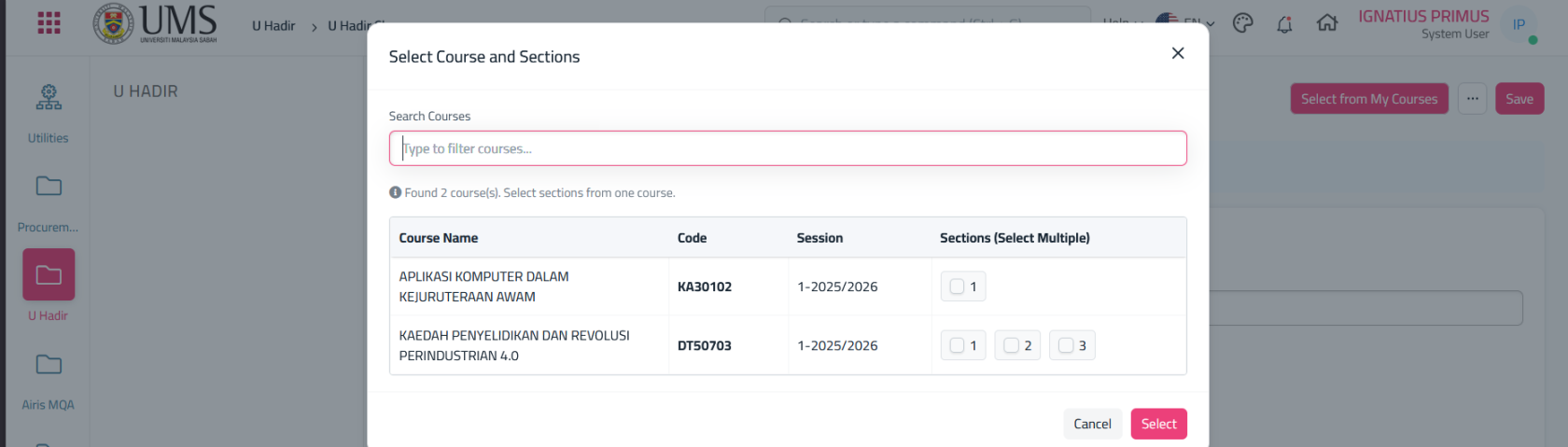
- It will redirect to form U Hadir Class. Fill all the form and before save, click 'Select From My Courses'
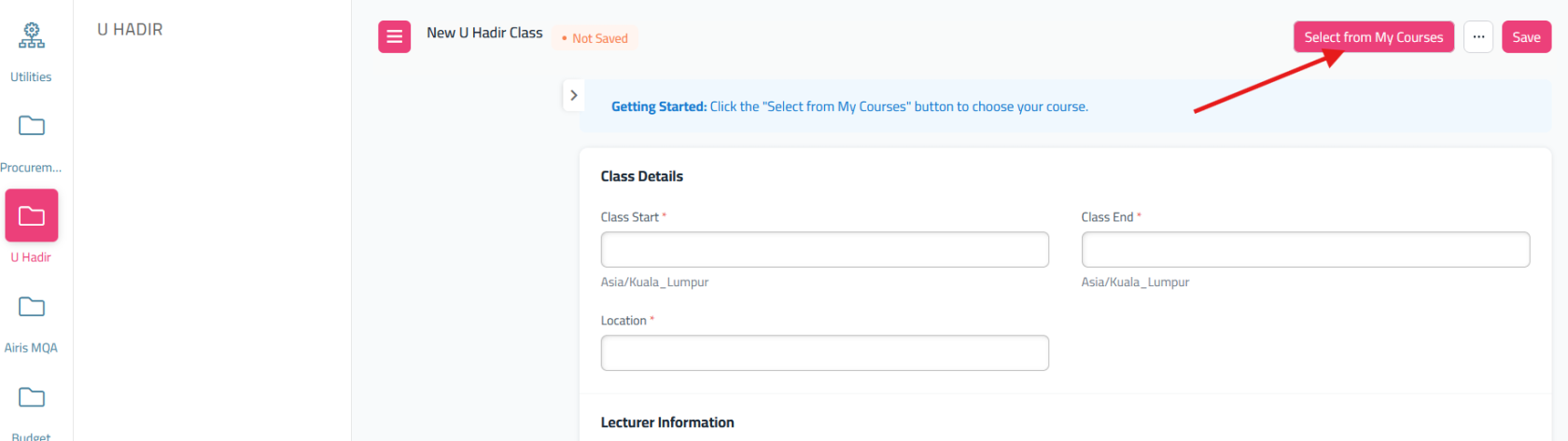
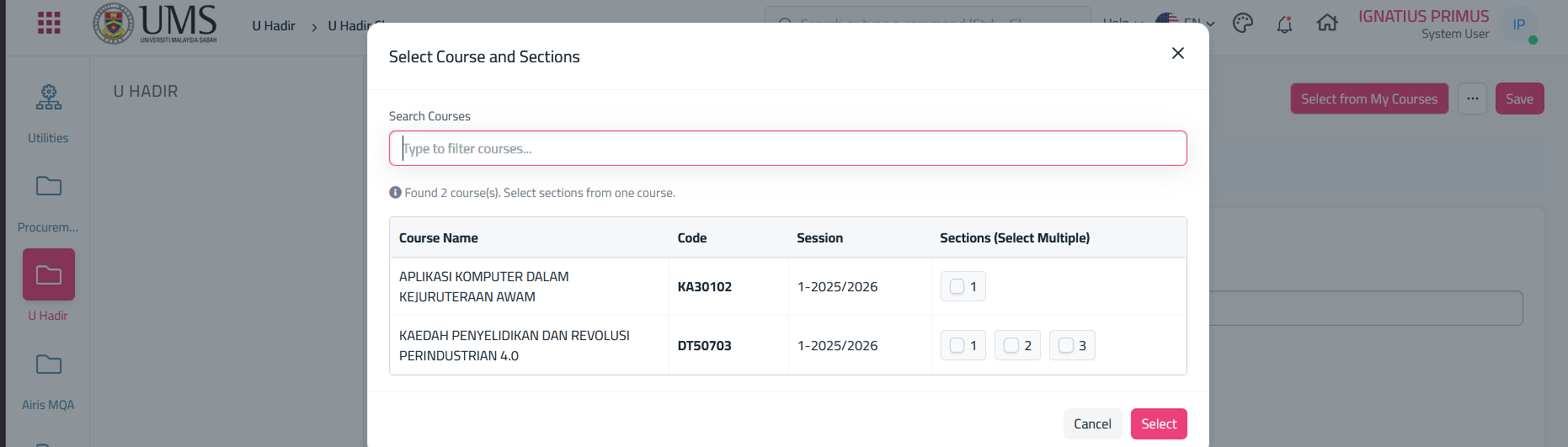
- it will show this popup of your course and select courses that you will teach during the class
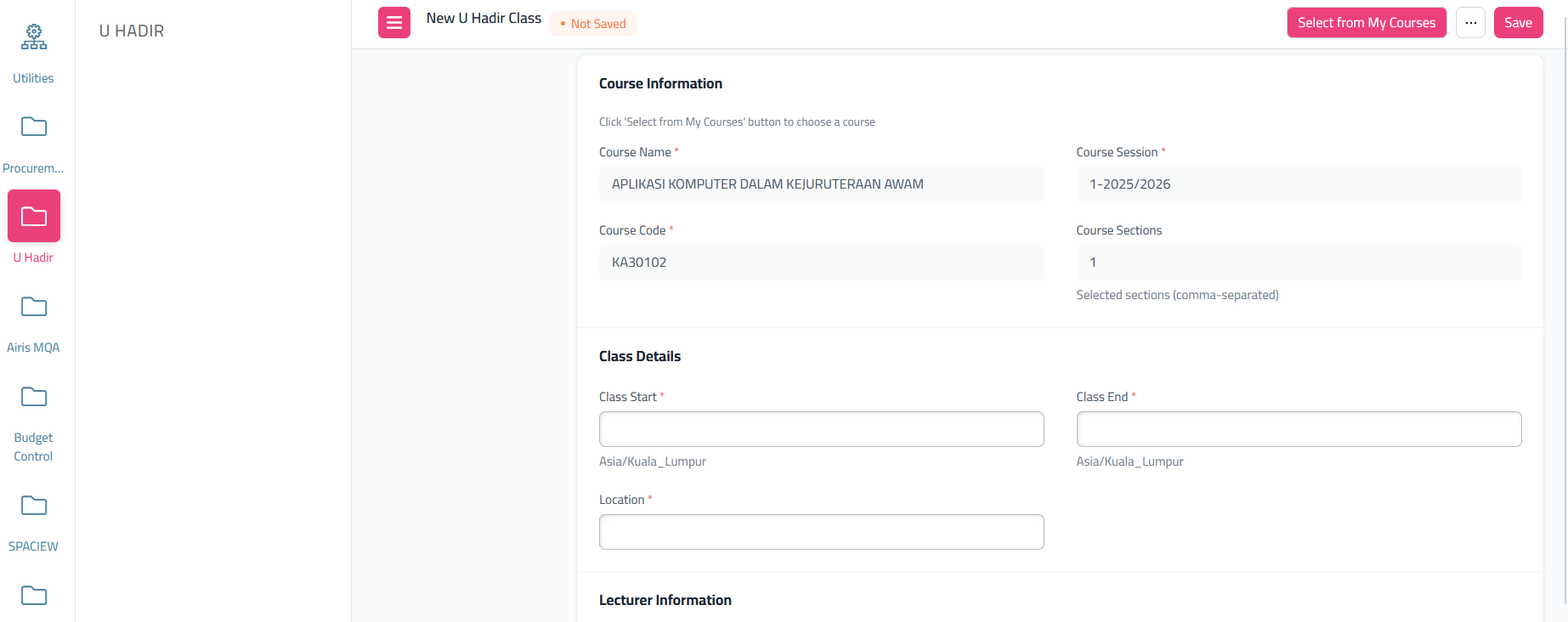
- After select, it will show another form need to fill
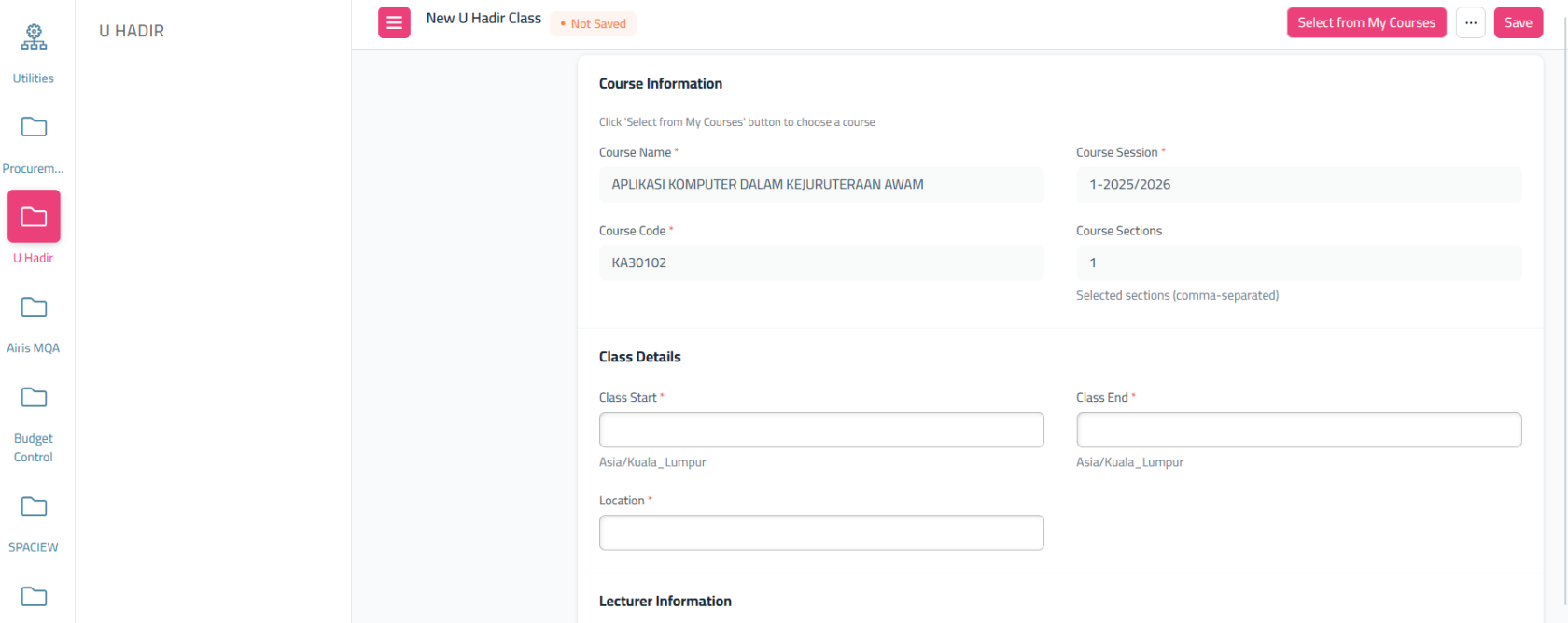 fill all of this, and click 'Save'