
SISEF - User Manual
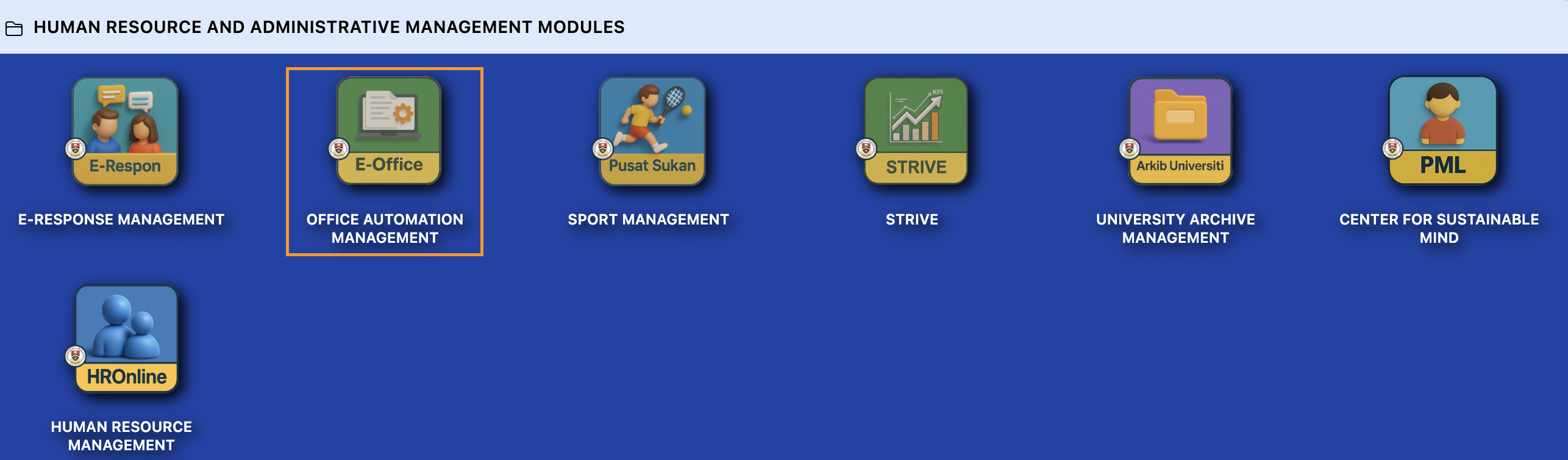
Step 1 : Login to Portal Kinabalu and click Office Automation Management
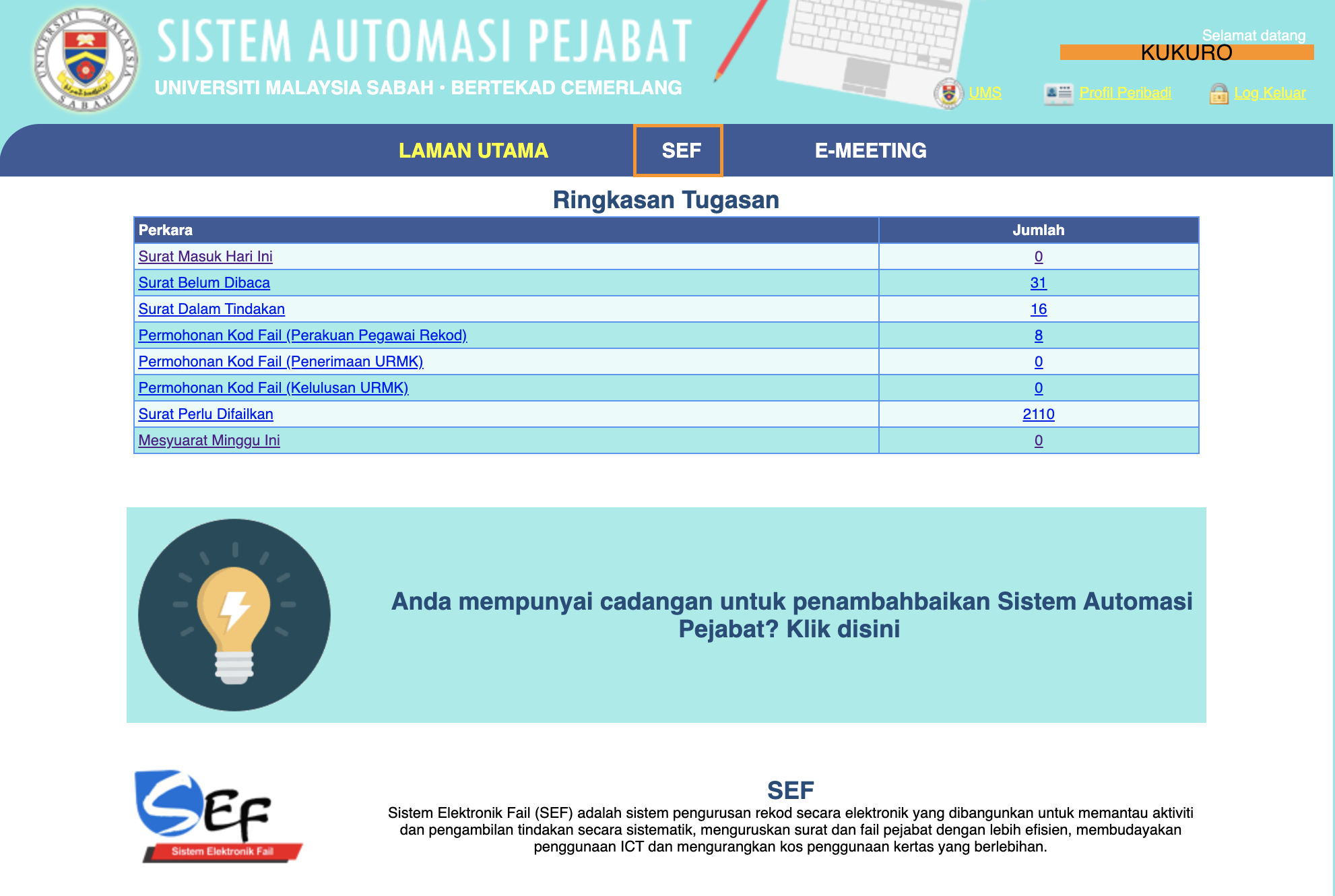
Step 2 : Main page - Click SEF tab to open SEF
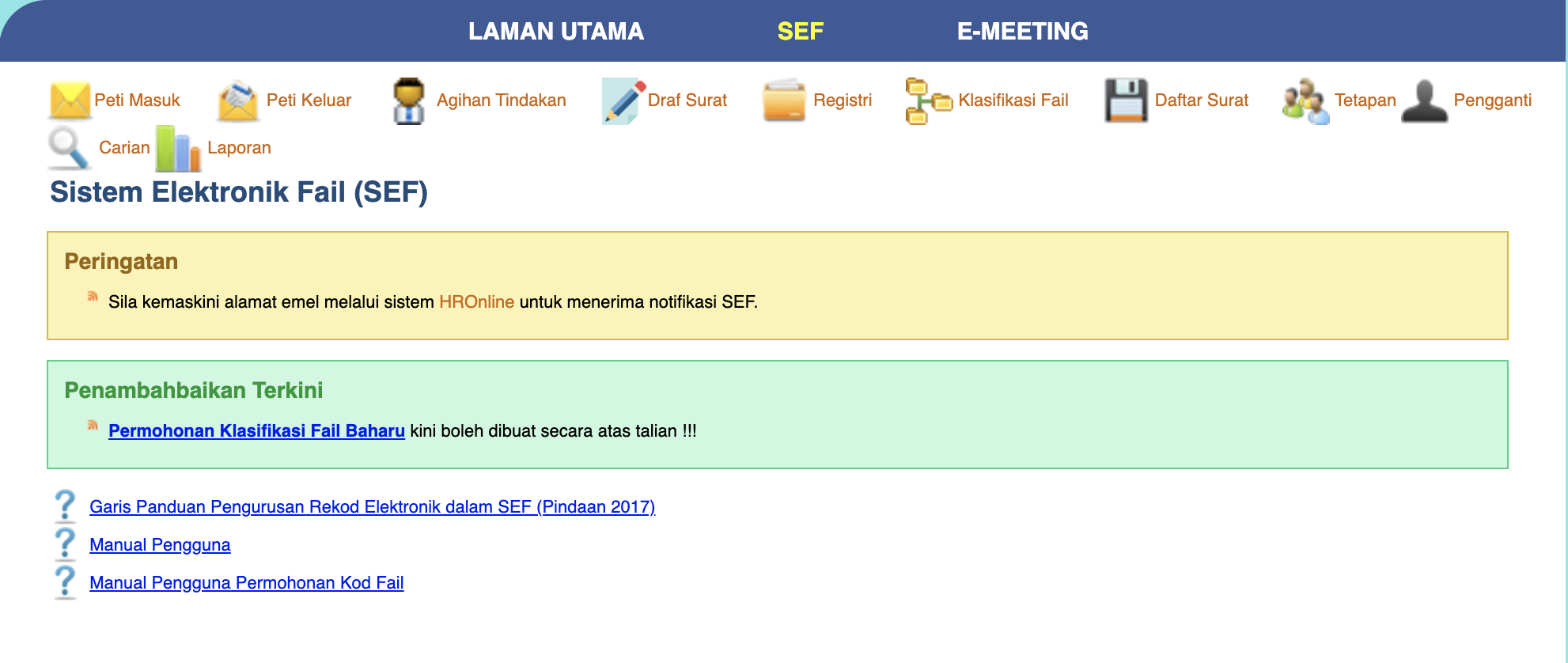
Step 3 : SEF Main Page
Step 4 : Click Peti Masuk
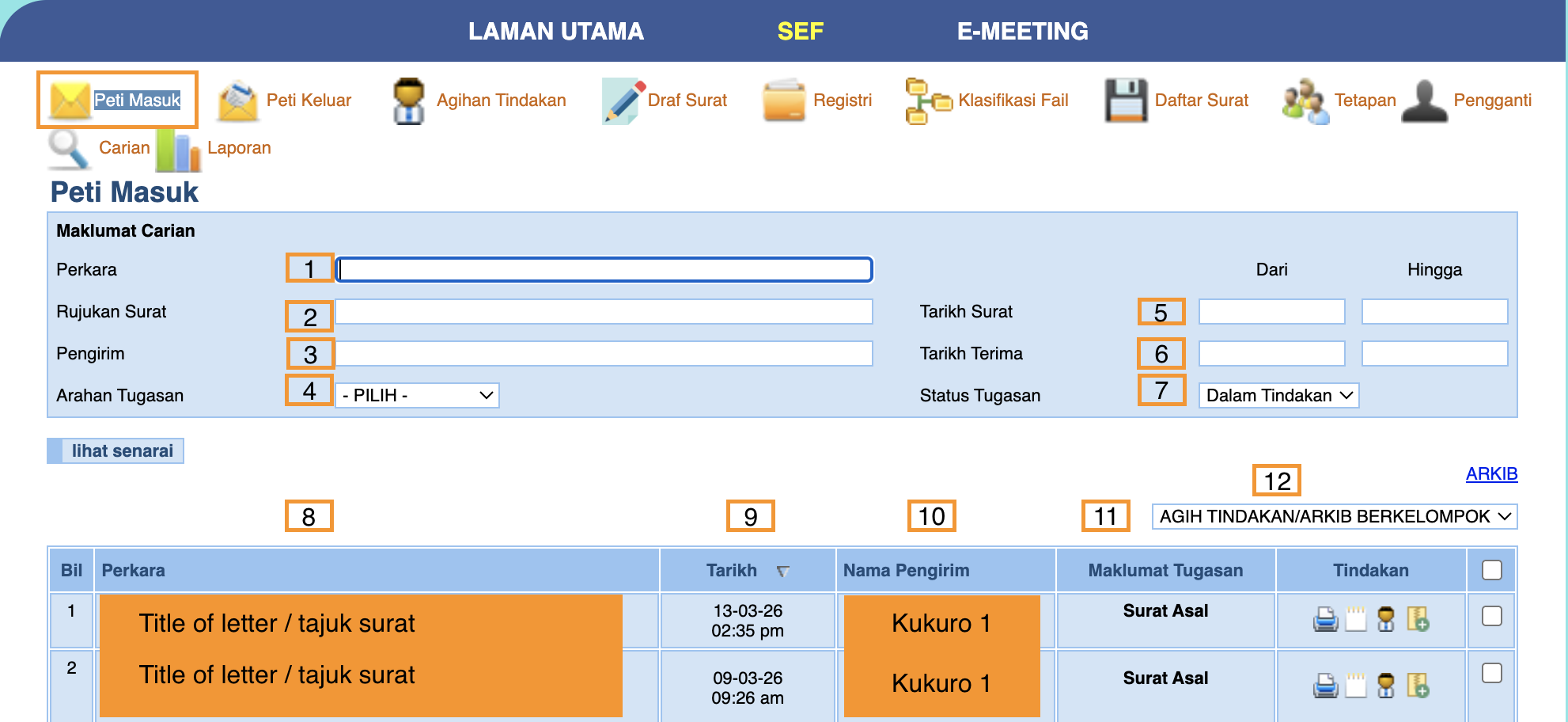
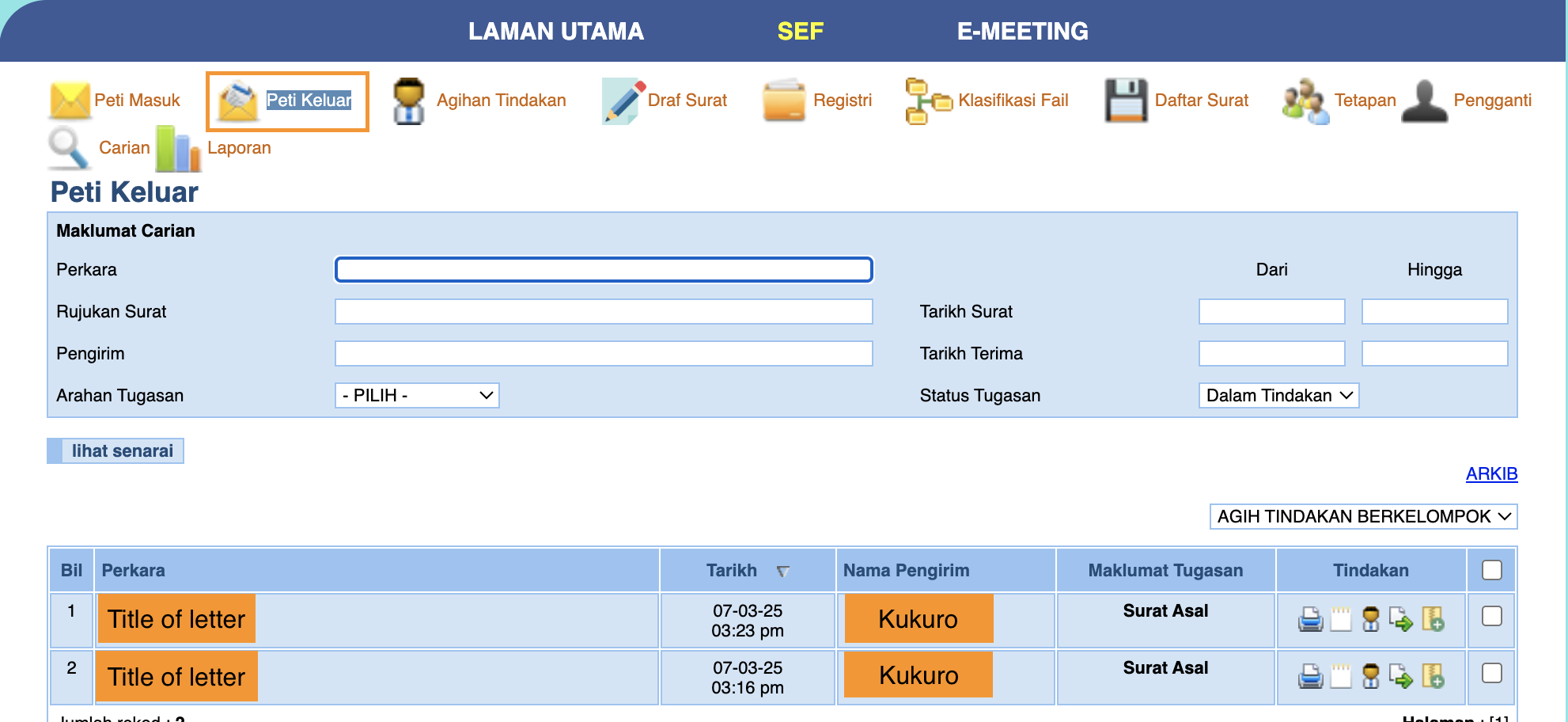
- type Perkara
- taip Rujukan Surat
- type nama pengirim
- Select Arahan Tugasan either Tindakan, Makluman, Bincang, Failkan or Tindakan Sendiri
- Tarikh Surat - optional
- Tarikh Terima - optional
- Select Status Tugasan either Dalam Tindakan or Selesai then click lihat senarai button
- Title of letter
- Date of letter
- Nama Pengirim
- Maklumat Tugasan
- Select from dropdown
Step 5 : Click the Peti Keluar tab and will display the items of your letter
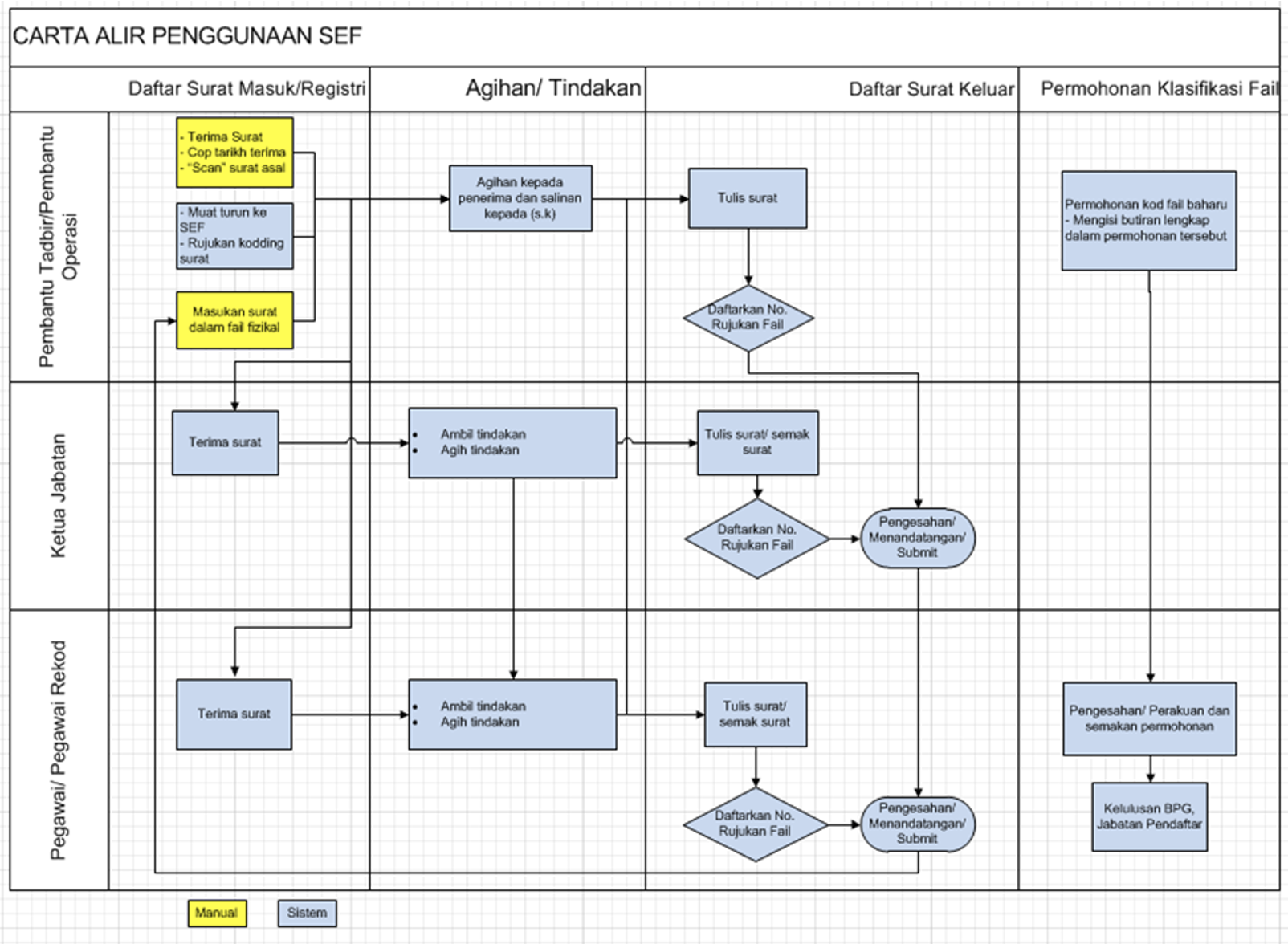
Step 4 : Workflow
No comments to display
No comments to display