
Ubuntu 22.04 Environment Setup
Installing Ubuntu 22.04 on WSL in Windows
Prerequisites:
-
Windows 10 (Version 2004 or higher) or Windows 11.
-
Administrative privileges on your Windows machine.
-
Internet connection.
Step 1: Enable WSL Feature
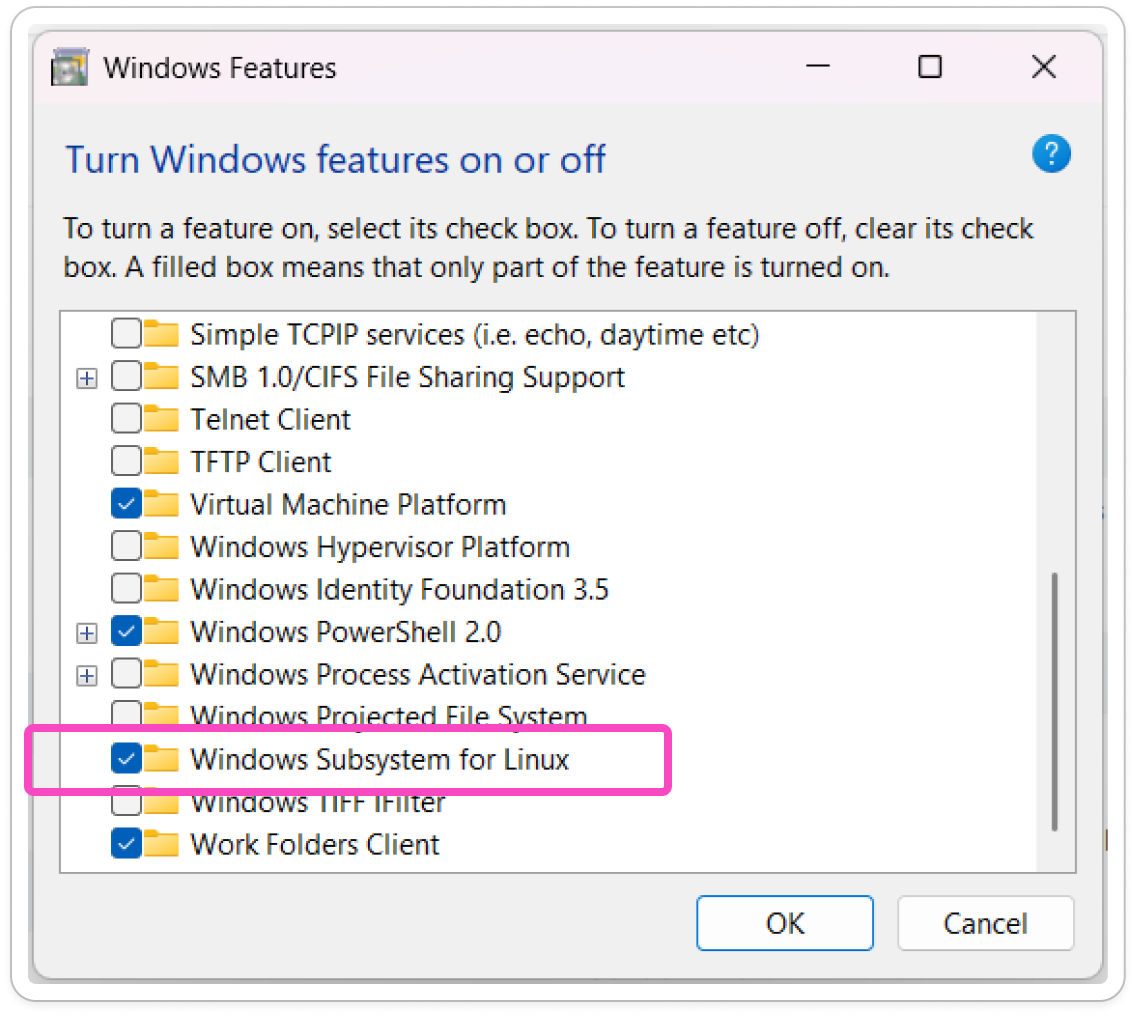
To enable WSL Feature, user can go to the Windows Features and enable the Windows Subsystem for Linux and click OK. The system will automatically install the necessary item and computer will be restart.
Step 2: Install Ubuntu 22.04
To Install Ubuntu 22.04, go to Microsoft Store and search Ubuntu 22.04. Click Install to download and install Ubuntu 22.04.